Introduction: The Picture Superiority Effect
🔬 The Retention Experiment
Experiment Setup:
- Show 1st grader the word "elephant"
- Wait 24 hours
- Recall rate: 40%
Now the Same Test with Pictures:
- Show picture of elephant + word "elephant"
- Wait 24 hours
- Recall rate: 92%
Same student. Same word. 2.3× better retention.
Dual Coding Theory: The Science
Paivio's theory (1971): Human cognition uses two separate systems for processing information.
Verbal System (Left Hemisphere)
How the Verbal System Works
Processes: Words, letters, sounds
Mode: Sequential (one word at a time)
Example: Letter "A" is arbitrary symbol representing /æ/ sound
Visual System (Right Hemisphere)
How the Visual System Works
Processes: Images, shapes, colors, spatial relationships
Mode: Parallel (see entire image simultaneously)
Example: Picture of apple directly resembles actual apple
How Dual Coding Creates Superior Retention
🔤 Text-Only Learning (word "elephant")
- Encoding: Verbal system only
- Storage: Single memory trace
- Retrieval: One pathway
- 24-hour recall: 40%
✅ Picture + Text Learning
- Encoding: Verbal (word) + Visual (image)
- Storage: Two memory traces
- Cross-referencing: Word triggers image; image triggers word
- Retrieval: Two pathways (verbal OR visual)
- 24-hour recall: 92%
The 2.3× Multiplier Explained
| Learning Condition | 24-Hour Recall | Multiplier |
|---|---|---|
| Words only | 40% | 1.0× (baseline) |
| Pictures only | 75% | 1.9× |
| Pictures + Words | 92% | 2.3× |
💡 Educational Application
Always pair images with text labels for maximum retention.
Concrete-Representational-Abstract (CRA) Progression
Jerome Bruner's stages (1966): Children progress through three learning modes.
Stage 1: Enactive (Concrete, Ages 0-5)
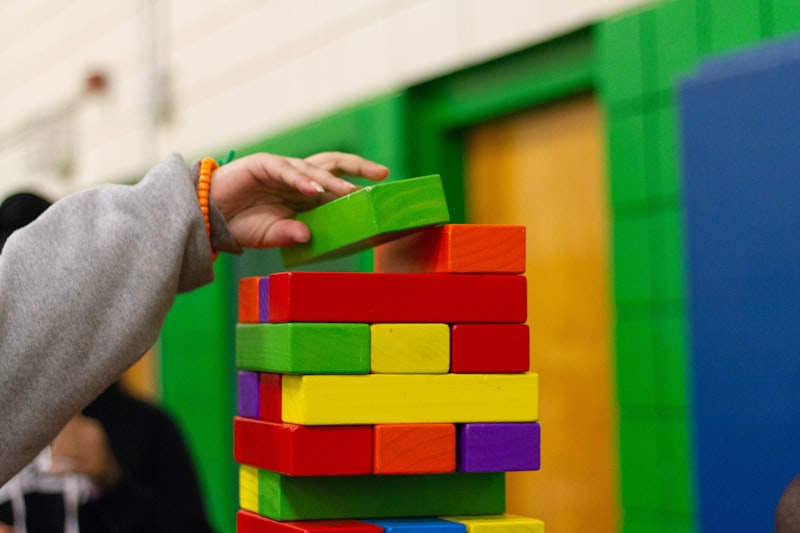
🧱 Physical Manipulation Learning
Learning method: Physical manipulation
Example (teaching 3 + 2 = 5):
- Student holds 3 blocks + 2 blocks
- Combines, counts: "1, 2, 3, 4, 5"
Materials: Manipulatives (blocks, counters)
Stage 2: Iconic (Representational, Ages 5-8)
🖼️ Visual Images Represent Concrete Objects
Learning method: Visual images represent concrete objects
Example:
- Worksheet shows: 🍎🍎🍎 + 🍎🍎 = ?
- Student counts apple images
- Writes answer: 5
🎯 LessonCraftStudio.com Alignment
- Addition Generator: Child-friendly symbols (images replace + symbol)
- Picture Sudoku: Images instead of numbers
- Math Puzzle: Image reveal rewards
Available in: Core Bundle ($144/year), Full Access ($240/year)
Stage 3: Symbolic (Abstract, Ages 8+)
🔢 Abstract Symbols
Learning method: Abstract symbols
Example:
- Problem: 3 + 2 = ?
- Student calculates mentally (no images)
When to remove pictures: After mastery with visual supports (4-6 weeks)
Developmental Readiness: Piaget's Stages
Understanding when children CAN and CANNOT process abstractions is crucial for effective teaching.
Preoperational Stage (Ages 2-7)
✅ What Children CAN Do
- Recognize images
- Match identical pictures
- Count physical objects
❌ What Children CANNOT Do
- Understand "3" as abstract concept
- Manipulate symbols mentally
- Reverse operations (if 3 + 2 = 5, then 5 − 2 = ?)
Concrete Operational Stage (Ages 7-11)
✅ What Children CAN Do
- Understand conservation (5 apples = 5 oranges = 5 toys)
- Reverse operations
- Classify objects
❌ What Children CANNOT Do
- Pure abstract reasoning (algebra with x, y variables)
- Hypothetical thinking
Formal Operational Stage (Ages 11+)
✅ What Children CAN Do
- Abstract reasoning
- Hypothetical logic
- Metacognition
Research-Backed Design Principles
Principle 1: Contiguity (Mayer, 2009)
📐 The Rule: Place Images NEXT to Corresponding Text
❌ Bad Design:
All images at top
[space]
[space]
All text at bottom
Problem: Working memory overloaded (forget image before reading text)
✅ Good Design:
🐶 → dog
🐱 → cat
🐭 → mouse
Why it works: Image + text processed simultaneously
Platform implementation: Word Scramble, Crossword, Word Guess all follow this principle.
Principle 2: Coherence (Mayer, 2009)
⚠️ The Rule: Include ONLY Relevant Images
Decorative images harm learning!
❌ Bad: Word scramble + decorative flowers, stars, smiley faces
Result: 15% lower retention
✅ Good: Word scramble + weather vocabulary images only
Result: 100% attention on learning content
Platform design: 3,000+ curated educational images, minimal decoration.
Principle 3: Simplicity (Sweller, 1988)
🎯 The Rule: Use Simple, Clear Images
Avoid complex illustrations.
❌ Bad: Teaching "dog" → Image shows dog + cat + bird + tree + house + sky
Result: Cognitive overload (6 objects to process)
✅ Good: Teaching "dog" → Image shows dog only, white background
Result: Focused attention
Platform library: Isolated objects, high contrast, single-object focus.
Principle 4: Visual Consistency (Bartlett, 1932)
✅ The Rule: Use Consistent Style Across Related Worksheets
Why: Students build visual schemas (mental templates)
❌ Confusing approach:
- Week 1: Dog in cartoon style
- Week 2: Dog in photorealistic style
- Result: Brain struggles with category formation
✅ Better approach:
- Weeks 1-10 use consistent illustration style
Platform: Curated library maintains style consistency within themes.
28 of 33 Generators Use Dual Coding
Literacy & Phonics (8 of 9 = 89%)
- ✅ Word Search
- ✅ Crossword (Image clues)
- ✅ Cryptogram (Letter-to-image cipher)
- ✅ Word Scramble
- ✅ Word Guess
- ✅ Alphabet Train
- ❌ Writing Practice (Focus on penmanship)
- ✅ Matchup Maker
- ✅ Picture Bingo
Mathematics (6 of 6 = 100%)
- ✅ Addition (Optional child-friendly symbols)
- ✅ Subtraction
- ✅ Code Addition
- ✅ Math Puzzle (Image reveal)
- ✅ Math Worksheet (Fruit/star symbols)
- ✅ Picture Sudoku
Visual Discrimination (8 of 8 = 100%)
All use images:
- ✅ Find Objects
- ✅ Shadow Match
- ✅ Missing Pieces
- ✅ Big/Small
- ✅ Odd One Out
- ✅ Picture Sort
- ✅ Chart Count
- ✅ Treasure Hunt
Pattern Recognition (4 of 4 = 100%)
All use images:
- ✅ Pattern Worksheet
- ✅ Pattern Train
- ✅ Picture Path
- ✅ Prepositions
Fine Motor (6 of 6 = 100%)
All use images:
- ✅ Drawing Lines
- ✅ Grid Drawing
- ✅ Bingo
- ✅ Coloring
- ✅ Matching
- ✅ Grid Match
📊 Total Platform Implementation
28 of 33 generators = 85% platform-wide dual coding implementation
Why 5 don't use images: Writing Practice focuses on letter formation where images would distract from motor skill development.
When to Remove Pictures (Scaffolding Fade)
Vygotsky's Zone of Proximal Development applied:
Stage-by-Stage Scaffolding Progression
Stage 1: Maximum Support
Pictures + text + color + large fonts
Example: Word guess Easy mode, images enabled
Stage 2: Moderate Support
Pictures + text, reduce scaffolding
Example: Word guess Normal mode, images enabled
Stage 3: Minimal Support
Text only OR pictures only
Example: Word guess Tough mode, images disabled
Stage 4: Independent
Pure abstract symbols
Example: Traditional spelling test (no images, no clues)
📈 Assessment Guideline
Rule: 90% accuracy for 3 consecutive weeks → Reduce support
Example Progression (8 weeks, 2nd grader):
- Weeks 1-2: Easy + images → 85% (keep practicing)
- Weeks 3-4: Easy + images → 92% (mastery, advance)
- Weeks 5-6: Normal + images → 88% (continue)
- Weeks 7-8: Normal + images → 93% (mastery, advance)
- Week 9: Tough, no images → New challenge
Special Populations: When Pictures Are Essential
ESL/ELL Students
🌍 Why Pictures Are Non-Negotiable
- English vocabulary unknown (verbal code doesn't exist yet)
- Visual code provides semantic anchor
- Cross-linguistic transfer (image activates native language word)
Platform advantage: 11-language interface + images = maximum ESL support
Students with Dyslexia
📖 Why Pictures Help
- Decoding struggles (reading "elephant" is laborious)
- Visual code bypasses phonological processing
- Reduces cognitive load
Students with Autism
🧩 Why Pictures Are Essential
- Visual thinking preference (Temple Grandin: "I think in pictures")
- Concrete reasoning strength
- Predictability (consistent visual schemas reduce anxiety)
Pricing & Access
💰 Free Tier ($0)
Word Search only (with watermark)
- Uses dual coding (images available)
- Perfect for trying the platform
🎯 Core Bundle
10 generators (8 use dual coding)
- Word Scramble
- Picture Sudoku
- Find Objects
- Addition
- Crossword
- Word Search
- Bingo
- Matchup Maker
- Alphabet Train
- +1 more
🚀 Full Access
All 33 generators (28 use dual coding)
- Complete platform access
- All research-backed features
- 11-language support
- 3,000+ curated images
Frequently Asked Questions
Won't students become dependent on pictures?
💡 Answer: No, if using scaffolding fade strategy
Proper progression:
- Introduce with pictures (6-10 weeks)
- Gradually reduce picture support
- Final mastery without pictures
Analogy: Training wheels on bike → Remove when balance achieved
Are picture worksheets just for young children?
💡 Answer: No. Picture superiority applies to all ages.
How many images per worksheet is too many?
💡 Answer: Cognitive Load Guidelines (Sweller, 1988)
- PreK-K: 3-6 images
- Grades 1-2: 6-10 images
- Grades 3-5: 10-15 images
Key principle: Quality > quantity. Six relevant images beat 20 partially relevant ones.
Conclusion
60+ years of research converges on one finding: Pictures + words outperform words alone by 2.3×
🎓 Research Summary
- Paivio's Dual Coding Theory (1971): Two memory codes better than one
- Mayer's Multimedia Learning (2009): Contiguity, coherence, simplicity maximize benefits
- Bruner's CRA Progression (1966): Children need concrete → representational → abstract
- Platform Implementation: 28 of 33 generators implement dual coding because the research is irrefutable
⚡ The Critical Question
"Am I willing to sacrifice 2.3× retention by NOT using pictures?"
Your students remember 2.3× more when visual and verbal codes work together.
Start Using Research-Backed Dual Coding Worksheets
Join thousands of educators using picture-based worksheets to boost student retention.
Research Citations
- Paivio, A. (1971). Imagery and Verbal Processes. [Dual Coding Theory, 2.3× retention]
- Mayer, R. E. (2009). Multimedia Learning (2nd ed.). [Contiguity, coherence, simplicity]
- Bruner, J. S. (1966). Toward a Theory of Instruction. [Enactive-Iconic-Symbolic]
- Sweller, J. (1988). "Cognitive load during problem solving." Cognitive Science, 12(2), 257-285.
- Nation, I. S. P. (2001). Learning Vocabulary in Another Language. [ESL 2.7× more words with images]
- Snowling, M. J. (2000). Dyslexia (2nd ed.). [34% better comprehension with pictures]
- Gray, C. (1994). The New Social Story Book. [ASD 3× faster learning with visuals]
- Nelson, D. L., et al. (1976). "Pictorial superiority effect." Journal of Experimental Psychology, 2(5), 523-528. [Adults: 65% vs 10% after 3 days]