Literacy & Language

Create Word Scramble Worksheets to Sell on Etsy & KDP

Shuffled letter tiles meet image clues — four difficulty levels and vowel-consonant color coding turn every word into a hands-on spelling puzzle.

Word scramble worksheets are a proven seller in the literacy printable niche — and this maker lets Etsy sellers create professional letter-rearrangement puzzles in minutes. Each worksheet pairs an image clue with shuffled letter tiles that solvers rearrange to spell the correct word. Four difficulty levels control how many letters are pre-placed, creating natural product tiers from beginner to advanced. The unique vowel-consonant color coding adds a phonics dimension no other generator offers. Choose from 3,000+ themed images and export 300 DPI print-ready PDFs with automatic answer keys and full commercial license. Built-in 11-language support means each locale generates different words — one tool produces sellable products for English, German, French, and more. Free to try with all features — no signup, no credit card. Downloads include a watermark; purchase a license to remove it.
Buy for $49

No signup required. Create worksheets instantly.

No signup required11 languages supportedInstant PDF export
Grades 1-3

Unscramble Words with Picture Clues!

Rearrange letters to spell the word shown in the picture
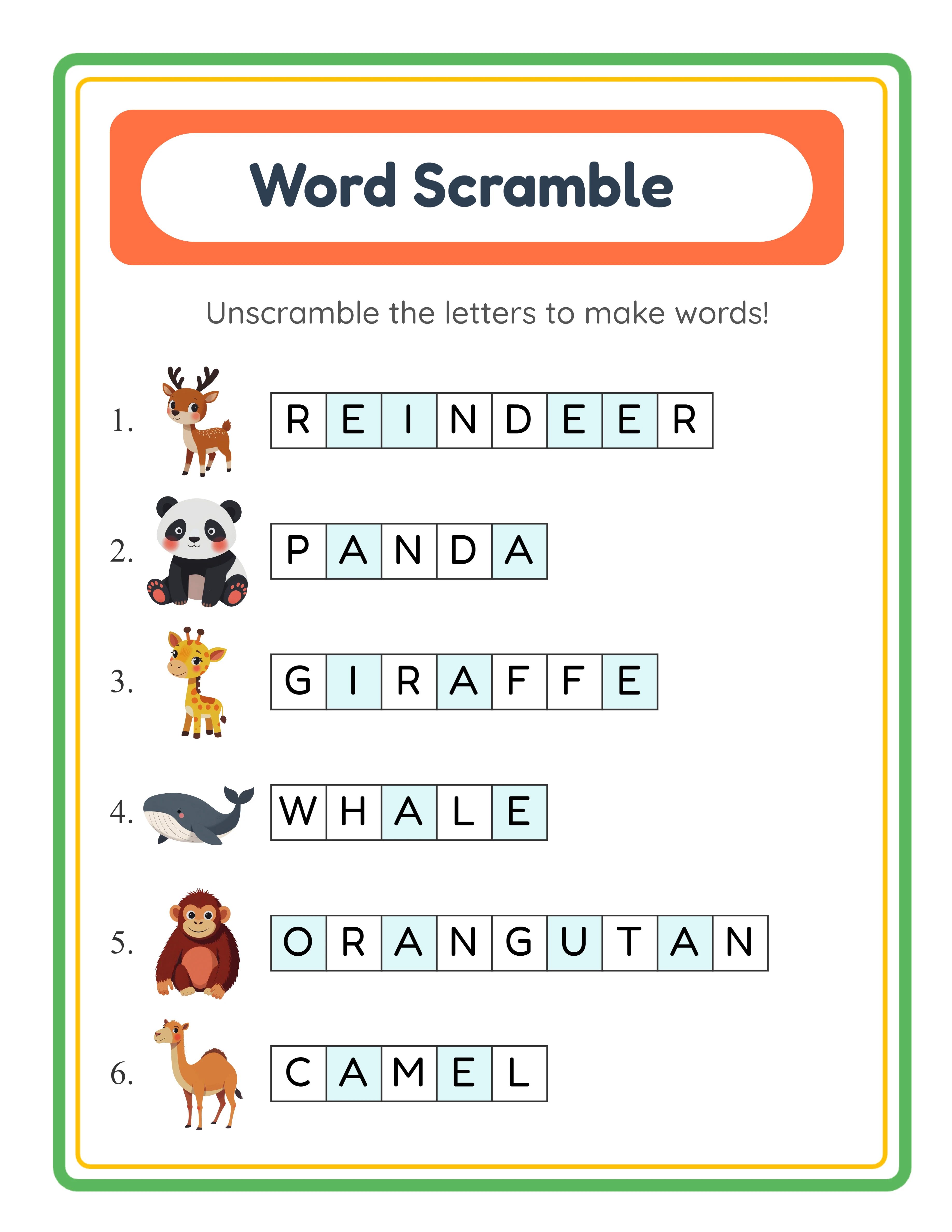
Word scramble worksheet — unscramble with picture clues
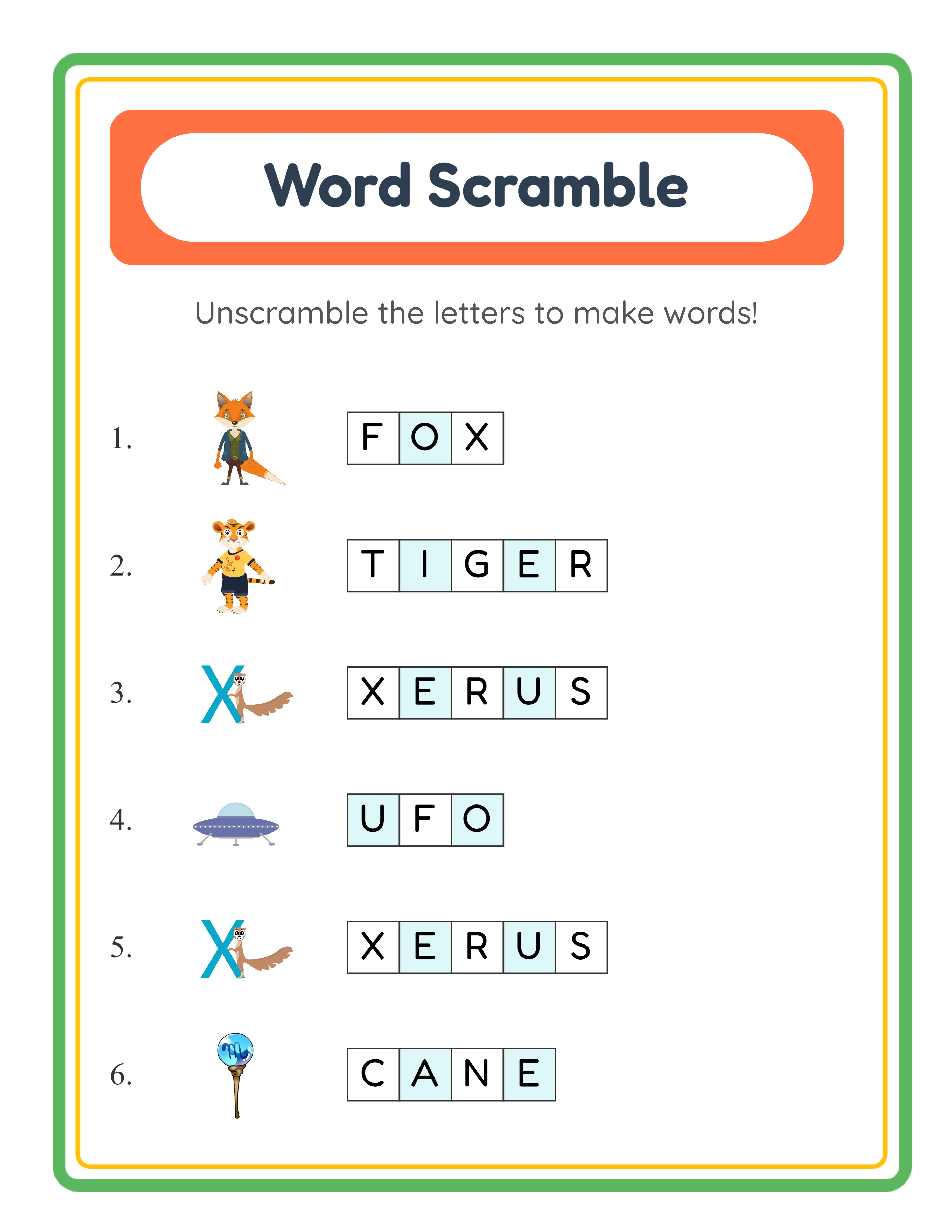
Word scramble — themed letter puzzles
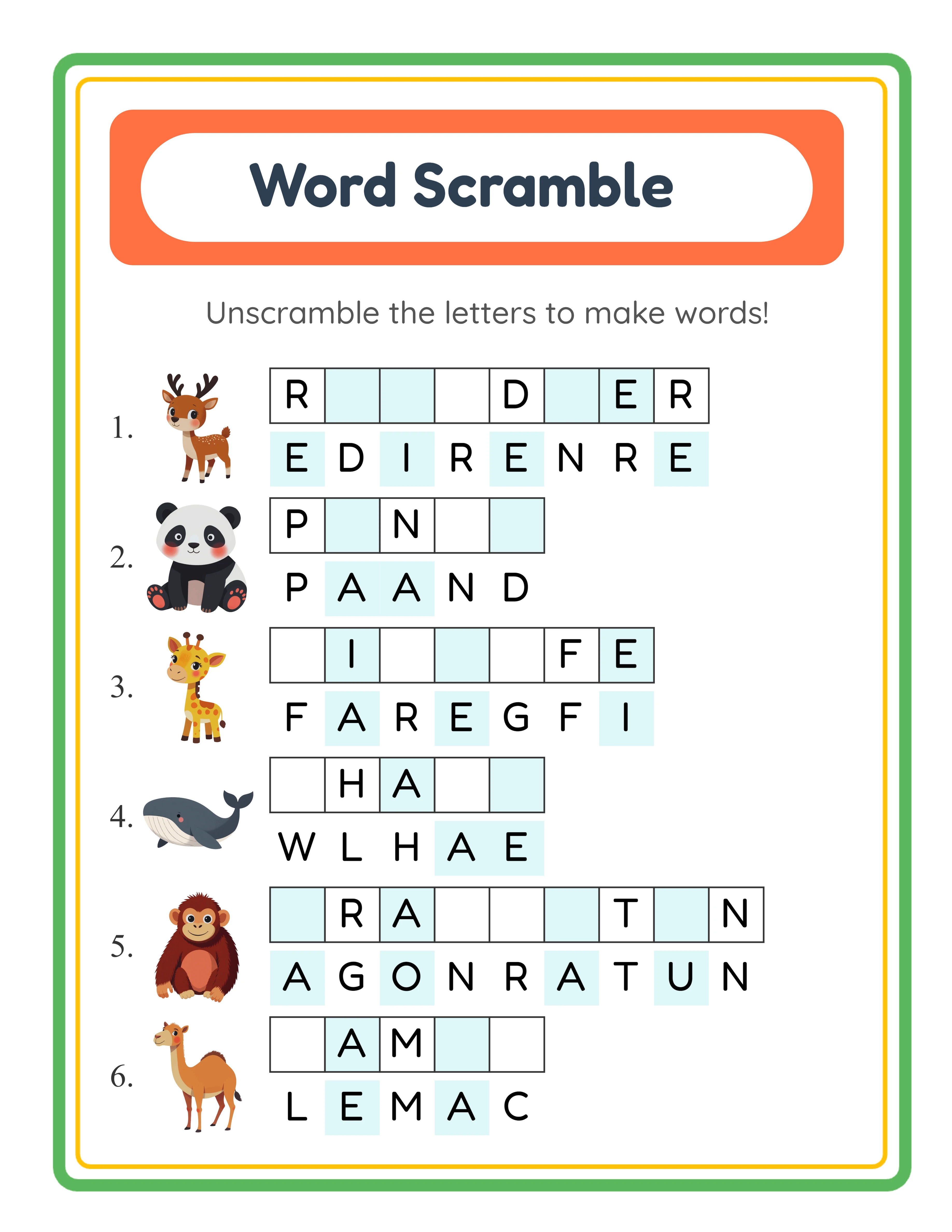
Word scramble — advanced challenges
Unscramble LettersAnswer KeysPrint-ReadyFree Trial with Watermark

How to Generate Word Scramble Puzzles Step by Step

1

Set Your Page Layout

Open the Page Setup panel and pick a page size: Letter Portrait, Letter Landscape, A4 Portrait, A4 Landscape, Square (1200×1200), or any custom dimension you need. Choose a background color, select a decorative background theme from the image library, and adjust opacity to keep puzzles readable. Add a matching border frame and select a worksheet template to give your word scramble worksheets a polished, print-ready appearance.
2

Choose Your Content Source

Open the Content panel and select one of three sources. Image Library mode lets you browse 104 themes and select images — the image name becomes the word to unscramble. Manual Edit Mode lets you select images from the library then edit each display name before generating, perfect for custom vocabulary or simplified spellings. Custom Word List mode skips images entirely and lets you type up to 8 words directly, ideal for weekly spelling lists, subject-specific vocabulary, or foreign language practice.
3

Configure Difficulty Level and Puzzle Count

Select one of four difficulty levels that control how many clue letters are pre-placed in their correct positions within the scrambled tiles. No Clues (0 letters placed) delivers maximum challenge. Easy places half the letters as clues. Normal places one quarter. Tough places one sixth — just enough guidance to get started. Then set the number of puzzles per worksheet from 1 to 10 (default: 6) to control density and practice volume.
4

Set Letter Options, Color Coding, and Custom Touches

Choose between uppercase (default) and lowercase letter tiles. Toggle vowel-consonant color coding to display vowels in one color and consonants in another — a visual phonics aid unique to Word Scramble — or select All Black for traditional monochrome tiles. Toggle puzzle numbers on or off and enable name and date fields. Use the Text Tools panel to add a worksheet title, instructions, or any custom text. Choose from seven fonts including Lexend Deca, Baloo 2, Fredoka, and Quicksand with adjustable size, color, and outline.
5

Generate the Answer Key and Download

Switch to the Answer Key tab and click Generate Answer Key to create a solved version showing the correctly unscrambled word for every puzzle. Then open the Download menu and export both the worksheet and its answer key as high-resolution JPEG or print-ready PDF. Every export renders at 300+ DPI so your word scramble worksheets look crisp whether printed at home, uploaded to Etsy, or included in an Amazon KDP spelling puzzle book.
Spelling Levels

Spelling Fun for Every Level

Three tiers of word scramble challenges

Starter
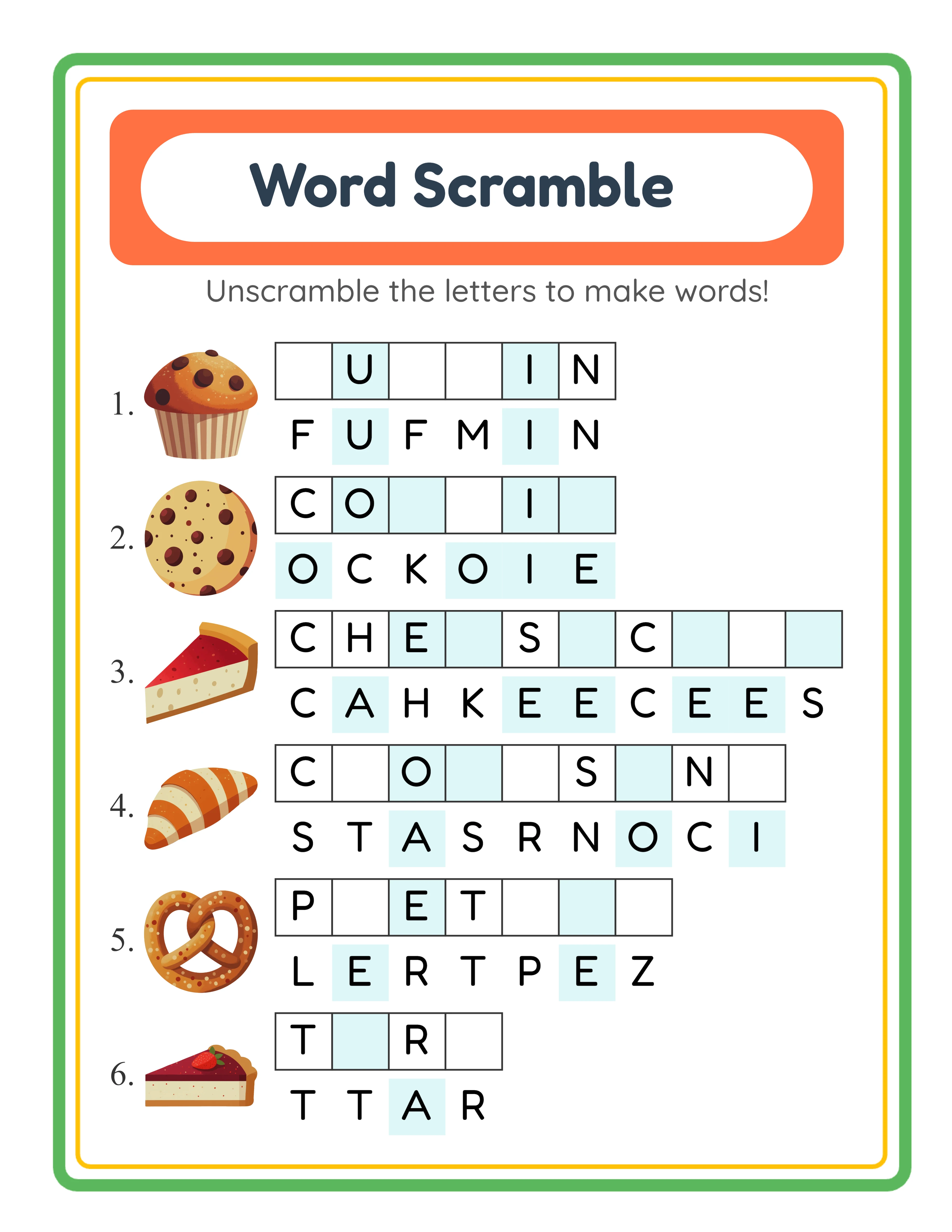
Easy word scramble — simple 3-letter words

Simple 3-4 letter word scrambles

Solver
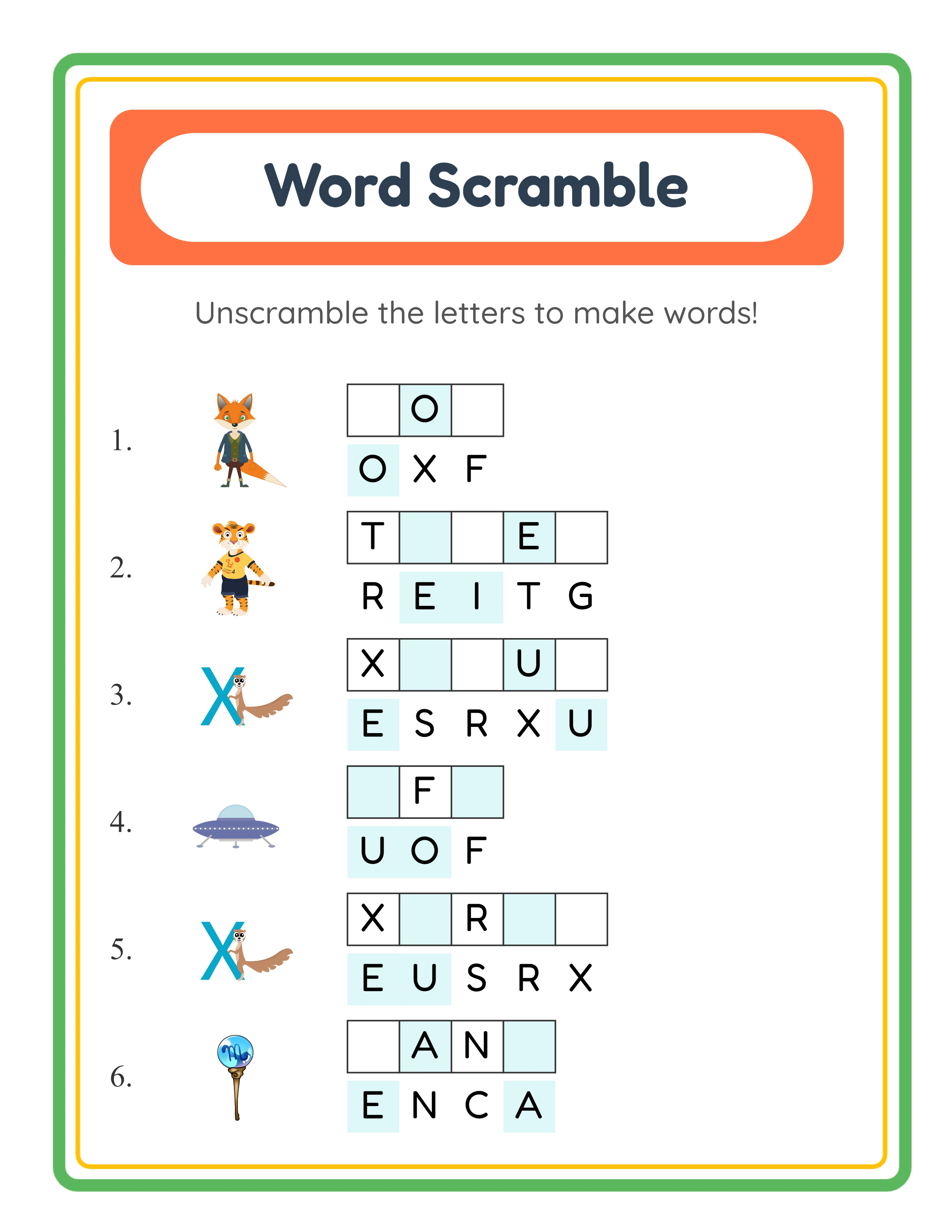
Medium word scramble — themed words

Themed words with 5-6 letters

Master
Hard word scramble — longer words

Longer words and custom word lists

Every word unscrambled builds spelling skills

Why Word Scramble Worksheets Sell on Etsy & KDP

Shuffled Letter Tiles with Image Clues

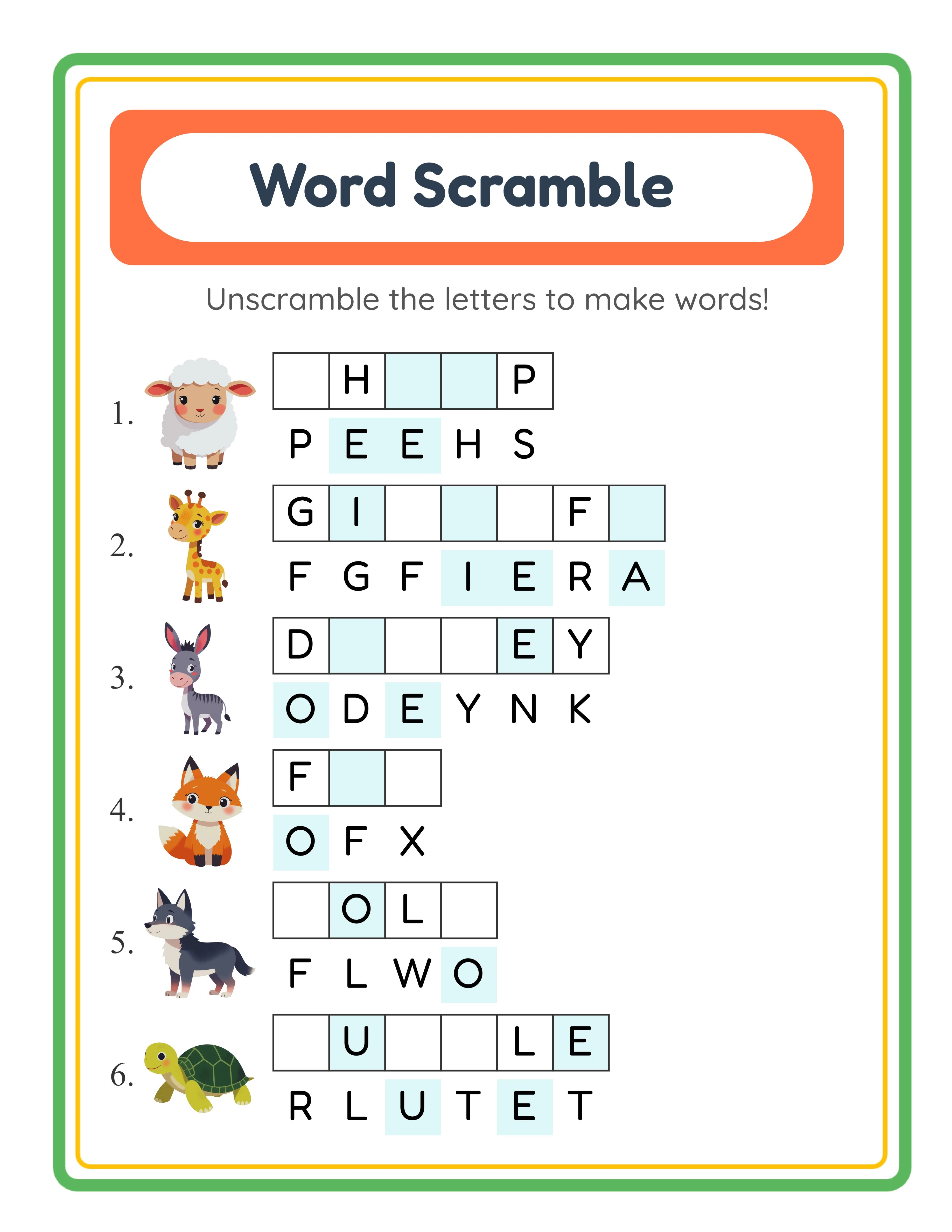
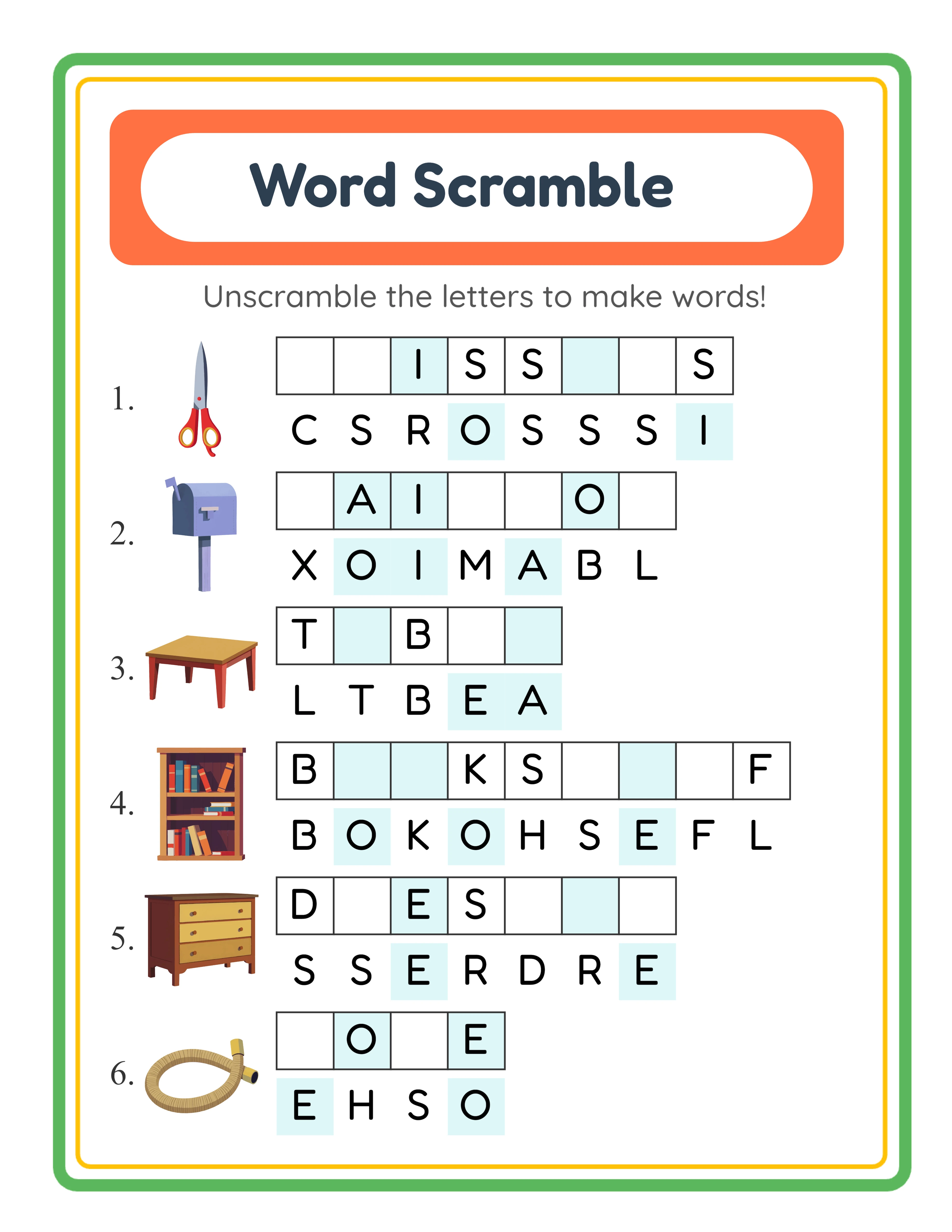
Each puzzle presents an image clue alongside a set of scrambled letter tiles. Solvers study the image, identify what it depicts, and rearrange the shuffled tiles into the correct spelling. Unlike word guess puzzles where users fill in blanks, word scramble gives all the letters but in the wrong order — making it a letter-rearrangement exercise that builds spelling accuracy and word recognition through active manipulation rather than deduction.

Four Difficulty Levels with Adjustable Clue Placement

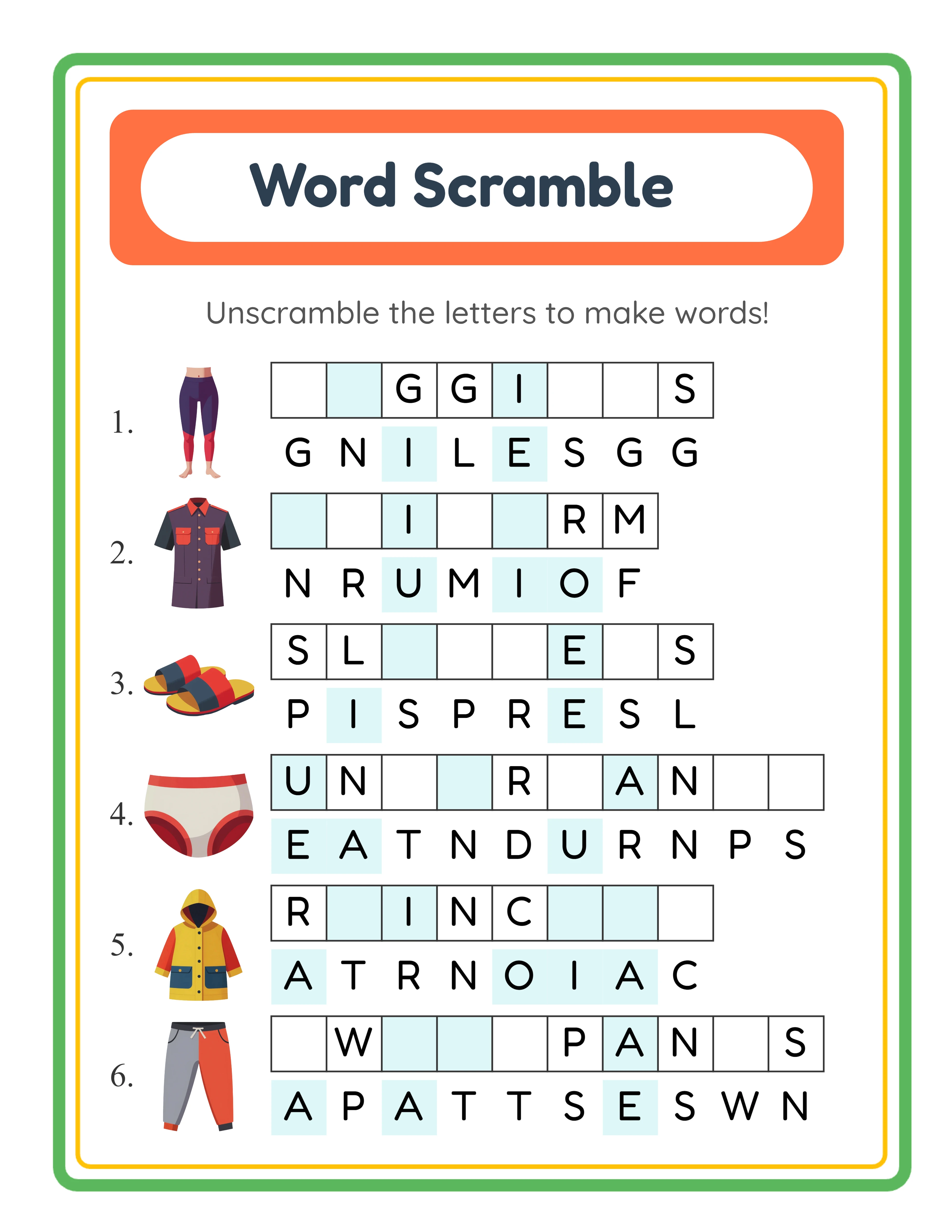
Control exactly how much scaffolding each puzzle provides with four built-in difficulty levels. No Clues (0 letters placed) shuffles every letter for maximum challenge. Easy pre-places half the letters in their correct positions. Normal places one quarter. Tough places just one sixth — enough guidance to get started without giving the answer away. Mixing difficulty levels across worksheets within a single bundle creates a natural easy-to-hard progression that commands premium prices.

Vowel and Consonant Color Coding

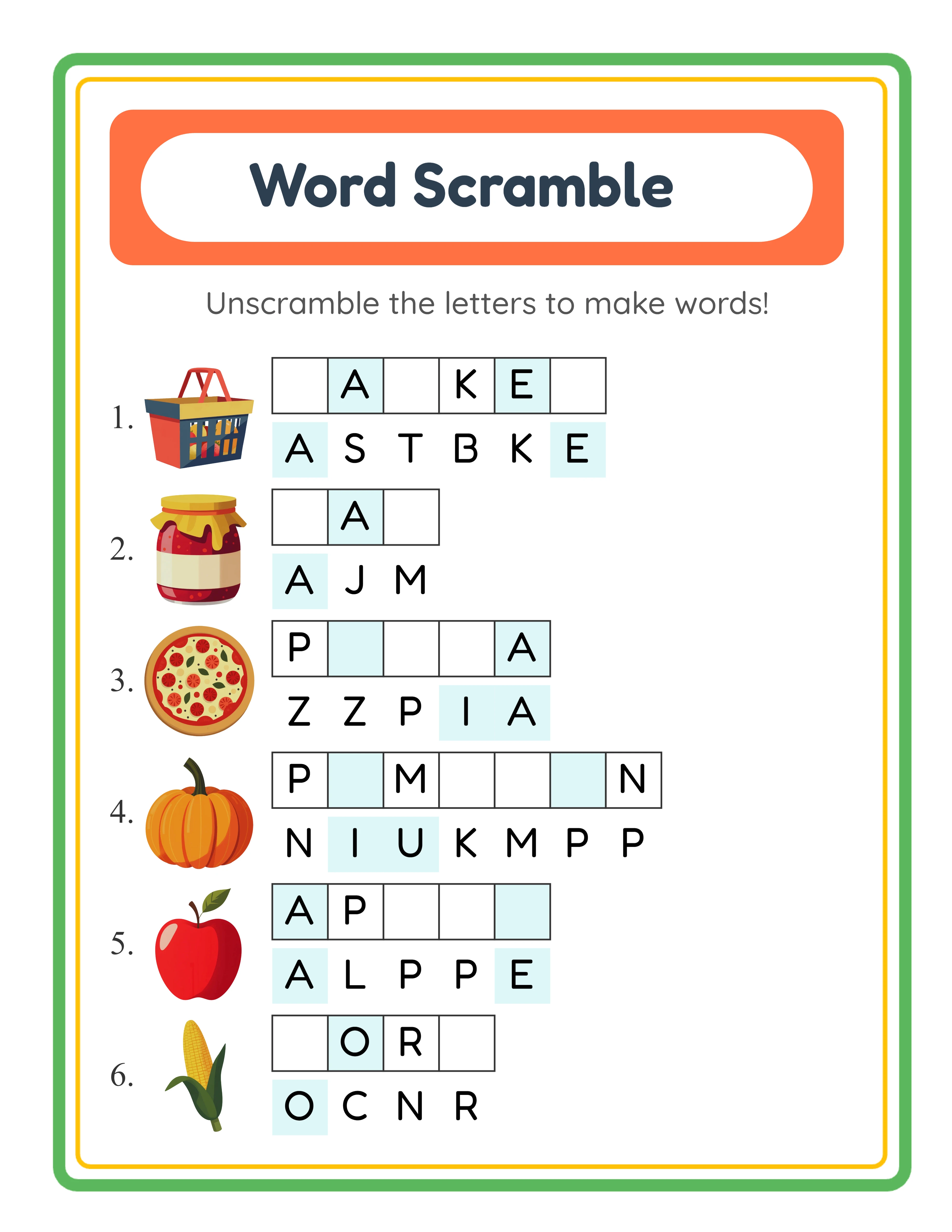
Toggle the Color Coded option to display vowels in one color and consonants in another on the scrambled letter tiles — a feature unique to Word Scramble among all the worksheet generators. This visual phonics aid helps solvers identify vowel-consonant patterns while they unscramble, reinforcing letter-type awareness alongside spelling practice. Switch to All Black for traditional monochrome tiles when color differentiation is not needed. The color coding adds a powerful differentiation dimension for sellers targeting phonics-focused buyers.

Three Content Sources: Image Library, Manual Edit, and Custom Word List

The Image Library source draws words from themed image collections — select animals, vehicles, or food images and the word to unscramble is the image name. Manual Edit Mode adds a customization layer: select images from the library, then edit their display names before generating, perfect for simplified spellings or phonics-focused words. Custom Word List mode skips images entirely and lets you type up to 8 words directly, enabling vocabulary worksheets for any subject, spelling tests, or foreign language practice without needing matching illustrations.

104 Visual Themes with 3,100+ Images

Browse a curated library of over 3,100 high-resolution illustrations organized into 104 themes including animals, vehicles, food, holidays, sports, space, nature, and more. Each image doubles as both visual clue and vocabulary source — the image name becomes the word to unscramble. Use the search bar to find specific images instantly, or browse themes to build cohesive worksheet sets. You can also upload your own custom images with custom names for branded or specialized content.

Automatic Answer Key Generation

Click one button to generate a complete answer key that shows the correctly unscrambled word for every puzzle. The answer key tab displays a live preview so you can verify correctness before downloading. Export the answer key as a separate JPEG or PDF file. Including answer keys in your Etsy bundles and KDP books adds professional value without any manual assembly.

Print-Ready PDF and JPEG Export at 300+ DPI

Download worksheets and answer keys as high-resolution JPEG images or print-ready PDF documents. The export engine produces output at 300+ DPI on standard page sizes for crisp, professional results. Letter, A4, Square, and custom sizes are all supported for maximum flexibility across print-on-demand platforms, Etsy digital downloads, and home printers.

Full Canvas Editing with Text and Image Tools

The built-in Fabric.js canvas lets you drag, resize, rotate, and reposition every element on the page — text, puzzle blocks, images, borders, and backgrounds. Add custom text with seven fonts, insert decorative elements from the image library, and use layer controls for precise stacking order. Alignment tools snap elements into position, and lock/unlock protects finished elements while you edit others. Unlimited undo and redo let you experiment freely, giving you the layout flexibility of a graphic design tool inside a word puzzle generator.

Scramble Mania!

Unscramble, Spell, Learn!
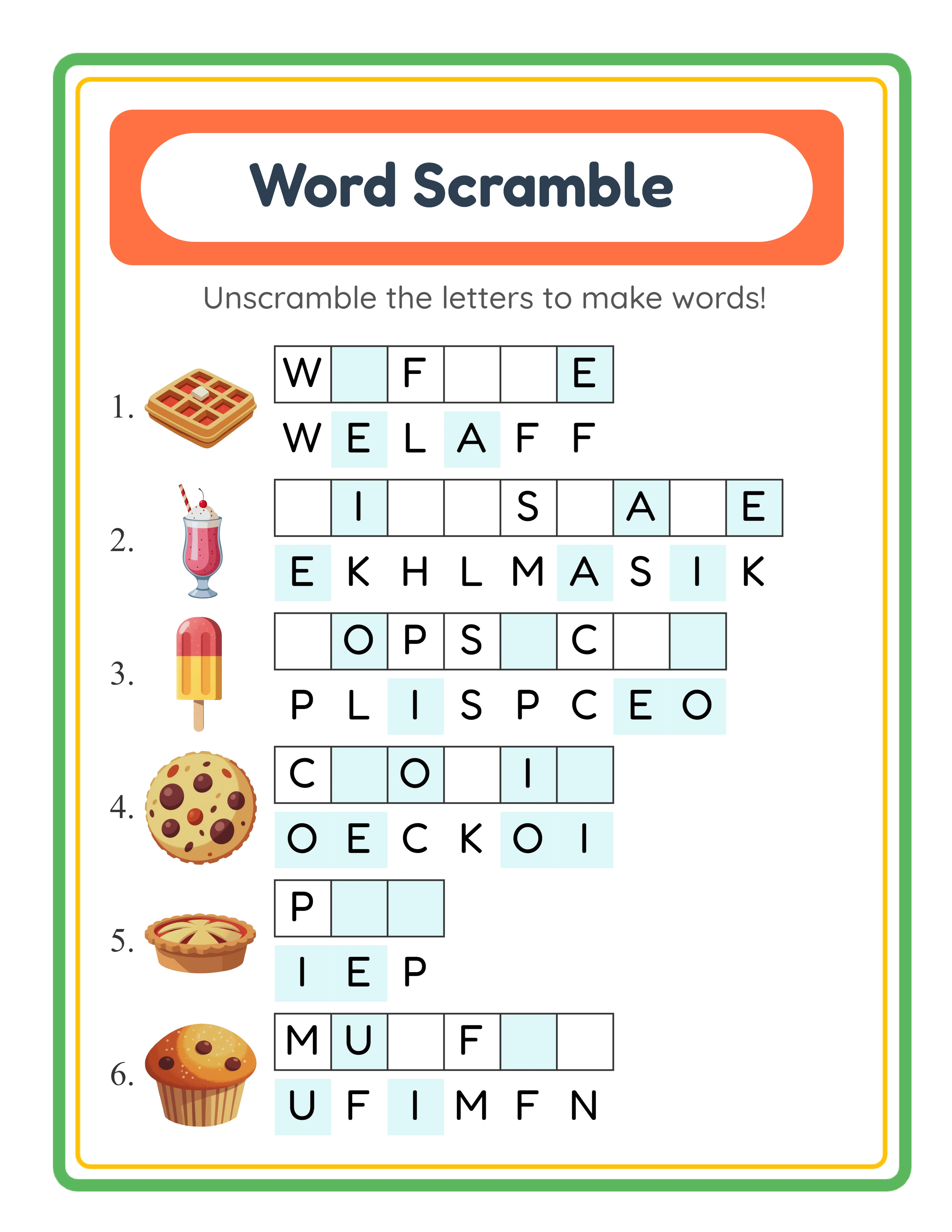
Featured word scramble — colorful themed activity
Print Instantly!Picture CluesWith Answer Keys

Build a Spelling Puzzle Business on Etsy & KDP

Themed Word Scramble Bundles on Etsy

Etsy (etsy.com)
Create sets of 10–20 word scramble worksheets grouped by theme and difficulty level — farm animals at Easy, ocean creatures at Normal, dinosaurs at Tough — and list them as instant-download bundles on Etsy. Include answer keys as bonus files. The shuffled-letter-tile format with image clues creates a visually engaging product that stands out from plain word lists in Etsy search results. Toggle vowel-consonant color coding on half the bundle for a "phonics edition" upsell. Price individual theme packs at $3–$5 and multi-theme difficulty-graded bundles at $12–$18.

Spelling Activity Books on Amazon KDP

Amazon KDP (kdp.amazon.com)
Compile 50–100 word scramble puzzles into a printed activity book formatted for Amazon KDP. Use progressive difficulty — start with Easy mode (half letters pre-placed) using simple three-letter words, advance through Normal and Tough to No Clues with longer multi-syllable words. Group chapters by theme (animals, food, vehicles, nature) for browsable variety. Add a title page, difficulty guide, and answer key section at the back. Word puzzle books sell consistently year-round with minimal advertising.

Leveled Spelling Products on Gumroad

Gumroad (gumroad.com)
Build leveled word scramble practice sets using difficulty level and color coding as differentiation axes. Level 1: Easy difficulty with color-coded vowels and consonants for visual learners. Level 2: Normal difficulty with color coding. Level 3: Tough difficulty with All Black tiles for independent spellers. Level 4: No Clues with All Black tiles for advanced challenge. Package each level with answer keys and a progress tracking sheet. Buyers pay premium prices for leveled spelling resources they can use immediately across multiple ability levels.

Multilingual Vocabulary Products with Full Access

Etsy / Amazon KDP / Gumroad (multilingual)
Full Access unlocks all 11 languages, and because Word Scramble is language-sensitive, the target word changes by language. "Dog" in English becomes "Hund" in German, "chien" in French, "perro" in Spanish — each with different letters, different letter counts, and completely different scrambled arrangements. Create identical theme sets in multiple languages and list each as a separate Etsy product or KDP book — eleven revenue streams from one workflow.

Custom Vocabulary Products for Repeat Buyers

Etsy / Gumroad / Your Own Store
Use Custom Word List mode to create word scramble worksheets for any vocabulary list — weekly spelling words, science terms, social studies vocabulary, or foreign language practice. Type up to 8 words directly without needing matching images. Adjust difficulty level to suit the target audience: Easy with color-coded tiles for beginner-level products, No Clues with All Black tiles for advanced puzzle fans. Generate custom sets in minutes and list them as niche vocabulary packs on Etsy or Gumroad. The automatic answer key adds professional value, and the letter-rearrangement format keeps solvers actively engaged compared to traditional fill-in-the-blank worksheets.

Professional Word Scrambles

Clean, engaging layouts for vocabulary practice
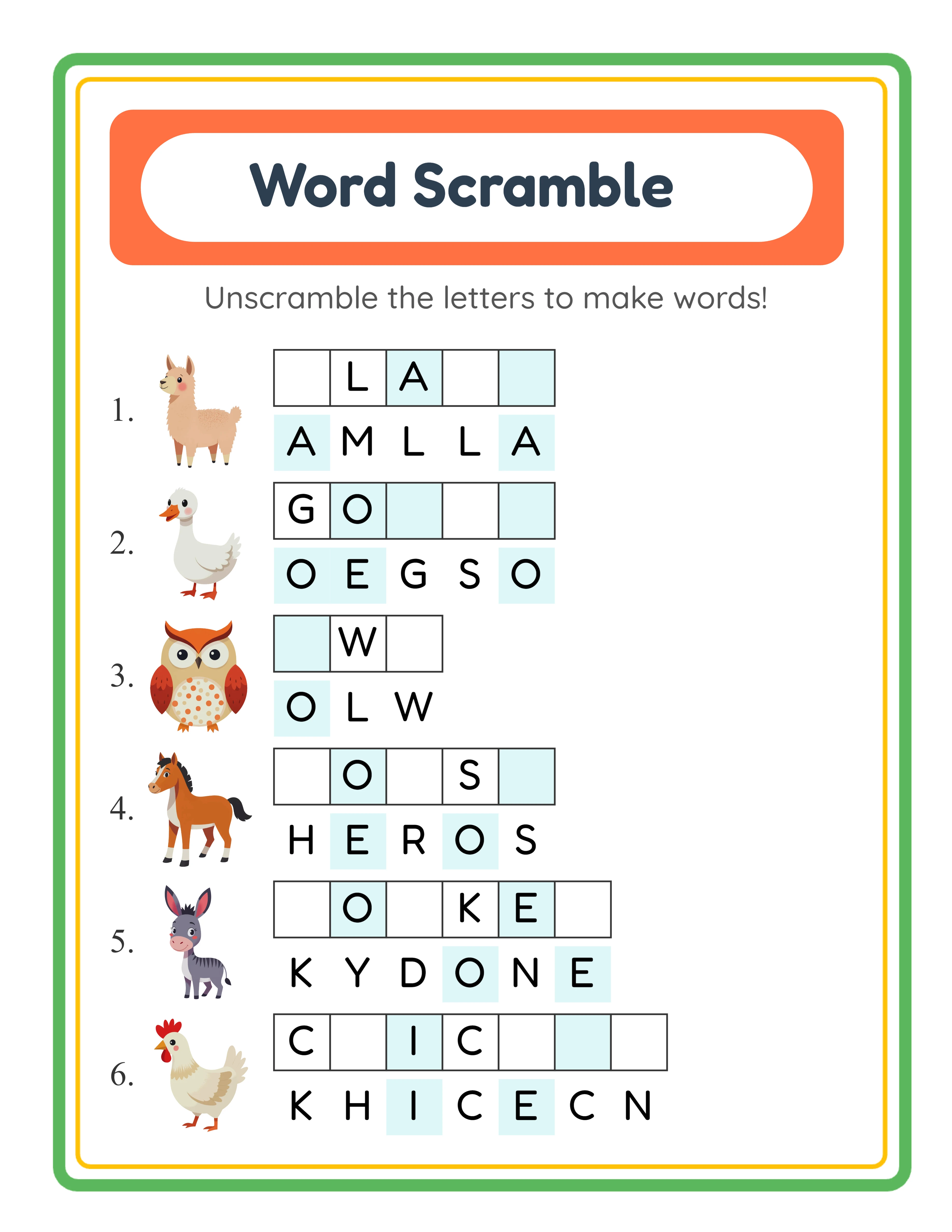
Professional word scramble worksheet
Worksheet
Word scramble — themed variation
Worksheet
Word scramble answer key
Answer Key
Print-ReadyNo Prep RequiredAnswers IncludedCustom Lists

Who Is This For?

Etsy Sellers

List word search, crossword, and handwriting worksheets that homeschool parents and teachers actively search for. Literacy printables have strong seasonal demand around back-to-school and holiday themes.

Amazon KDP Publishers

Publish word activity books combining multiple puzzle types into cohesive learning packages. Alphabet, vocabulary, and spelling workbooks perform well in the KDP education niche across multiple age groups.

Teachers Pay Teachers Sellers

Create vocabulary-building resources with themed word lists that align with classroom units. TPT teachers look for printable literacy centers and independent practice activities they can use immediately.

Homeschool Educators & Parents

Build custom spelling and vocabulary practice around topics your child loves. Multi-language support lets bilingual families create worksheets in their home language alongside English practice.

Sample Worksheets

Word scramble worksheet with image clues at Easy difficulty showing half letters pre-placed
Easy difficulty — half the letters pre-placed as clues for emerging spellers
Word scramble worksheet with vowel-consonant color coding showing colored letter tiles
Color coded mode — vowels and consonants in different colors for phonics awareness
Word scramble answer key with all letters correctly unscrambled
Answer key — correctly unscrambled words included with every worksheet

Free version includes a small watermark. Purchase to remove.

Frequently Asked Questions

How does the word scramble puzzle work?
Each puzzle shows an image clue alongside a set of shuffled letter tiles. Solvers study the image to identify what it depicts, then rearrange the scrambled tiles into the correct spelling. Unlike word guess puzzles where users fill in blanks, word scramble gives all the letters but in the wrong order — making it a hands-on letter-rearrangement exercise that builds spelling accuracy and word recognition.
What are the four difficulty levels?
The four levels control how many clue letters are pre-placed in their correct positions. No Clues (0 letters) shuffles everything for maximum challenge. Easy pre-places half the letters. Normal places one quarter. Tough places one sixth — just enough guidance to get started. Each level creates a different puzzle experience from the same word, making it easy to build progressive difficulty bundles.
What are the three content sources?
Image Library mode uses themed illustrations where the image name becomes the word to unscramble. Manual Edit Mode lets you select images then customize their display names before generating — perfect for simplified spellings or alternate vocabulary. Custom Word List mode skips images entirely and lets you type up to 8 words directly, enabling vocabulary worksheets for any subject without needing matching illustrations.
How does vowel-consonant color coding work?
Toggle the Color Coded option to display vowels in one color and consonants in another on the letter tiles. This visual phonics aid helps solvers distinguish vowel and consonant patterns while they unscramble. Select All Black for traditional monochrome tiles when color differentiation is not needed. Color coding is unique to Word Scramble and adds a powerful differentiation dimension for sellers targeting phonics-focused buyers.
Can I choose between uppercase and lowercase letters?
Yes. The letter case toggle lets you switch between uppercase (default) and lowercase for the scrambled letter tiles. Uppercase is ideal for beginner-level products targeting the younger audience, while lowercase suits more advanced spelling products. The setting applies to both clue letters and scrambled tiles.
How does Manual Edit Mode differ from the Image Library?
In standard Image Library mode, the word to unscramble is the image's built-in name. Manual Edit Mode adds a customization step: after selecting images, you can edit each display name before generating the worksheet. This lets you simplify spellings, use alternate vocabulary, focus on specific phonics patterns, or tailor words to your product's theme while still showing the image as a visual clue.
What can I do with Custom Word List mode?
Custom Word List mode lets you type up to 8 words directly — no images required. This is ideal for niche vocabulary products, subject-specific themes (science terms, geography names), foreign language practice, or any custom content. The puzzles show scrambled letter tiles without image clues, so solvers rely on context from worksheet titles or instructions to solve them.
Does the generator create answer keys automatically?
Yes. Click the Generate Answer Key button to create a solved version of your worksheet showing the correctly unscrambled word for every puzzle. You can preview the answer key on screen and download it as a separate JPEG or PDF file. Including answer keys in your product bundles adds professional value without any manual assembly.
Is the Word Scramble generator language-sensitive?
Yes. Because the word to unscramble is the image name in the selected language, changing the language changes the puzzle content entirely. "Dog" in English becomes "Hund" in German, "chien" in French, "perro" in Spanish — each with different letters, different letter counts, and completely different scrambled arrangements. The Commercial tier is English-only; Full Access unlocks all 11 languages, making each language version a distinct, sellable product.
Is there a free trial?
Yes. You can access every feature — all three content sources, all four difficulty levels, the full image library, vowel-consonant color coding, answer key generation, and all export formats — without creating an account, entering a credit card, or installing any software. Free trial downloads include a small watermark. A commercial license removes the watermark and grants full selling rights.
Can I sell worksheets made with this tool on Etsy and Amazon KDP?
Yes. With a commercial license, you have full rights to sell your word scramble worksheets as digital downloads on Etsy, as printed activity books on Amazon KDP, as products on Gumroad, or through any other sales channel. The shuffled-letter puzzle format, vowel-consonant color coding, and multilingual capability give you strong differentiation in crowded marketplace categories.
What is the refund policy?
Because the free trial gives you access to every feature, we do not offer refunds on commercial license purchases. You can test every content source, every difficulty level, every theme, color coding options, every export format, and every page size before buying. The free trial is the refund policy — make sure the tool fits your needs before purchasing a license.
Do I need design skills to use this tool?
No design skills are required. The generator handles all word scrambling, layout formatting, image placement, and visual composition automatically. You choose a theme, select images, and the generator scrambles the corresponding words into a professional puzzle layout. The built-in canvas editor lets you customize fonts, colors, and element positioning, but the default output is already print-ready. Sellers without graphic design experience can produce word scramble puzzles that look polished and marketplace-quality, because the generator enforces consistent formatting and visual hierarchy across every puzzle page it creates.

Create Word Scramble Worksheets to Sell on Etsy & KDP

Shuffled letter tiles meet image clues — four difficulty levels and vowel-consonant color coding turn every word into a hands-on spelling puzzle.