Math Mastery

Subtraction Worksheet Generator — Create & Sell on Etsy and KDP

Make subtraction click with picture-based worksheets where solvers cross out images to find the answer.

Turn subtraction into a sellable product with a generator built for printable entrepreneurs. Create image-based subtraction worksheets featuring themed illustrations — animals, vehicles, food, nature, and dozens more — that make math engaging and your listings irresistible. Each worksheet exports as a 300 DPI print-ready PDF with an automatic answer key, ready to upload as a digital download on Etsy, compile into an Amazon KDP activity book, or list on Teachers Pay Teachers. Commercial license is included with every worksheet, so you keep 100% of your revenue with zero attribution required. Sellers who bundle addition and subtraction worksheets together consistently report higher average order values — and you can create both formats in under 3 minutes each. Free to try with all features — no signup, no credit card. Downloads include a watermark; purchase a license to remove it.
Buy for $49

No signup required. Create worksheets instantly.

No signup required11 languages supportedInstant PDF export
Grades K-2

Visual Subtraction Made Easy!

Cross out, compare, and solve with themed picture worksheets
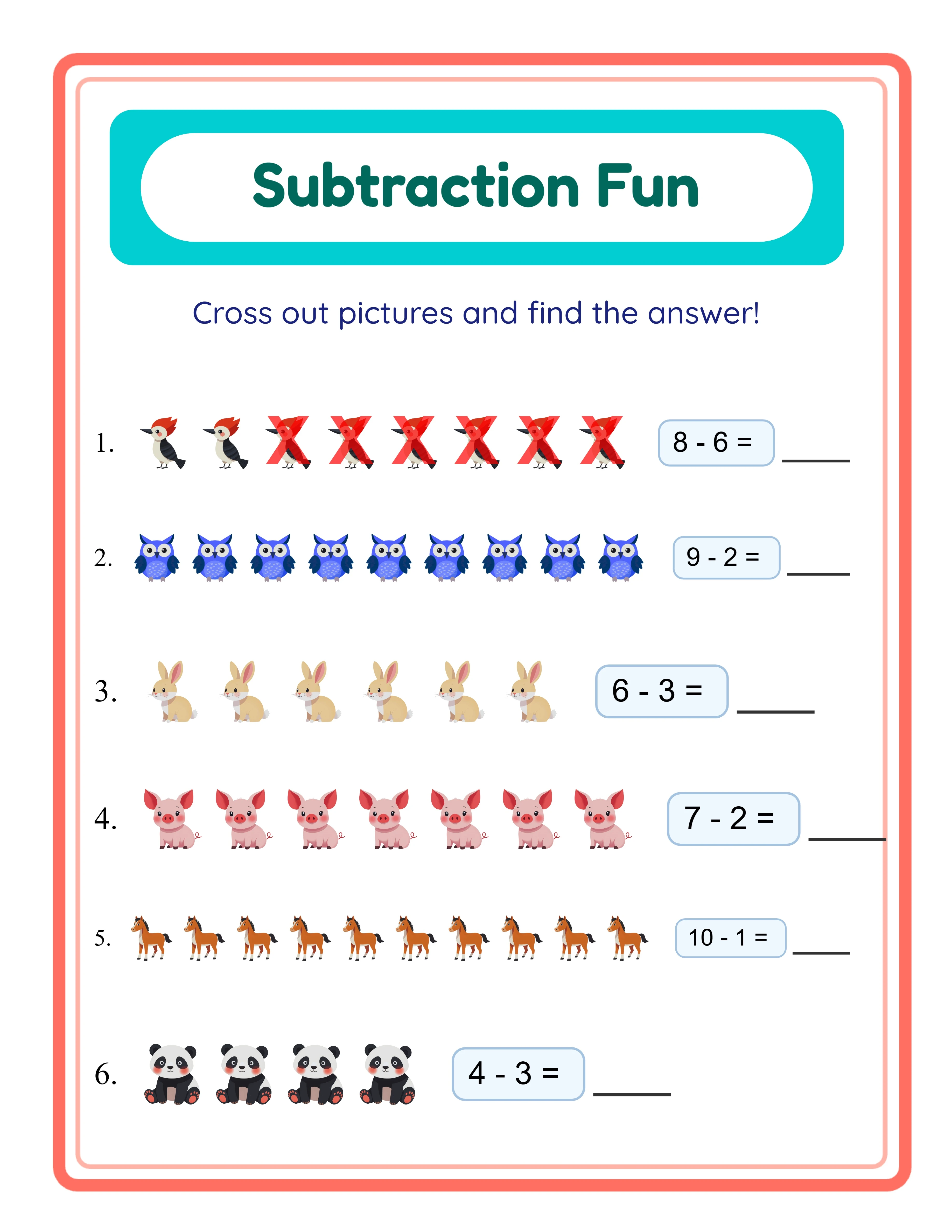
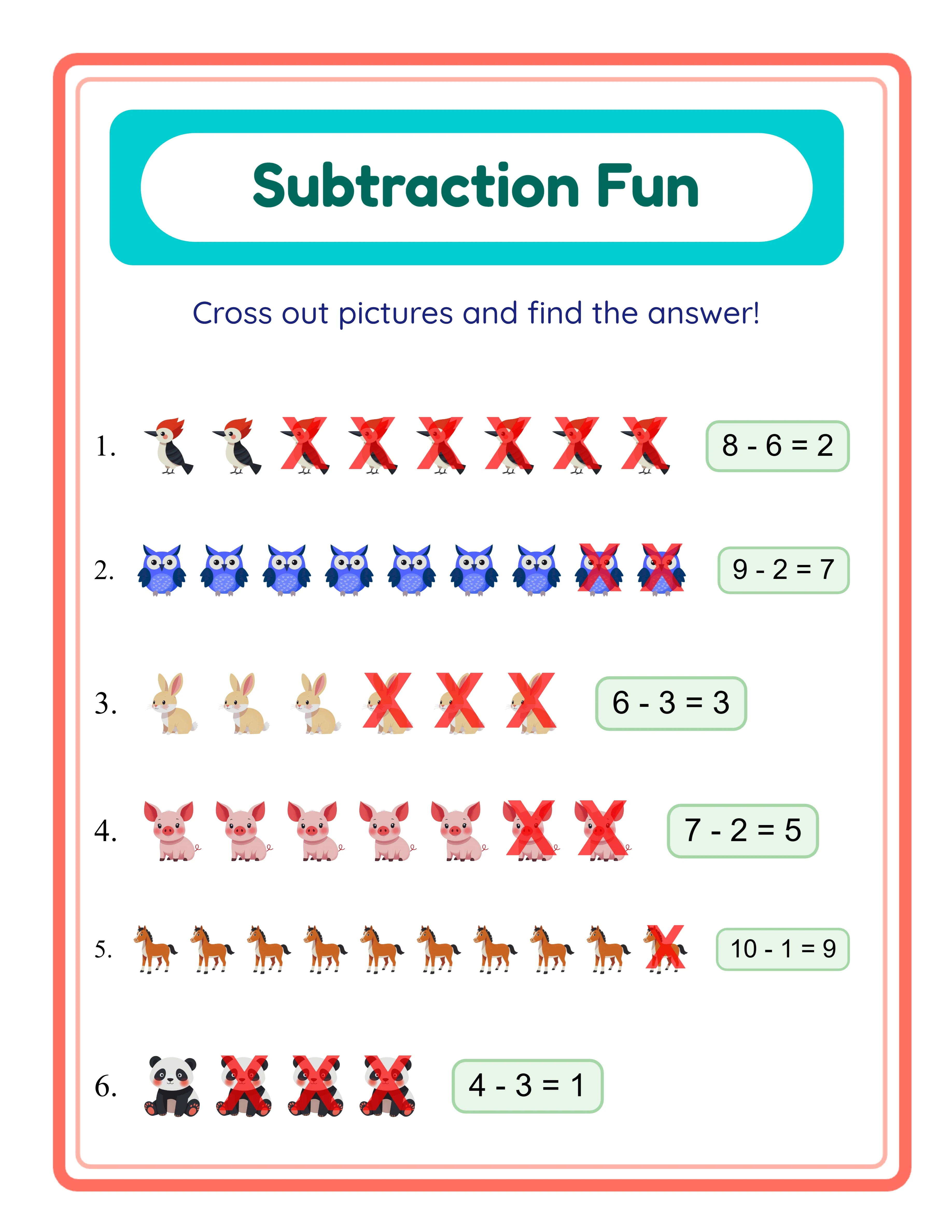
Subtraction printable worksheet — cross out method with pictures
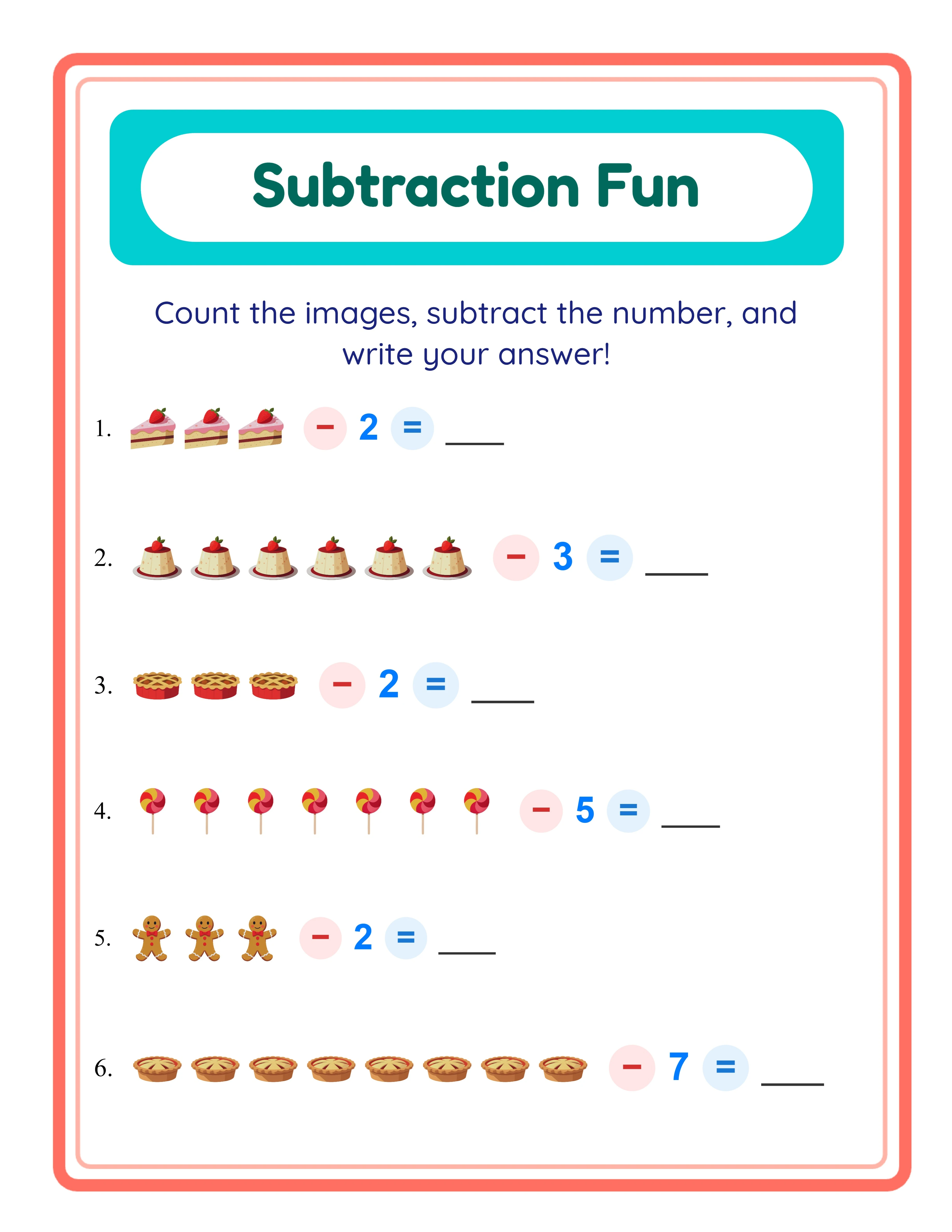
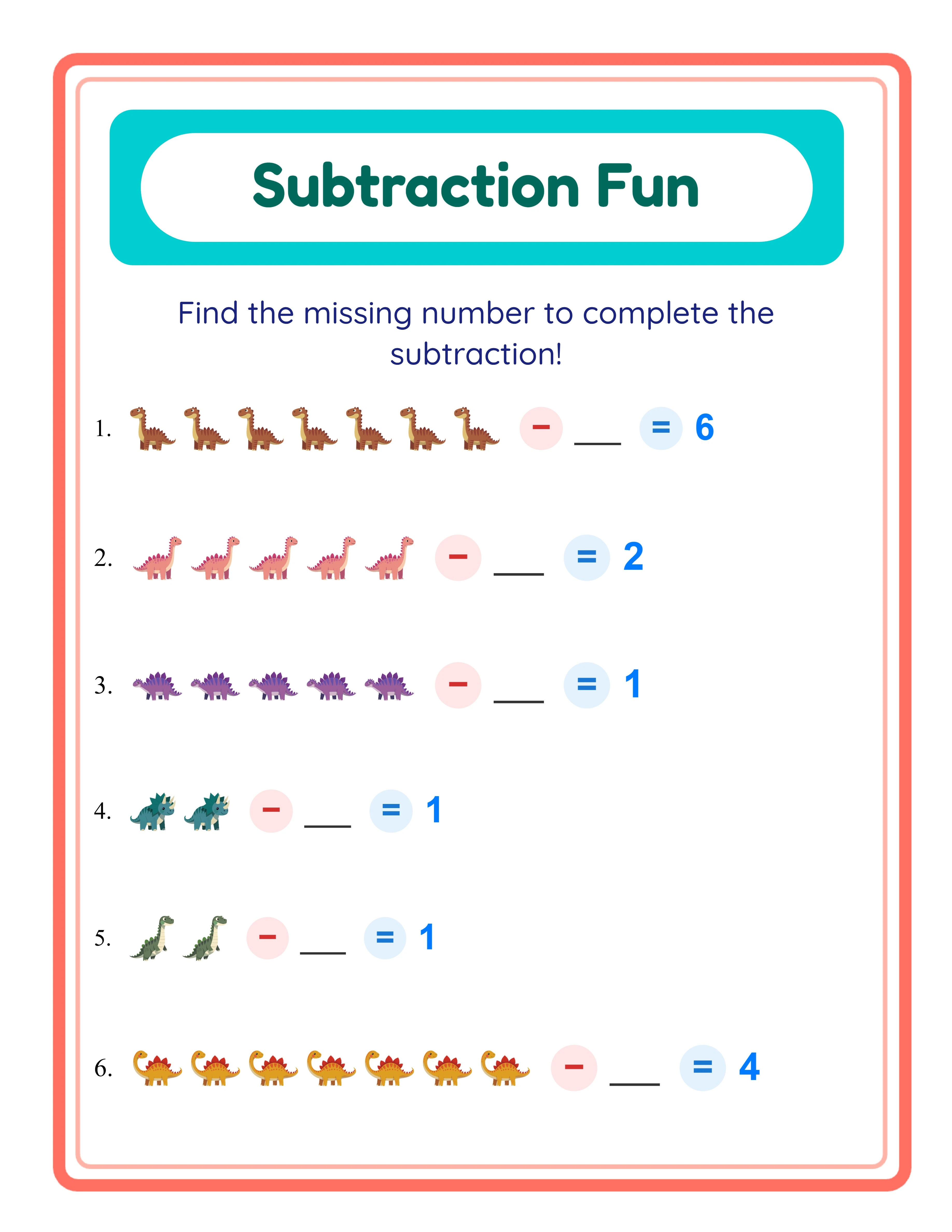
Subtraction printable worksheet — find the subtrahend with images
Subtraction printable worksheet — mixed problems with themed visuals
Cross Out MethodAnswer KeysPrint-ReadyFree Trial with Watermark

Generate Professional Subtraction Printables Step by Step

1

Set Your Page Layout

Open the Page Setup panel and select a page size: Letter Portrait, Default Worksheet (800×1000), or A4 Portrait. Pick a background color or choose a decorative background theme from the image library, then adjust the opacity slider to keep the exercises readable. Add a matching border frame to give your worksheets a polished, professional look. Every layout setting carries over to both the worksheet and the answer key, so your final product is consistent from start to finish.
2

Configure the Exercise Mode and Number Range

Open Exercise Configuration and choose one of four modes. Cross Out mode displays a full group of images and draws diagonal X marks through the subtracted items — the signature visualization that makes take-away math tangible for beginners. Image − Number mode pairs a picture group with a numeral for users transitioning to abstract subtraction. Find the Subtrahend mode shows the starting group and the difference, challenging solvers to figure out how many were taken away. Mixed Mode randomizes all three for varied, unpredictable practice. Set the maximum minuend from 2 to 20 (the subtrahend is always smaller, guaranteeing valid problems) and choose how many exercises appear per page.
3

Pick Images from the Theme Library

Open the Image Library panel and browse 104 themes — from farm animals and food to space and holidays. Use the search bar to find specific images instantly. Click to select the images you want on your worksheet; each exercise pulls randomly from your selections to keep pages varied. You can also upload your own custom images for a completely unique look that matches your brand or seasonal campaign.
4

Add Text, Titles, and Toggle Options

Use the Text Tools panel to add a worksheet title, name and date fields, instructions, or any custom text. Choose from three readable fonts — Lexend Deca, Baloo 2, and Nunito — and adjust font size, color, and style for maximum readability. Toggle exercise numbers on or off, enable the guided answer box for a structured writing area, and fine-tune element placement on the canvas with drag-and-drop positioning, alignment tools, and lock/unlock controls.
5

Customize Difficulty, Theme & Layout with Canvas Editing

Switch to the Answer Key tab and click Generate Answer Key to create a completed version of your worksheet with all correct differences filled in. Then open the Download menu and export both the worksheet and its answer key as high-resolution JPEG or print-ready PDF. Check the Grayscale box in the download dropdown to produce ink-friendly black-and-white versions — perfect for high-volume printing or low-cost activity book production. Every export renders at a 6x multiplier (400+ DPI) so your worksheets look crisp whether printed at home, sent to a professional printer, or uploaded as a digital product on Etsy or Amazon KDP.
Skill Levels

Step-by-Step Subtraction Mastery

Three difficulty tiers from simple to challenging

Beginner
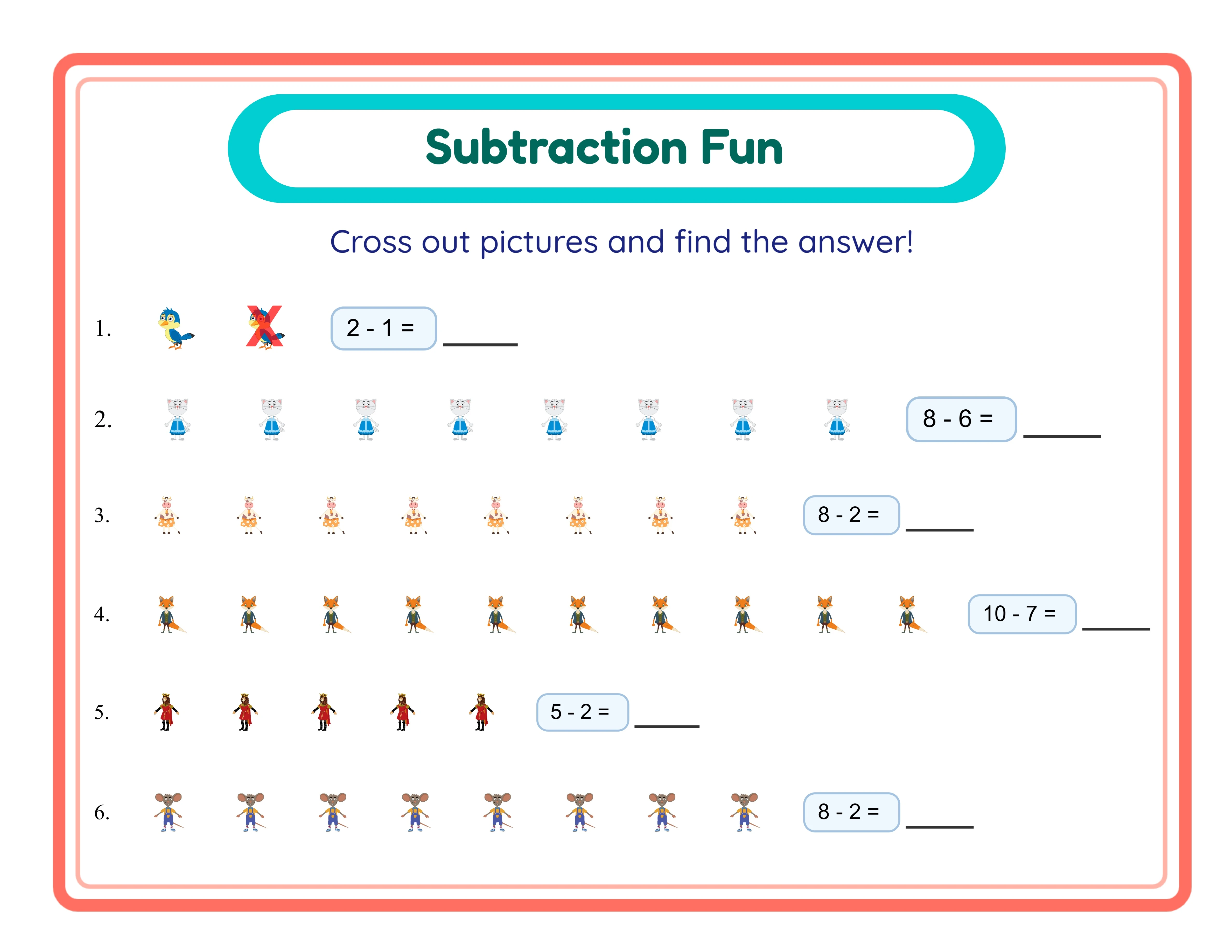
Beginner subtraction — simple cross out method

Cross out pictures to find the answer (1-5)

Explorer
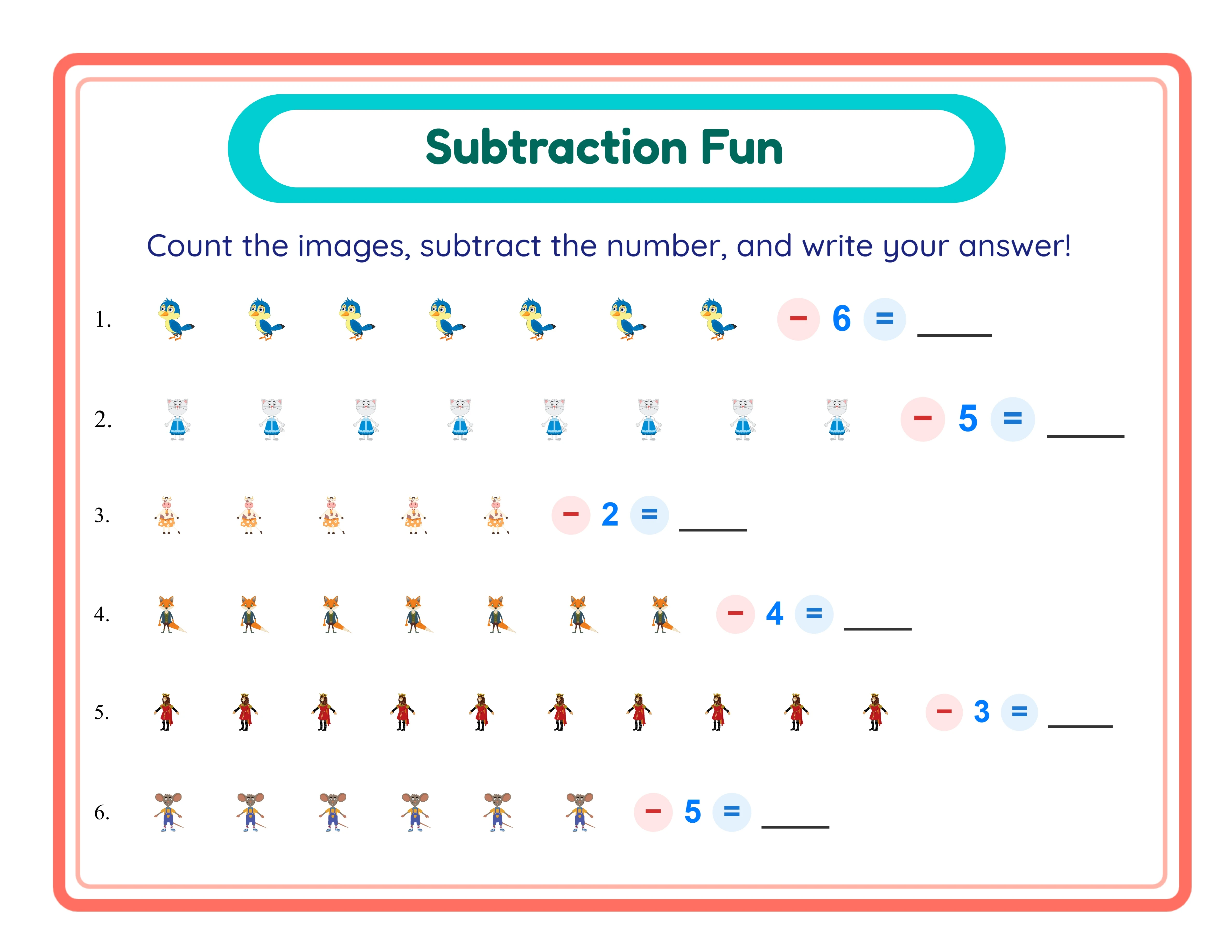
Explorer subtraction — image and number problems

Image-number subtraction up to 10

Expert
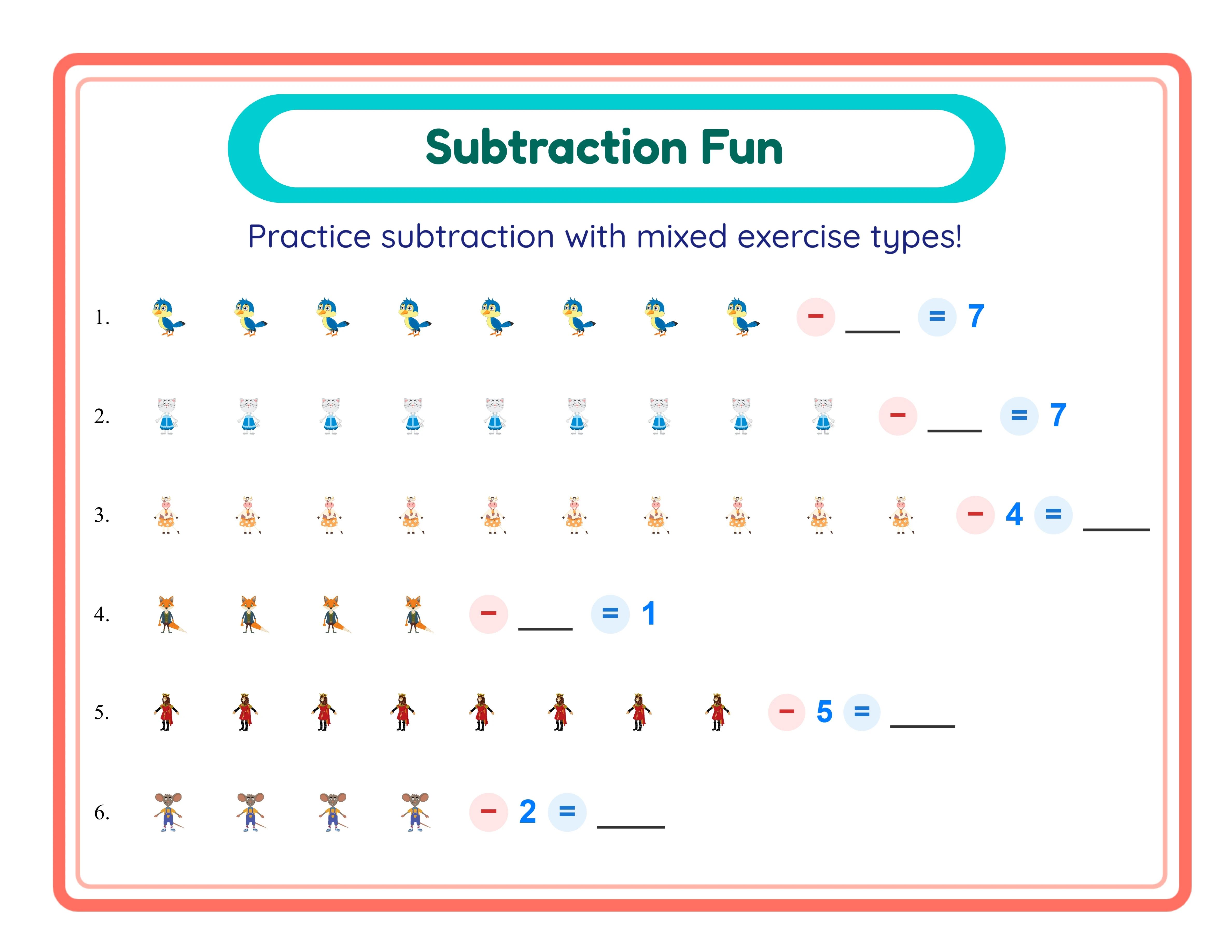
Expert subtraction — mixed problem types

Mixed subtraction modes with sums up to 20

Build confidence with every problem solved

Why Subtraction Worksheets Are a Printable Business Staple

Cross-Out Visualization

The signature feature that sets this generator apart. In Cross Out mode, a full group of images is displayed and diagonal X marks are drawn through the last N items to show subtraction visually. This transforms the abstract idea of "taking away" into something solvers can see and understand immediately. Someone looking at eight apples with three crossed out grasps "8 minus 3" far more intuitively than staring at bare numerals. The cross-out marks are rendered clearly on the canvas and carry through to both the worksheet and the answer key export, creating a consistent visual language across every page.

Four Distinct Exercise Modes

Choose the mode that matches your target difficulty tier. Cross Out mode is ideal for beginners — they count the full group, count the crossed-out items, and write the remaining number. Image − Number mode pairs a picture group with a numeral, bridging concrete images and abstract numbers. Find the Subtrahend mode shows the original group and the result, challenging solvers to determine how many were taken away — building early algebraic thinking. Mixed Mode combines all three so every worksheet delivers varied, engaging practice without repetition. Switching modes takes a single click.

Configurable Number Ranges

Set the maximum minuend anywhere from 2 to 20, giving you fine-grained control over problem difficulty. The generator guarantees that the subtrahend is always smaller than the minuend, so every problem produces a valid, non-negative answer. Create gentle worksheets with a max of 5 for the preschool-age niche, standard practice up to 10 for the kindergarten market, or challenging problems up to 20 for the K-2 product market. Adjusting the range takes one input change, so you can produce tiered product bundles in minutes.

104 Visual Themes with 3,100+ Images

Browse a curated library of over 3,100 hand-picked illustrations organized into 104 themes including farm animals, ocean life, vehicles, space, food, sports, dinosaurs, holidays, and more. Every image is high-resolution and designed for clear, high-resolution printing. Because the images carry the math content — not text — your subtraction worksheets work perfectly in any language and any market worldwide. This visual-only design means a single worksheet set can be sold internationally without translation.

Automatic Answer Key Generation

Click one button to generate a complete answer key that mirrors your worksheet layout with all correct differences filled in. In Cross Out mode, the answer key shows the same crossed-out images plus the written answer, for instant verification at a glance. The answer key tab displays a live preview for checking before you download. Export it as a separate JPEG or PDF file, making it easy to include in Etsy product bundles, KDP book appendices, or Gumroad bonus packs without any manual calculation.

Print-Ready Export at 400+ DPI with Grayscale Option

Download worksheets and answer keys as high-resolution JPEG images or print-ready PDF documents. The export engine renders at a 6x multiplier, producing output above 400 DPI on standard page sizes. This ensures razor-sharp lines and text whether you print at home, send to a commercial printer, or upload to an online marketplace. The built-in grayscale toggle converts your entire worksheet to black-and-white with one checkbox — ideal for bulk printing, reducing ink costs, or producing printer-friendly activity book interiors for Amazon KDP.

Custom Image Upload

Go beyond the built-in library by uploading your own PNG or JPEG images directly into the app. This is ideal for branded worksheets, custom clipart, brand-specific content, or themed seasonal content that sets your printable products apart from competitors. Uploaded images integrate seamlessly with every exercise mode — including Cross Out, where your custom images get the same diagonal X-mark visualization — so you maintain full creative control over every element on the page.

Full Canvas Editing with Undo and Redo

The built-in Fabric.js canvas lets you drag, resize, rotate, and reposition every element on the page — text, images, exercise blocks, borders, and backgrounds. Zoom in and out for precision placement, and use the 20-state undo/redo stack to experiment freely without fear of losing work. Lock elements in place once positioned, or unlock everything to redesign on the fly. This gives you the layout flexibility of a graphic design tool inside a worksheet generator, all without leaving your browser.

Subtraction Fun!

Take Away the Easy Way!
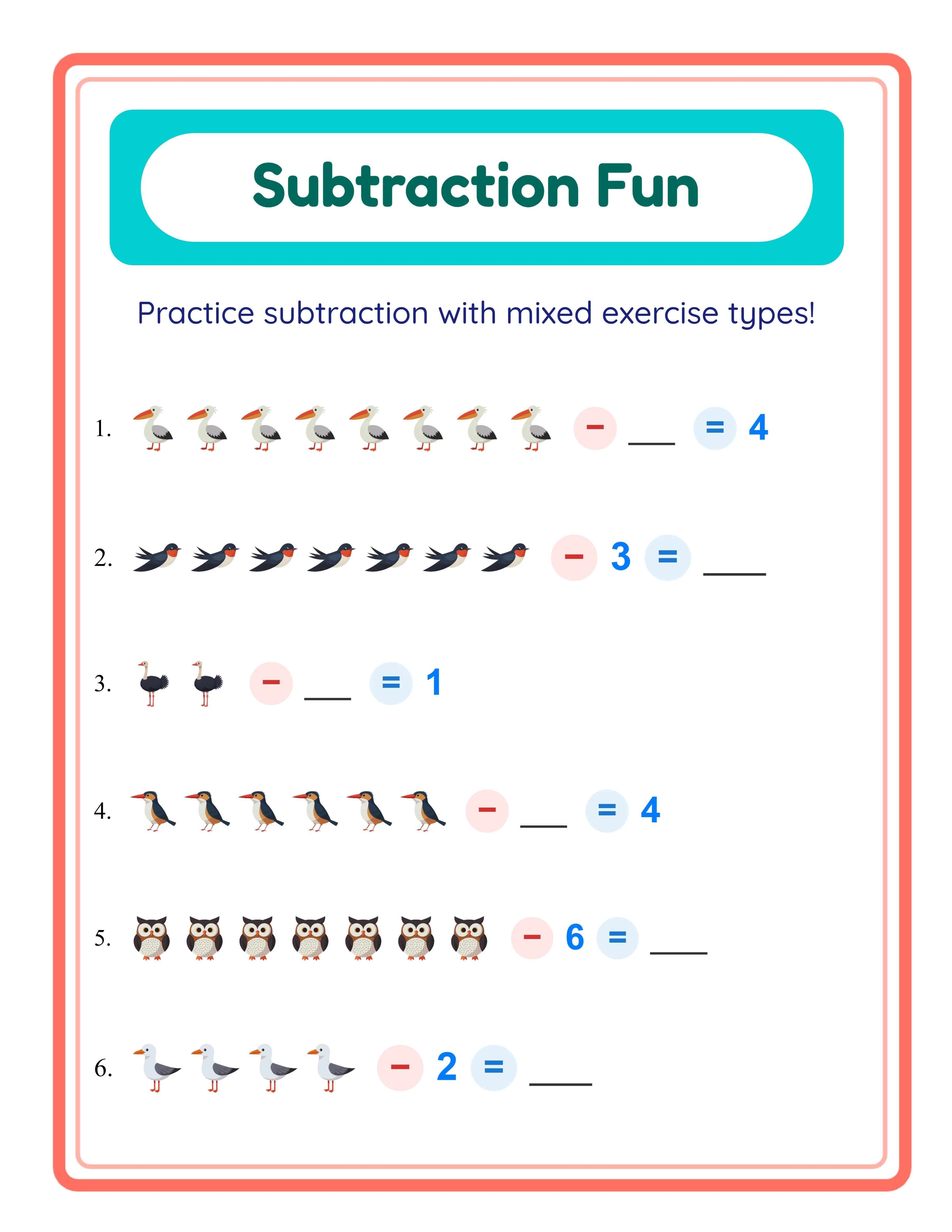
Featured subtraction printable worksheet — colorful themed pictures
Print Instantly!Cross Out PicturesWith Answer Keys

Export, Price & List Your Subtraction Worksheets

Bundle Addition and Subtraction for Higher Etsy Sales

Etsy (etsy.com)
Create sets of 10–20 subtraction worksheets grouped by theme — dinosaurs, farm animals, ocean creatures, holidays — and list them as instant-download bundles on Etsy. Include the answer key and both color and grayscale versions as bonus files to increase perceived value. The cross-out visualization is a visual selling point in thumbnail previews, catching buyer attention in search results. Price individual themes at $3–$5 and mega-bundles combining multiple themes at $12–$18 for strong average order value.

Create Subtraction Activity Books for Amazon KDP

Amazon KDP (kdp.amazon.com)
Compile 50–100 subtraction worksheets into a printed activity book formatted for Amazon KDP. Structure the book with progressive difficulty: start with Cross Out mode at a low max minuend of 5, advance through Image − Number at 10, and finish with Mixed Mode up to 20. Use the grayscale export option for print-friendly interiors. Add a title page, simple instructions, and an answer key section at the back. KDP math activity books for ages 4–8 sell consistently year-round with minimal advertising spend.

Tiered Difficulty Bundles

Etsy / Gumroad / Your Own Store
Build leveled subtraction practice sets using the four exercise modes: Level 1 (Cross Out, max minuend 5), Level 2 (Image − Number, max minuend 10), Level 3 (Find the Subtrahend, max minuend 15), and Level 4 (Mixed, max minuend 20). Package each level with answer keys and a progress tracking sheet. Marketplace buyers pay premium prices for tiered resources they can use immediately across multiple ability levels, and the cross-out visualization makes your listing stand out among text-only competitors.

Printable Subscription Content for Your Own Store

Gumroad / Shopify / Payhip
Use the generator to produce fresh weekly subtraction worksheet packs and distribute them through your own Shopify, Gumroad, or Payhip store. A subscription model — new themed pack every week — creates recurring revenue and builds a loyal base of repeat buyers. With four exercise modes, 104 themes, and adjustable difficulty from 2 through 20, you have enough unique combinations for years of fresh content without repeating yourself.

Pinterest Lead Funnel for a Niche Authority Store

Pinterest / Gumroad / Shopify
Use the generator to create free sample subtraction worksheets as Pinterest lead magnets that drive traffic to your Gumroad or Shopify store. Pin eye-catching Cross Out worksheets with watermarks to attract clicks, then link to your full paid bundles. Offer Find the Subtrahend sheets as premium upsells for buyers who want advanced content — all produced in the same session. The automatic answer key adds perceived value to every listing, and the grayscale toggle keeps production costs low for high-volume output. The generator replaces hours of manual worksheet creation with a few clicks, letting you scale your content pipeline fast.

Professional Subtraction Worksheets

Clean layouts designed for young learners
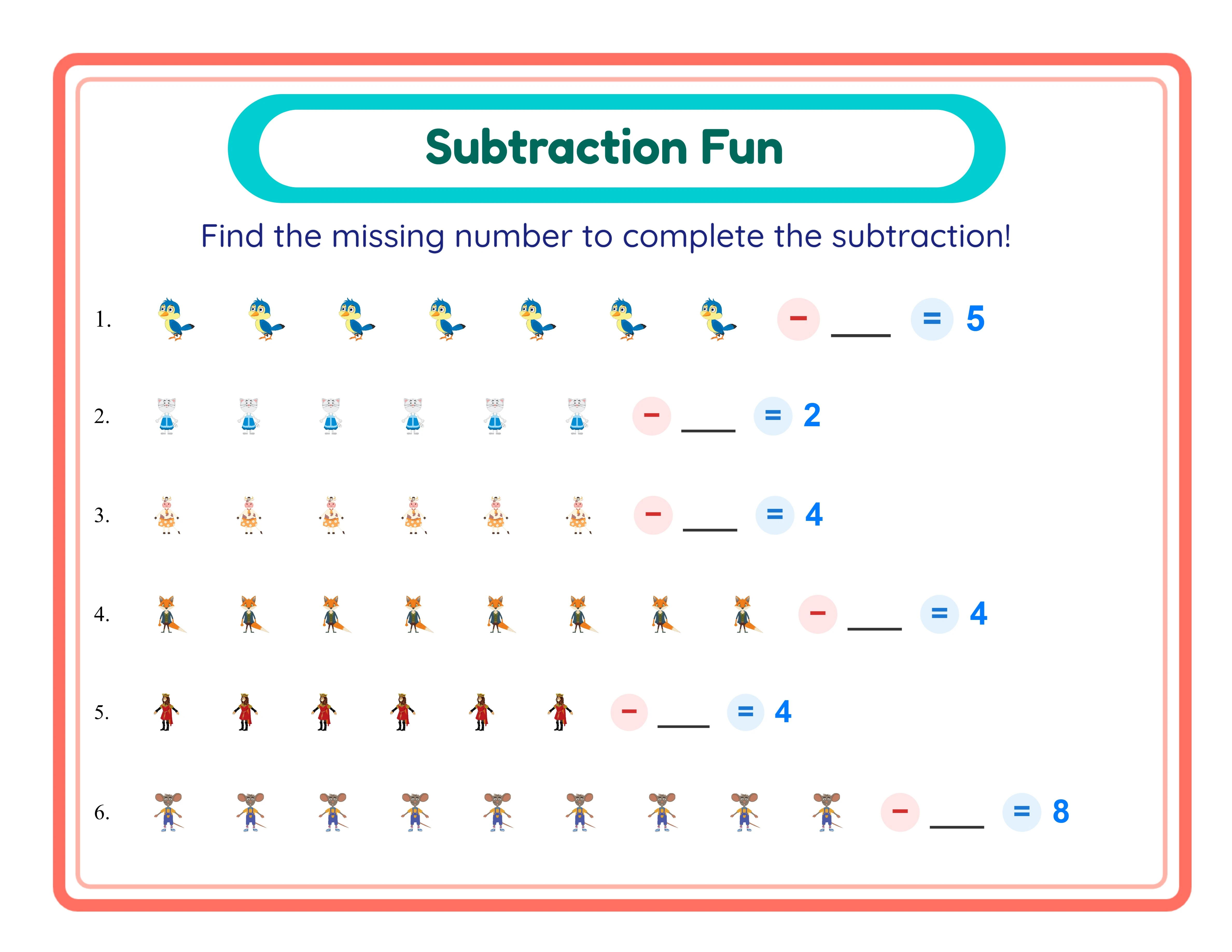
Professional subtraction printable worksheet — themed picture layout
Worksheet
Find the subtrahend printable worksheet — challenging format
Find Subtrahend
Subtraction printable answer key — solutions included
Answer Key
Print-ReadyNo Prep RequiredAnswers IncludedMultiple Modes

Who Is This For?

Etsy Sellers

Create themed math worksheet listings that parents search for year-round. Addition, subtraction, and number comparison worksheets are evergreen best-sellers on Etsy, especially when bundled by theme or grade level.

Amazon KDP Publishers

Build complete math activity books with professionally formatted worksheets and answer keys. KDP math workbooks for preschool through second grade consistently rank in education categories with minimal ongoing effort.

Teachers Pay Teachers Sellers

Offer differentiated math resources that teachers can use across ability levels. TPT buyers value worksheets with themed visuals that make repetitive math practice engaging for young learners.

Homeschool Educators & Parents

Generate unlimited practice worksheets tailored to your child's current level. Themed images keep kids motivated through repetitive math drills, and answer keys let parents check work quickly.

Sample Worksheets

Subtraction worksheet in Cross Out mode with X marks through subtracted images
Cross Out mode — diagonal X marks show which images are subtracted
Subtraction worksheet in Image minus Number mode with picture groups and numerals
Image − Number mode — pairs picture groups with numerals for bridging skills
Subtraction worksheet in Find the Subtrahend mode challenging solvers to find the missing value
Find the Subtrahend mode — solvers determine how many were taken away

Free version includes a small watermark. Purchase to remove.

Frequently Asked Questions

What exercise modes does the Subtraction Worksheet Generator offer?
The generator includes four modes: Cross Out (a full image group with diagonal X marks through the subtracted items), Image − Number (a picture group minus a numeral), Find the Subtrahend (the start and result are shown and solvers determine what was taken away), and Mixed Mode (randomizes all three). Each mode targets a different skill level, from pure visual counting to early algebraic reasoning.
How does the cross-out visualization work?
In Cross Out mode, the worksheet displays the full starting group of images — for example, eight butterflies. Diagonal X marks are then drawn through the last N images to represent the amount being subtracted. Solvers count the remaining unmarked images to find the answer. This makes the abstract concept of "taking away" visible and concrete, which is especially effective for the preschool-age market where visual math products command premium prices.
What number ranges can I set for subtraction problems?
You can set the maximum minuend from 2 to 20. The generator automatically ensures the subtrahend is always smaller than the minuend, so every problem produces a valid, non-negative answer. This lets you create easy problems like 3 minus 1 for beginners or challenging problems like 18 minus 12 for higher difficulty tiers.
How many images and themes are available?
The built-in image library contains over 3,100 illustrations organized into 104 themes including animals, vehicles, food, holidays, sports, space, nature, and more. You can also upload your own custom images if you need brand-specific or seasonal artwork.
Does the generator create answer keys automatically?
Yes. Click the Generate Answer Key button to create a completed version of your worksheet with all correct differences filled in. In Cross Out mode, the answer key retains the crossed-out images and adds the written answer, for professional answer key presentation at a glance. Download it as a separate JPEG or PDF alongside the main worksheet.
Are subtraction worksheets language-sensitive?
No. Subtraction worksheets are visual-only — the math content uses images, X marks, and numbers, not words. This means a worksheet created in one language works in every language. The language setting only changes the app's interface labels, not the worksheet content itself, making your products instantly sellable worldwide without translation.
What is the grayscale export option?
The download dropdown includes a Grayscale checkbox that converts your entire worksheet and answer key to black-and-white before exporting. This produces ink-friendly versions perfect for high-volume printing, low-cost activity book production on Amazon KDP, or any situation where color printing is not available or too expensive.
Is there a free trial?
Yes. You can access every feature of the generator — all four exercise modes, the full image library, answer key generation, grayscale export, and all page sizes — without creating an account, entering a credit card, or installing any software. Free trial downloads include a small watermark. A commercial license removes the watermark and grants full selling rights.
What does the commercial license include?
The commercial license removes the watermark from all downloads and grants you unlimited rights to sell the worksheets you create — on Etsy, Amazon KDP, Gumroad, your own website, or any other platform. There are no per-sale royalties, no monthly fees, and no limits on how many worksheets you produce or sell.
Can I sell worksheets made with this tool on Etsy and Amazon KDP?
Yes. With a commercial license, you have full rights to sell your subtraction worksheets as digital downloads on Etsy, as printed activity books on Amazon KDP, as digital products on Gumroad, or through any other sales channel. Many sellers create themed bundles and activity books that generate consistent revenue. Subtraction worksheets pair naturally with addition products, and sellers who offer both as a combined bundle consistently achieve higher average order values. Building themed bundles across multiple difficulty levels creates a product catalog with strong internal cross-selling potential. The visual format with themed images appeals to both parents buying for home practice and tutoring professionals seeking engaging materials for their sessions.
What is the refund policy?
Because the free trial gives you access to every feature, we do not offer refunds on commercial license purchases. You can test every mode, every theme, every export format, and every page size before buying. The free trial is the refund policy — make sure the tool fits your needs before purchasing a license.
Do I need to install any software?
No. The Subtraction Worksheet Generator runs entirely in your web browser. There is nothing to download, install, or update. It works on any modern desktop browser including Chrome, Firefox, Safari, and Edge. Just open the page and start creating. Because everything runs client-side, your worksheet designs stay private on your own device and are never uploaded to external servers, which gives sellers full confidence that their product layouts and creative choices remain protected. The browser-based architecture means you can create worksheets from any computer with internet access, and session data persists in your browser tab so you can experiment with different exercise modes, preview results, and refine your designs without losing progress between iterations.

Subtraction Worksheet Generator — Create & Sell on Etsy and KDP

Make subtraction click with picture-based worksheets where solvers cross out images to find the answer.