Tutorial
1
What to Look for in a Printable Generator
Before comparing specific features, you need a framework for evaluating any printable generator. Most sellers make the mistake of choosing based on first impressions or price alone. The tool that looks simplest or costs least often becomes the most expensive choice once you factor in time spent on workarounds, missing features, and output limitations.
Commercial license: This is non-negotiable. If the tool's license does not explicitly grant you the right to sell the output commercially, every product you list on Etsy, KDP, or TPT is a legal liability. Some tools bury their commercial terms in fine print or require a separate "commercial" tier at higher cost. Others include commercial rights only for certain output types. Before evaluating any other feature, confirm that the license covers commercial use of all generated content on all platforms you plan to sell on.
Print quality: Marketplace buyers expect professional-looking printables. This means 300 DPI output minimum, clean lines on grids and borders, properly rendered text at all sizes, and consistent formatting across pages. Low-resolution output that looks fine on screen often prints with visible pixelation, blurry text, or jagged lines. The best generators produce print-ready PDFs that meet publishing standards without post-processing.
Theme variety: Generic worksheets with no visual identity sell poorly. Buyers choose themed products -- animal math worksheets, holiday coloring pages, seasonal puzzle books. A generator's theme library determines how many distinct products you can create without sourcing external images. More themes mean more niche products, more keyword targets, and more catalog depth.
Language support: English-only generators limit you to the most competitive market. The ability to generate content in multiple languages opens markets where competition is a fraction of English but demand is substantial. German, French, Spanish, Portuguese, and Italian markets on Amazon and Etsy have eager buyers and fewer sellers. A generator that handles multiple languages with proper character sets and native vocabulary gives you a structural advantage.
2
Comparison Criteria: Output Quality
Output quality is the single most important factor for commercial sellers. A printable that looks unprofessional reflects on your brand and generates returns, negative reviews, and lost repeat customers.
Resolution: Print-ready output requires 300 DPI at the target print size. This means an 8.5 x 11 inch worksheet should export as a PDF with 2,550 x 3,300 pixel resolution or higher. Many basic online makers generate at screen resolution (72 or 96 DPI), which looks acceptable on a monitor but prints at roughly one-quarter the quality needed for commercial products. Always export a test PDF and print it before committing to a tool.
Text rendering: Worksheets and puzzle pages contain significant amounts of text -- word lists, instructions, titles, number grids. The generator must render text as vector data in the PDF, not rasterized images of text. Vector text prints crisply at any size. Rasterized text degrades when printed, especially at smaller font sizes.
Grid and line quality: Math worksheets, puzzles, bingo cards, and similar products rely on clean grids and borders. Lines should be consistent width, corners should be sharp, and spacing should be mathematically precise. Sloppy grid rendering is immediately visible in printed output and marks a product as amateur.
Image integration: Generators that include themed images need to handle image quality carefully. Images should be high-resolution, properly scaled, and cleanly composited with text elements. Low-quality clip art or poorly scaled images undermine the entire product.
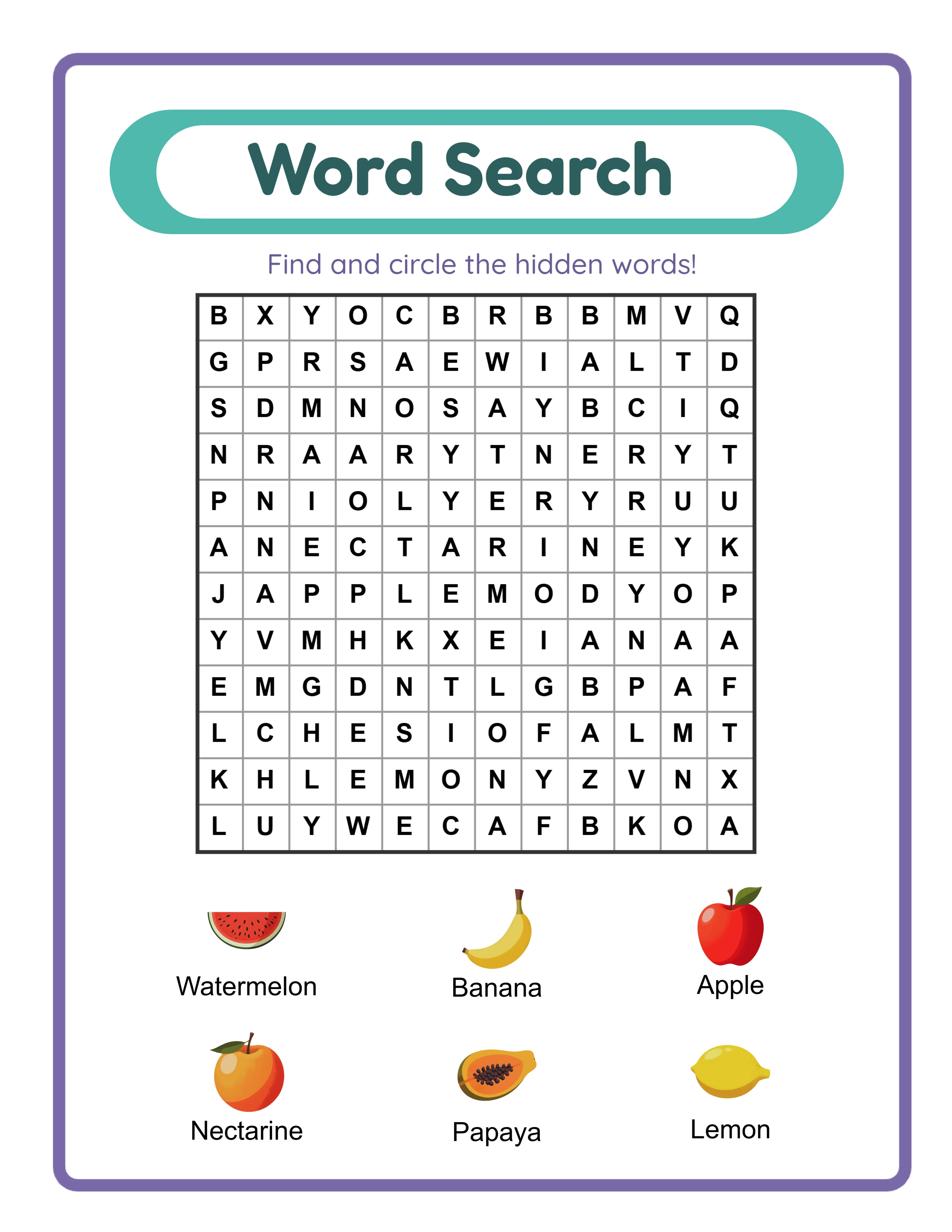
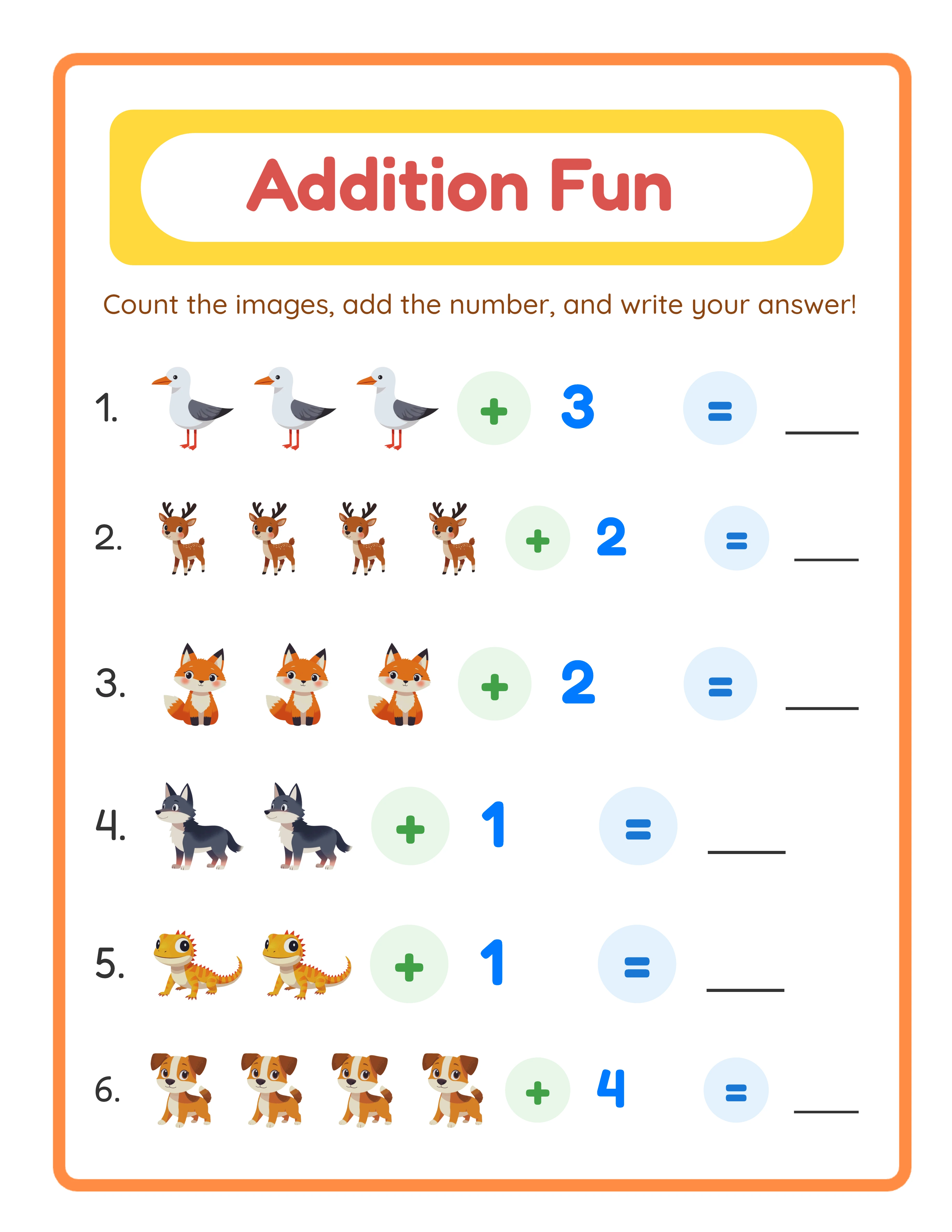
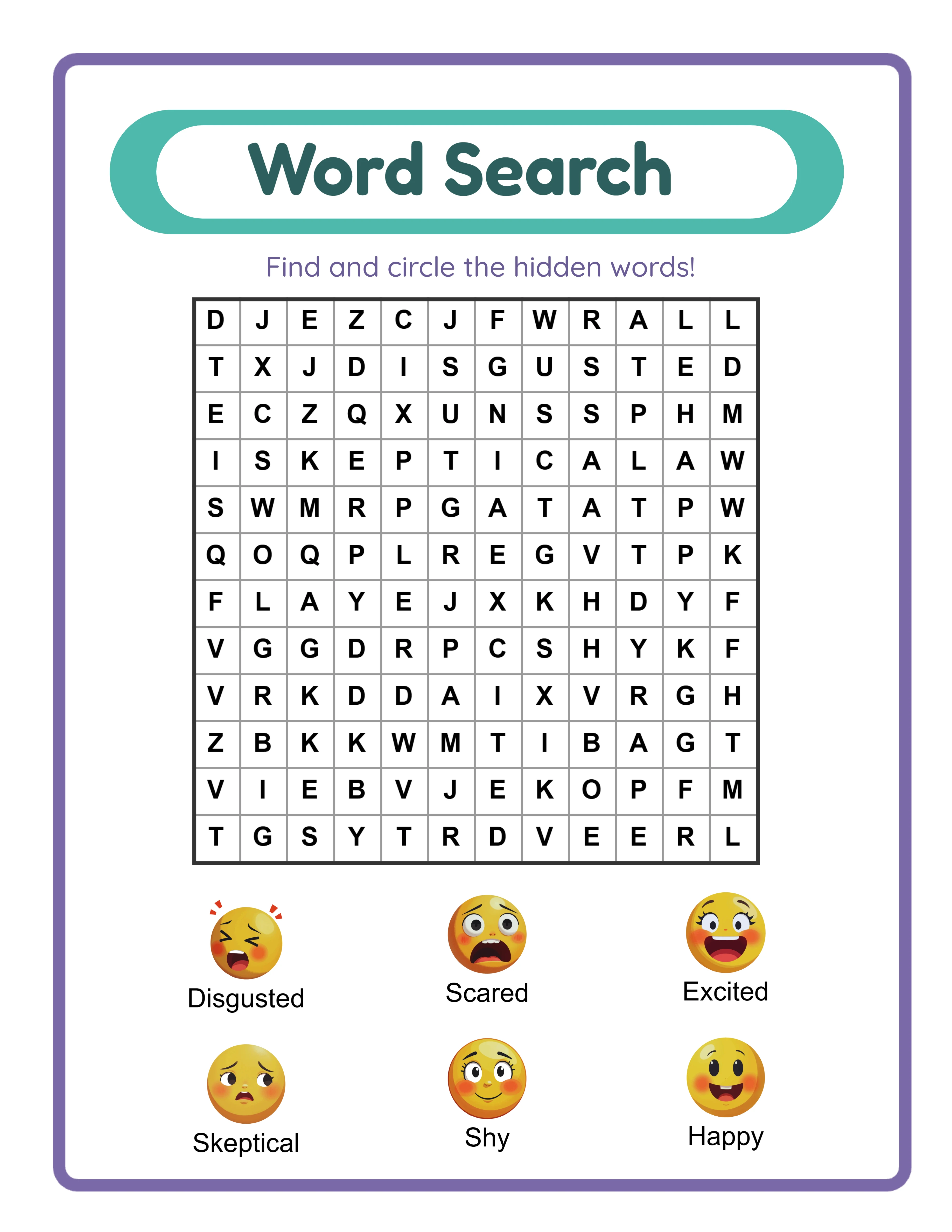
LessonCraftStudio generates 300 DPI print-ready PDFs with vector text rendering, mathematically precise grids, and high-resolution themed images from a library of 3,000+ illustrations across 104 themes. The output meets commercial publishing standards for Etsy, KDP, and TPT without any post-processing.
3
Comparison Criteria: Speed and Workflow Efficiency
Time is money for printable sellers. Every hour spent generating, formatting, and post-processing worksheets is an hour not spent on marketing, listing optimization, or creating new products. The generator's workflow efficiency directly affects your catalog growth rate.
Generation speed: How long does it take from selecting options to having a finished, downloadable PDF? Some tools require multiple steps: configure settings, preview, make adjustments, export to an intermediate format, then convert to PDF. Others generate the final product in one step. For a seller creating hundreds of worksheets per month, even a 2-minute difference per worksheet compounds into hours of lost time.
Batch capability: Can the tool generate multiple variations quickly? Creating a 100-page puzzle book means generating 100 individual puzzles plus answer keys. A tool that requires full reconfiguration for each puzzle takes dramatically longer than one where you can generate sequential variations from the same theme.
Answer key automation: For puzzle and math worksheets, answer keys are essential. Generating them manually is tedious and error-prone. A generator that produces verified answer keys automatically saves hours per product and eliminates the risk of publishing incorrect answers -- which generates negative reviews fast.
Export format: The ideal output is a print-ready PDF that can go directly to marketplace listing or KDP upload. Tools that export as PNG or require manual PDF conversion add steps and potential quality loss to every product.
LessonCraftStudio generates a complete worksheet with answer key in under 30 seconds. Each of the 33 generators produces print-ready PDFs with automatic answer keys. There is no intermediate format, no manual conversion, and no post-processing required. A 100-page puzzle book can be generated in 2 to 3 hours, compared to 8 to 12 hours with tools that lack automation.
4
Comparison Criteria: Cost Model and Total Spend
The cost model of your generator directly affects your profit margins on every product you sell. This is where most sellers make expensive mistakes by focusing on the monthly price tag rather than the total cost of ownership.
Subscription model: Most online printable makers charge monthly or annual subscriptions. Typical pricing ranges from $9.99 to $49.99 per month. At the middle of that range -- $24.99 per month -- you spend $299.88 per year. Over three years, that is $899.64. Over five years, $1,499.40. And if you stop paying, you lose access to the tool entirely. Your catalog is built, but you cannot update products, create new variations, or fix issues without reactivating your subscription.
Per-download model: Some tools charge per export or per download. This seems cheap for occasional use but becomes expensive for commercial sellers who generate hundreds of products. At $0.50 to $2.00 per export, a 50-product catalog costs $25 to $100 just in export fees -- recurring every time you need to regenerate or update.
One-time payment model: A fixed, one-time license fee gives you permanent access to the tool. You pay once and generate unlimited products forever. The economics are straightforward: the cost is fixed while your revenue grows. After the first few sales cover the license cost, every subsequent sale is pure margin as far as tool costs are concerned.
LessonCraftStudio uses a one-time payment model. You purchase a license once and have permanent access to all 33 generators with no recurring fees, no per-download charges, and no usage limits. For a seller planning to build a catalog over years, this model saves hundreds to thousands of dollars compared to subscription alternatives.
The break-even math is simple. If a subscription tool costs $25 per month and a one-time license costs $49, you break even in two months. Every month after that, the subscription seller is spending money you are not.
5
Comparison Criteria: Feature Depth
Surface-level generators let you create basic worksheets. Feature-rich generators let you build a diverse, professional product catalog. The depth of features determines how many distinct product types you can create from a single tool.
Generator variety: A tool with one or two generator types (say, word search and crossword) limits your catalog to those formats. A tool with dozens of generators -- math, puzzles, coloring, drawing, handwriting, bingo, matching, mazes, patterns, and more -- lets you create products across multiple categories and niches. Each generator type is a new product line.
Customization options: Can you control grid sizes, difficulty levels, word counts, image selections, and page layouts? The more customization available, the more unique products you can create. A word search generator with adjustable grids from 5x5 to 30x30, selectable word directions, and multiple theme options produces hundreds of distinct product variations from a single generator type.
Theme library: Themed products outsell generic ones consistently. A generator backed by thousands of themed images across dozens of categories gives you ready-made product differentiation. Animals, food, vehicles, holidays, seasons, careers, sports, nature -- each theme is a keyword niche on marketplaces.
Language support: Every supported language multiplies your addressable market. A generator supporting 11 languages turns one product concept into 11 distinct listings, each targeting a different buyer demographic with less competition.
LessonCraftStudio includes 33 specialized generators covering math worksheets, word puzzles, coloring pages, drawing activities, handwriting practice, bingo cards, matching games, mazes, pattern recognition, and more. The 104 theme collections with 3,000+ images provide visual variety across every generator. The 11-language support with native vocabulary and locale-correct formatting means each product can be published in English, German, French, Spanish, Portuguese, Italian, Dutch, Swedish, Danish, Norwegian, and Finnish.
6
Why One-Time Payment Beats Subscriptions for Sellers
The subscription model works well for software companies. It works poorly for the sellers paying those subscriptions. Here is why the economics favor one-time payment tools for printable product businesses.
Margin erosion: Subscription fees are a fixed cost that comes out of your revenue every month regardless of how many products you sell. In a slow month where you earn $200 from your Etsy shop, a $25 subscription takes 12.5% of your revenue. In a strong month at $2,000, it takes 1.25%. This variable margin impact makes financial planning harder and eats into profits during the months you need them most -- the slow ones.
Sunk cost psychology: Subscriptions create pressure to "use the tool to justify the cost," which leads to rushed, lower-quality products. A one-time purchase removes this psychological pressure. You generate products when you have good ideas and market opportunities, not because you need to justify a recurring charge.
Long-term cost comparison: Consider a three-year scenario. A subscription tool at $19.99 per month costs $719.64 over three years. A comparable one-time license at $49 costs exactly $49 over three years -- and over five years, and over ten years. The subscription tool costs 14.7 times more over three years.
Access permanence: If you pause your printable business for six months -- perhaps for a vacation, a job change, or a family obligation -- a subscription tool costs you nothing (you cancel) but you lose access. When you return, you pay again and potentially lose previous settings or configurations. A one-time license is permanent. Come back after any absence and everything is exactly where you left it.
No feature hostage: Subscription tools often move features between tiers to push users toward higher-priced plans. A feature available in the basic plan today might require the premium plan tomorrow. One-time payment tools include all features in the purchase. There is no tier upgrade, no feature gating, and no surprise price increases.
For printable sellers building a long-term business, the one-time payment model aligns the tool's cost structure with the business's revenue structure: invest once upfront, then earn indefinitely.
7
How LCS Compares on Key Features
Here is a direct comparison of LessonCraftStudio's feature set against what most subscription-based generators and basic online makers offer.
Generator count: Most tools offer 1 to 5 generator types. Basic online makers typically focus on a single format -- word search only, or crossword only, or coloring pages only. To cover multiple product types, you need multiple subscriptions. LessonCraftStudio includes 33 generators in one tool: addition, subtraction, multiplication, division, fractions, number bonds, place value, word search, crossword, cryptogram, maze, bingo, matching, coloring, drawing, handwriting, tracing, pattern recognition, size comparison, counting, chart counting, missing pieces, hidden objects, spot the difference, shape identification, and more. One purchase, 33 product lines.
Language support: Most generators support English only. A few support 2 to 3 major European languages. LessonCraftStudio supports 11 languages with native vocabulary, locale-correct filler characters, and proper diacritics: English, German, French, Spanish, Portuguese, Italian, Dutch, Swedish, Danish, Norwegian, and Finnish. Each language uses culturally appropriate vocabulary -- not machine-translated word lists.
Image library: Basic online makers include minimal or no themed images. Subscription tools typically offer 100 to 500 images, often generic clip art. LessonCraftStudio includes 3,000+ hand-curated images across 104 themed collections. These are not generic stock illustrations -- they are purpose-built for printable products and cover animals, food, vehicles, holidays, careers, sports, nature, household items, and dozens more categories.
Answer key generation: Many generators require manual answer key creation. Some offer answer keys as a premium feature. LessonCraftStudio generates verified answer keys automatically for every puzzle and math worksheet at no additional cost. Color-coded answer keys are included with every export.
Output format: LessonCraftStudio generates 300 DPI print-ready PDFs directly. No intermediate formats, no manual conversion, no quality loss. Every PDF meets the publishing standards for Etsy digital downloads, Amazon KDP interiors, and TPT product listings.
Commercial license: Included with every purchase. No separate commercial tier, no per-product fees, no platform restrictions. Your license covers unlimited commercial use on all marketplaces.
8
Workflow Comparison: LCS vs. Manual Design
Many sellers create printable products manually using design tools like Canva, Adobe Illustrator, or Google Slides. This approach offers maximum creative control but at enormous time cost. Here is how the workflows compare for a concrete example: creating a 50-page themed math worksheet bundle.
Manual design workflow (Canva or similar):
1. Create a template layout with grids, borders, and headers (30 to 60 minutes)
2. Write 50 unique math problems by hand or with a calculator (2 to 3 hours)
3. Verify every answer manually (1 to 2 hours)
4. Place problems into the template, one page at a time (2 to 3 hours)
5. Source and add themed images from stock libraries (1 to 2 hours, plus potential licensing costs)
6. Create answer key pages manually (1 to 2 hours)
7. Export as PDF, verify print quality (30 minutes)
8. Total: 8 to 13 hours per bundle
LessonCraftStudio workflow:
1. Open the relevant math generator (addition, subtraction, multiplication, etc.)
2. Select difficulty range, number of problems, and theme
3. Generate worksheet with automatic answer key (30 seconds)
4. Review and export as print-ready PDF (1 minute)
5. Repeat for remaining pages (50 pages x 1.5 minutes = 75 minutes)
6. Total: 1.5 to 2 hours per bundle
The time savings are roughly 6 to 11 hours per bundle. For a seller creating 10 bundles per month, that is 60 to 110 hours saved monthly -- equivalent to 1.5 to 2.75 full work weeks.
But the time comparison understates the real advantage. Manual design introduces human error: incorrect answers, inconsistent formatting, misaligned grids. Every error caught by a customer becomes a negative review. Automated generation eliminates these errors entirely because the generator produces mathematically verified content every time.
The manual approach does have one advantage: unlimited creative flexibility. If you need a completely custom layout that no generator supports, design tools give you pixel-level control. But for standard printable formats -- math worksheets, puzzles, coloring pages, handwriting sheets -- the generator workflow is faster, more consistent, and error-free.
For sellers who want the best of both worlds, LessonCraftStudio's PDF output can be imported into design tools for additional customization. Generate the core content automatically, then add your brand elements manually. This hybrid workflow typically takes 3 to 4 hours per bundle -- still less than half the time of fully manual creation.
9
Platform Compatibility: Etsy, KDP, and TPT
Different marketplaces have different requirements for printable products. A generator optimized for one platform may produce output that needs reformatting for another. Here is how platform requirements differ and what to look for in a cross-platform tool.
Etsy digital downloads: Etsy sellers deliver printable products as digital downloads in PDF format. Buyers download, print at home or at a print shop, and use the product. Etsy requires no specific DPI or format standard, but buyer expectations set the bar: 300 DPI, US Letter or A4 size, clean print quality. Products that print poorly generate returns and negative reviews that tank your shop's ranking.
Amazon KDP: KDP requires PDF manuscripts at specific trim sizes with exact margin requirements. Interior pages must be 300 DPI minimum for image-heavy content. Page counts must meet minimums (24 pages for paperback). KDP's quality review process rejects manuscripts with blurry images, text too close to margins, or inconsistent page sizes. A generator that handles these specifications natively saves significant reformatting time.
Teachers Pay Teachers: TPT products are typically delivered as PDF bundles. Sellers often include multiple formats in one listing: US Letter, A4, and half-letter sizes. TPT buyers expect polished, classroom-ready materials with clear instructions, answer keys, and visually appealing design. Products compete heavily on visual quality and comprehensiveness.
Cross-platform workflow: The ideal generator produces output that works on all three platforms with minimal or no modification. This means generating at 300 DPI (meets all platform standards), supporting multiple page sizes (US Letter and A4 at minimum), including answer keys (required for TPT, expected for KDP puzzle books, valued on Etsy), and using a commercial license that covers all platforms.
LessonCraftStudio's output is cross-platform compatible. The 300 DPI PDF exports meet Etsy, KDP, and TPT quality standards. Multiple page size options accommodate different marketplace expectations. Answer keys are generated automatically for applicable content types. And the commercial license covers unlimited use on all platforms with no per-marketplace restrictions.
10
Total Cost of Ownership Analysis
The sticker price of a generator tells you almost nothing about its real cost. Total cost of ownership includes the purchase or subscription price, the time cost of using the tool, the opportunity cost of missing features, and the revenue impact of output quality.
Scenario: Building a 100-product catalog over 12 months.
Subscription-based generator ($24.99/month):
- Tool cost: $299.88 per year
- Time per product (average): 3 hours (includes workarounds for missing features)
- Total production time: 300 hours
- Time value at $25/hour: $7,500
- Additional costs: stock images ($200), PDF conversion tool ($50), separate generators for different product types ($15/month x 12 = $180)
- Total first-year cost: $8,229.88
- Ongoing annual cost: $479.88 (subscriptions only)
Basic online maker (free tier with premium exports at $1.50 each):
- Tool cost: $150 for 100 exports
- Time per product (average): 5 hours (limited features, heavy manual work)
- Total production time: 500 hours
- Time value at $25/hour: $12,500
- Additional costs: stock images ($300), answer key creation time (100 hours = $2,500)
- Total first-year cost: $15,450
- Ongoing cost per additional 100 products: $3,450
LessonCraftStudio (one-time payment of $49 per generator):
- Tool cost: $49 to $149 depending on generators needed (one generator or a category bundle)
- Time per product (average): 1.5 hours (all features included, automated answer keys)
- Total production time: 150 hours
- Time value at $25/hour: $3,750
- Additional costs: none (images included, answer keys automatic, PDF export native)
- Total first-year cost: $3,799 to $3,899
- Ongoing annual cost: $0 (one-time payment, permanent access)
The total cost difference over three years is striking. The subscription model costs approximately $9,189 in tool fees alone. The basic online maker costs roughly $10,500 in export fees and additional tools. LessonCraftStudio costs $49 to $149 total -- forever.
When you factor in time savings, the advantage compounds further. Producing 100 products at 1.5 hours each versus 3 to 5 hours each saves 150 to 350 hours in the first year. At $25 per hour (a conservative valuation of your time), that is $3,750 to $8,750 in recovered time -- time you can spend on marketing, listing optimization, or simply living your life.
The bottom line: for sellers planning to build a real catalog, the one-time payment model with comprehensive features costs a fraction of alternatives when you account for time, additional tools, and ongoing fees.