Sell Digital Downloads on Etsy: A Complete Beginner Guide

Etsy is the fastest way to start selling digital downloads. Over 96 million active buyers already trust the platform, and digital products require zero inventory, no shipping, and no physical storage. You create a printable worksheet once, list it, and earn every time someone purchases it. This guide is written for complete beginners -- no ecommerce experience required. By the end, you will have a live Etsy shop with optimized listings and a clear plan for reaching your first 10 sales.
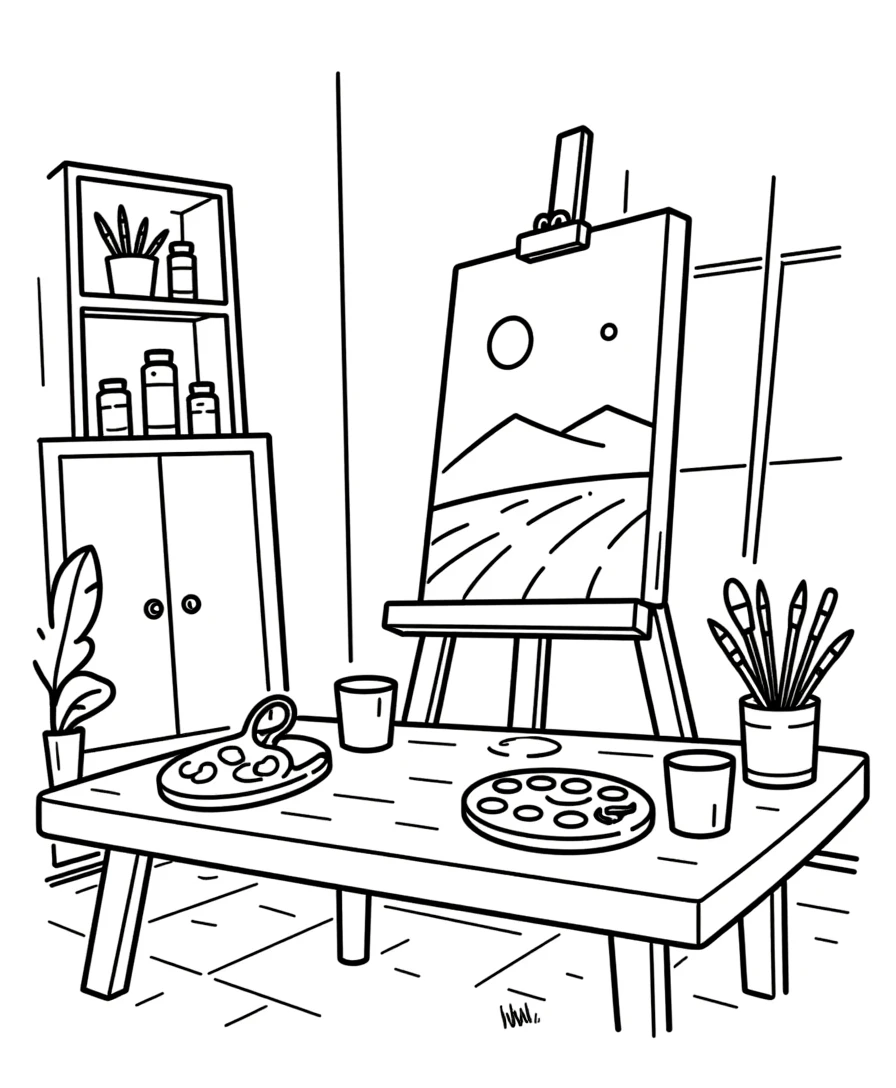
Coloring page printable ready for selling as Etsy digital download

Introduction

Selling digital downloads on Etsy is the lowest-risk way to start an online business. There is no upfront inventory cost, no shipping logistics, no physical storage, and no minimum order quantity. You create a digital file once, upload it to Etsy, and earn revenue every time a buyer downloads it. Your profit margin on digital products approaches 95% after Etsy's fees. The numbers make this even more compelling for beginners. Etsy charges $0.20 per listing (lasts 4 months or until sold), a 6.5% transaction fee, and a 3% + $0.25 payment processing fee. On a $4.99 digital product, Etsy takes approximately $0.72 in total fees, leaving you with $4.27. Sell 3 of these per day and you are earning $4,684 per year from a single product listing. But most beginners fail not because the economics are bad -- they fail because they do not understand how Etsy's search algorithm works, how to create listings that convert, or how to price their products. They upload a single listing with a blurry screenshot as the image, write a two-sentence description, and wonder why nobody buys. This guide fixes that. You will learn exactly how to set up your Etsy seller account, create professional product listings with mockup images, write descriptions that convert browsers into buyers, price your products competitively, and execute a launch strategy that generates your first 10 sales within 30 days. The LessonCraftStudio generators give you an unfair advantage as a beginner. Instead of spending weeks designing worksheets in Canva or Illustrator, you generate professional printable products in minutes. Coloring pages, word search puzzles, addition worksheets, matching activities -- 33 different generators with 104 themes and 11 languages. The free trial with watermark lets you test every generator and plan your product line before investing in a commercial license. Let's get your first Etsy listing live.
Try It Free with Watermark

Try any generator free with watermark. No signup required.

Tutorial

1

Setting Up Your Etsy Seller Account

Creating an Etsy seller account takes about 15 minutes. Here is the step-by-step process. Go to etsy.com/sell and click "Get started." If you already have an Etsy buyer account, you can convert it to a seller account. If not, create a new account with your email address. Shop preferences: Select your country, currency, and language. Choose English as your shop language even if you plan to sell in other languages -- you can add translations later. Shop name: This is your brand identity on Etsy. Choose a name that communicates what you sell. "PrintableWorkshopCo," "BrightMathPrintables," or "PuzzleCraftDownloads" are clear and memorable. Avoid generic names like "DigitalShop123." Your shop name cannot be changed later (only the display name can), so choose carefully. Payment method: Etsy requires a valid payment method (credit card or PayPal) for fees and listing charges. Set this up before creating your first listing. Billing address: Provide your legal business address. This appears on receipts and is required for tax reporting. If you operate from home, your home address is fine. Tax information: Etsy collects tax information from all sellers. In the US, you receive a 1099-K form if you exceed $600 in annual sales. International sellers follow their country's reporting requirements. Consult a tax professional once your sales become meaningful -- for your first 10 sales, focus on getting the business running. Shop policies: Set up your refund policy, processing time (instant for digital downloads), and FAQ section. For digital products, a clear no-refund policy is standard since buyers receive the files immediately. Write: "Due to the digital nature of these products, all sales are final. Please review the listing description and preview images carefully before purchasing."
2

Understanding Etsy Fees for Digital Products

Before listing your first product, understand exactly what Etsy charges so you can price accordingly. Listing fee: $0.20 per listing. Each listing stays active for 4 months or until it sells (whichever comes first). When a listing sells, it auto-renews for another $0.20. For digital products that sell repeatedly, the listing fee is negligible -- $0.20 for potentially hundreds of sales. Transaction fee: 6.5% of the total sale price (including shipping, but digital products have no shipping). On a $4.99 product, this is $0.32. Payment processing fee: 3% + $0.25 per transaction. On a $4.99 product, this is $0.40. Total fees on a $4.99 sale: $0.20 (listing, one-time) + $0.32 (transaction) + $0.40 (processing) = $0.92 on first sale, $0.72 on subsequent sales. Your net is $4.07 to $4.27 per sale. Etsy Ads fee (optional): If you enable Etsy Ads, you set a daily budget and Etsy shows your listings in promoted positions. Beginners should NOT enable Etsy Ads until they have at least 10 sales and 2 to 3 reviews. Ads amplify what is already working -- they cannot fix a bad listing. Offsite Ads fee: Etsy may promote your listings on Google and social media. If a sale results from an offsite ad, Etsy charges 15% (or 12% for shops over $10,000 annual revenue). Shops under $10,000 per year can opt out of offsite ads in shop settings. Opt out immediately as a beginner -- the 15% fee destroys your margins on low-priced digital products. Key takeaway: Budget approximately 15% of each sale price for Etsy fees. Factor this into your pricing from day one.
3

Creating Your First Digital Product Listing

This is where most beginners get overwhelmed. Follow this exact structure for your first listing. Product photos (most important element): Etsy allows 10 images per listing. Use all 10. For digital downloads, your images are mockups showing the product in context: - Image 1: Hero mockup showing the printed worksheet on a desk with props - Image 2: Close-up of the worksheet content with visible detail - Image 3: Full-page flat view showing exactly what the buyer downloads - Image 4: Multiple pages fanned out (if multi-page product) - Image 5-7: Individual page previews showing variety - Image 8: "What you get" summary graphic listing file format, page count, sizes - Image 9: Print specifications graphic (paper size, resolution, color mode) - Image 10: Related products teaser showing your other listings Title: Use all 140 characters. Front-load with your primary keyword, then add descriptive details. Example: "Coloring Pages for Kids Printable | 20 Animal Coloring Sheets | Instant Download | Preschool Activity | Homeschool Printable | PDF" Category: Select "Craft Supplies & Tools > Canvas & Surfaces > Templates" or "Paper & Party Supplies > Paper > Stationery" depending on your product type. The category affects which searches your listing appears in. Digital file upload: Under "Listing type," select "Digital." Upload your PDF files directly. Etsy supports files up to 20 MB each, with up to 5 files per listing. If your bundle exceeds these limits, use a ZIP archive. Price: Start at $2.99 to $4.99 for individual worksheet sets. See the pricing section below for detailed strategy. Tags: Etsy gives you 13 tags. Use all 13. Each tag can be up to 20 characters. Use multi-word phrases, not single words: "coloring pages kids," "printable worksheets," "animal coloring PDF," "preschool activity," "instant download," "homeschool printable." Research top-selling competitor listings to find tags that drive traffic.
4

Writing Descriptions That Convert

Your listing description is your sales pitch. It needs to answer every question a potential buyer might have. First paragraph (the hook): Start with what makes your product valuable. "This set of 20 animal coloring pages gives your kids hours of creative activity with professionally designed illustrations featuring farm animals, jungle creatures, and ocean life. Each page is ready to print at home on standard letter or A4 paper." What is included section: List exactly what the buyer receives. Use a clear format: - 20 coloring pages in PDF format - US Letter (8.5 x 11 inches) and A4 sizes included - 300 DPI print resolution - Answer key pages included (for puzzles) - Instant digital download -- no physical product shipped How to use section: Walk the buyer through the process. "1. Purchase and download the PDF file. 2. Open in any PDF reader (Adobe Reader, Preview, etc.). 3. Print on standard paper using 'Fit to Page' setting. 4. Grab some crayons and start coloring!" This removes friction for buyers who are unfamiliar with digital downloads. Print recommendations: "For best results, print on white cardstock (65 to 80 lb) for durability. Standard printer paper (20 lb) works fine for everyday use. Both color and black-and-white printers produce excellent results." Licensing note: "This product is for personal use. For commercial licensing (selling printed copies, including in product bundles), please see our commercial license options." SEO keywords in description: Naturally incorporate your target keywords throughout the description. Etsy's search algorithm reads descriptions for relevance signals. Mention "printable coloring pages," "digital download," "kids activity," and other relevant terms without keyword stuffing. Description length: Aim for 300 to 500 words. Longer descriptions rank better in Etsy search and give buyers more confidence. Short, lazy descriptions signal a low-effort product.
5

File Formats and Preparation for Digital Delivery

The file you upload to Etsy is the product your buyer receives. Professional file preparation separates successful sellers from amateurs. PDF is the standard format: 99% of printable digital downloads on Etsy are delivered as PDF files. PDF preserves formatting across all devices and operating systems. Buyers expect PDF -- do not upload JPEG, PNG, or DOCX files as your primary deliverable. Resolution: All files should be 300 DPI (dots per inch). This is the standard for print-quality output. The LessonCraftStudio generators export at 300 DPI by default, so no adjustment is needed if you use the generators. Page sizes: Include both US Letter (8.5 x 11 inches) and A4 (210 x 297 mm) sizes. US buyers expect Letter size. European and Australian buyers expect A4. Providing both doubles your market without doubling your effort. If the generator only exports one size, mention in your listing which size is included and add "Print using Fit to Page setting for other paper sizes." File naming: Name your files clearly and professionally. "Animal-Coloring-Pages-20-Sheets-USLetter.pdf" is better than "coloring-v3-final-FINAL.pdf." Buyers see the filename when they download -- a professional name builds trust. File size limits: Etsy allows up to 20 MB per file and 5 files per listing. For larger bundles, compress your PDFs using Smallpdf or Adobe Acrobat's compression. Alternatively, create a ZIP archive containing multiple PDF files. Test your files: Before listing, download your own files on a different device. Open them. Print them. Verify that every page renders correctly, text is readable, images are sharp, and no watermarks appear on commercially licensed exports. A single corrupted file generates refund requests and negative reviews.
6

Creating Professional Mockup Images

Your listing images are the first thing buyers see. On Etsy, 80% of the purchase decision happens based on the thumbnail image in search results. Here is how to create mockups that sell. Tool recommendation: Canva (free plan) has hundreds of mockup templates specifically for printable products. Search "mockup" in Canva's template library and filter for your product type. Hero image (most critical): This appears as your listing thumbnail in Etsy search results. It must be instantly understandable at 300 x 300 pixels. Show your printed worksheet on a clean, bright surface with minimal props. Use natural lighting or a bright white background. Include a text overlay with key details: "20 Pages" or "Instant Download." Rules for effective mockup images: - Use bright, natural lighting -- no dark or moody shots - White or light wood backgrounds convert best - Show the product printed on real paper when possible - Include props that match your audience (crayons for kids' products, pens for adult products) - Maintain consistent style across all your listings for brand recognition - Use a 5:4 aspect ratio (Etsy's standard) -- 3000 x 2400 pixels minimum Flatlay technique: Print your worksheet, place it on a clean desk, add 2 to 3 complementary props (colored pencils, a small plant, a coffee mug), and photograph from directly above with natural window light. Edit in Canva or your phone's photo editor to brighten and adjust contrast. Digital mockup alternative: If you cannot print and photograph, use Canva's smart mockup feature or Placeit.net to insert your PDF into pre-made scene templates. These look professional and take minutes instead of hours. Consistency matters: Use the same mockup style, color palette, and text overlay format across all your listings. This creates a cohesive shop that looks professional and trustworthy.
7

Getting Your First 10 Sales: A 30-Day Launch Strategy

Your first 10 sales are the hardest because you have no reviews, no sales history, and no search ranking momentum. Here is a proven 30-day strategy. Days 1 to 3 -- List 5 to 10 products: Do not launch with a single listing. Etsy's algorithm favors shops with multiple listings. Aim for 5 to 10 listings covering different product types and themes. Use the LessonCraftStudio generators to create a variety quickly: 2 coloring page sets, 2 word search packs, 2 math worksheet bundles, 2 matching activities. Days 4 to 7 -- Social media promotion: Share your listings on Pinterest (create a business account and pin every product), Instagram (post mockup images with relevant hashtags), and Facebook groups (join printable/homeschool/craft communities and participate genuinely before promoting). Days 8 to 14 -- Optimize based on data: Check your Etsy Stats dashboard. See which listings get views and which do not. Listings with views but no sales need better mockup images or lower prices. Listings with no views need better tags and titles. Adjust accordingly. Days 15 to 21 -- Add 5 more listings: Expand your catalog based on what the data shows. If your coloring pages get the most views, add more coloring page varieties. Each new listing is another entry point for Etsy search traffic. Days 22 to 30 -- Generate reviews: Your first sales should produce your first reviews. Send a polite follow-up message to buyers thanking them and asking if they are happy with their purchase. Do not ask directly for a review -- Etsy's policies prohibit incentivized reviews. Simply providing excellent products and friendly service naturally generates positive reviews. Realistic expectation: With 10 to 15 optimized listings, consistent Pinterest pinning, and active social media promotion, most sellers achieve their first 10 sales within 30 to 45 days. Some achieve it faster, especially in lower-competition niches. After 10 sales: Your shop gains credibility. Etsy's algorithm starts showing your listings to more buyers. Reviews build social proof. At this point, shift focus from promotion to catalog expansion -- more products means more search visibility and more revenue.

Platform Tips

Etsy SEO: How to Rank in Etsy Search

Etsy's search algorithm determines which listings appear when buyers search. Understanding it is the difference between getting found and being invisible. Title weight: Etsy gives the most SEO weight to the first few words of your title. Front-load your primary keyword. "Coloring Pages Printable Kids Animals" ranks better for "coloring pages" than "Beautiful Animal-Themed Coloring Pages for Children." Tag strategy: Use all 13 tags. Each tag should be a multi-word phrase matching how buyers actually search. Do not use single-word tags like "coloring" -- use "coloring pages kids" or "printable coloring pages." Avoid repeating the same words across multiple tags -- Etsy already combines words from your title and tags. Recency boost: New listings and recently renewed listings get a temporary boost in search results. This is why launching with multiple listings simultaneously is effective -- each listing gets a recency boost. Quality score: Etsy tracks your listing's click-through rate and conversion rate. Listings that get clicked on and purchased from search results rank higher over time. This is why great mockup images and competitive pricing matter so much -- they drive clicks and conversions. Shop quality: Your overall shop rating, review score, and response time affect all your listings. Maintain a 5-star average, respond to messages within 24 hours, and resolve any issues quickly. Category relevance: Choose the most specific category for your product. A listing in "Craft Supplies > Templates" competes with fewer listings than one in the generic "Paper & Party Supplies" category.

Pricing Strategy for Beginner Etsy Sellers

Pricing is where most beginners either leave money on the table or price themselves out of the market. Here is a data-driven approach. Research first: Search Etsy for your exact product type. Sort by "Best Selling" or "Most Recent." Note the price range of the top 20 results. For printable worksheets, the typical range is: - Single-page printables: $1.50 to $2.99 - 5 to 10 page sets: $2.99 to $5.99 - 20+ page bundles: $5.99 to $12.99 - Mega bundles (50+ pages): $12.99 to $24.99 Beginner pricing strategy: Price 10 to 20% below the average for your product type during your first month. This compensates for having zero reviews and no sales history. A slightly lower price reduces the perceived risk of buying from a new seller. Do not race to the bottom: Pricing at $0.99 or $1.49 signals low quality. Buyers on Etsy expect to pay for quality printables. Pricing too low actually hurts conversion because buyers assume the product is not professional. Raise prices after 10 reviews: Once you have social proof, raise your prices to match or slightly exceed competitors. Buyers pay more for products with strong reviews. A $4.99 product with 50 five-star reviews outsells a $2.99 product with zero reviews. Bundle for higher average order value: Instead of selling a 5-page coloring set for $2.99, offer a 20-page set for $7.99. The per-page cost is lower for the buyer, but your total revenue per sale is higher. Bundles also rank for additional keywords. Seasonal pricing: Raise prices 2 to 4 weeks before major holidays when demand spikes. A "Christmas Coloring Pages" listing at $4.99 in October can be priced at $6.99 in late November when buyers are actively shopping.

Common Beginner Mistakes to Avoid

Learn from the mistakes that derail most first-time Etsy sellers. Mistake 1 -- One listing, then waiting: Etsy's algorithm favors shops with multiple active listings. Launching with one product and hoping for sales is like opening a store with one item on the shelf. Start with at least 5 to 10 listings. Mistake 2 -- Poor mockup images: Using a flat PDF screenshot as your listing image is the fastest way to get zero clicks. Invest 30 minutes per product in creating professional mockup images. This single improvement can double your click-through rate. Mistake 3 -- Ignoring SEO: Tags and titles are not optional extras -- they are how Etsy decides whether to show your listing to buyers. Use all 13 tags. Fill your entire 140-character title. Research competitor tags and titles. Mistake 4 -- Enabling Etsy Ads too early: Ads amplify what works. If your listing has poor images, a weak description, and no reviews, Ads will spend your budget showing a listing nobody wants to buy. Wait until you have 10+ sales and 3+ reviews before enabling Ads. Mistake 5 -- Not checking file quality: Download and print your own files before listing. A corrupted PDF, wrong page size, or blurry image generates refund requests and one-star reviews that damage your shop for months. Mistake 6 -- Giving up after 2 weeks: Most successful Etsy sellers did not make their first sale until week 3 or 4. Etsy's algorithm needs time to test and rank your listings. If you quit after 14 days, you leave just before the algorithm starts working in your favor. Mistake 7 -- Not opting out of Offsite Ads: Etsy's Offsite Ads charge 15% per sale. For shops under $10,000 per year, you can opt out. Do it immediately -- the 15% fee destroys margins on low-priced digital products.

Monetization Strategies

Revenue Milestones for New Etsy Printable Sellers

Setting realistic revenue milestones keeps you motivated and on track. Here are the stages most printable sellers experience. Month 1 (10 to 15 listings): $20 to $100 revenue. You are learning the platform, testing product types, and building your initial catalog. Focus on listing quality over quantity. Month 2 to 3 (20 to 30 listings): $100 to $500 revenue. Your early listings start ranking in Etsy search. First reviews appear. Pinterest traffic begins contributing sales. You understand which products sell and which do not. Month 4 to 6 (40 to 60 listings): $500 to $1,500 revenue. Your catalog has critical mass. Etsy's algorithm recognizes your shop as active and relevant. Repeat customers appear. Some listings generate daily sales. Month 7 to 12 (80+ listings): $1,500 to $5,000+ revenue. With a robust catalog, strong reviews, and established SEO rankings, your shop generates consistent daily income. At this stage, most sellers spend 2 to 3 hours per week maintaining and expanding their shops. These projections assume consistent effort in listing creation, mockup quality, and SEO optimization. Sellers who list sporadically or ignore SEO take longer to reach each milestone. The LessonCraftStudio generators accelerate this timeline significantly. Instead of spending 2 to 3 hours per product in design software, you generate professional worksheets in minutes. This lets you build a 50-product catalog in the time it would take to manually design 10 products.

Expanding From Singles to Bundles and Collections

Your initial listings are individual products. Revenue growth comes from bundling those products into higher-value offerings. Theme bundles: Combine 5 to 8 individual worksheets sharing a theme. A "Farm Animals Activity Bundle" containing coloring pages, word search, matching, and addition worksheets sells for $9.99 to $14.99 -- 3x the price of individual listings but with the same production effort. Skill-level bundles: Group worksheets by difficulty. An "Easy Math Bundle for Preschool" with simple addition, counting, and number recognition worksheets targets a specific buyer need and commands premium pricing. Seasonal bundles: Create holiday-specific bundles 4 to 6 weeks before each holiday. "Halloween Activity Pack -- 30 Printable Pages" at $12.99 captures seasonal demand. These bundles sell intensely for 4 to 6 weeks, then rest until next year. Mega bundles: Compile your entire catalog into a "Complete Printable Library" at $24.99 to $34.99. These target buyers who want maximum value and are willing to pay a premium for convenience. Mega bundles also rank for broad keywords like "printable worksheet bundle" that individual listings cannot target. Bundle math: 5 individual listings at $3.99 = $19.95 potential revenue if a buyer purchases all 5 (unlikely). One bundle at $12.99 captures 65% of that value in a single transaction with higher conversion probability. Always offer both options -- some buyers prefer individual products, others want bundles.

Passive Income Scaling: From Side Hustle to Full Business

Digital downloads on Etsy are the closest thing to recurring revenue in ecommerce. Here is how to scale from a side hustle to a meaningful business. The catalog compound effect: Each listing you add generates its own revenue stream. With 100 listings averaging $1.50 per day each, you earn $150 per day ($4,500 per month, $54,000 per year). Not every listing performs equally -- some earn $5 per day, others earn $0.20 -- but the average across a large catalog creates predictable revenue. Automation: Digital delivery is already automated on Etsy. Automate your remaining tasks: use scheduling tools for Pinterest pins, template your listing descriptions, batch-create mockup images for 10 products at once, and set up saved replies for common customer questions. International expansion: The LessonCraftStudio generators support 11 languages. Create German, French, and Spanish versions of your best-selling products. International buyers on Etsy search in their native language, and most sellers only list in English. A German-language coloring page listing has far less competition than its English equivalent. Diversify platforms: Once your Etsy business is stable, expand to your own Shopify store, Gumroad, or Creative Market. Each platform adds a revenue stream with a different audience. Your Etsy shop remains your discovery engine while owned platforms (Shopify) capture higher margins. Reinvest strategically: Invest first Etsy profits in a commercial license to remove watermarks from your products. Next, invest in premium mockup templates. Then consider paid advertising (Etsy Ads or Pinterest Ads) to accelerate growth. Each reinvestment compounds your earning potential.

Examples

First Listing Blueprint: Coloring Page Set for Etsy

Here is a complete, copy-this-exact-structure first listing for Etsy. Product: 20-page animal coloring page set Generator: LessonCraftStudio coloring page generator Theme: Animals (farm, jungle, ocean sub-themes) Generation steps: 1. Open the coloring page generator 2. Select "Farm Animals" theme 3. Generate 7 coloring pages with different farm animals 4. Switch to "Jungle Animals" and generate 7 more 5. Switch to "Ocean Animals" and generate 6 more 6. Export all 20 pages as print-ready PDFs 7. Merge into a single PDF file Listing details: Title: "Animal Coloring Pages Printable for Kids | 20 Farm Jungle Ocean Coloring Sheets | Instant Download PDF | Preschool Activity | Toddler Coloring" Price: $3.99 Tags: coloring pages kids, animal coloring pages, printable coloring, farm animals coloring, jungle coloring page, ocean animals print, preschool activity, toddler coloring page, instant download PDF, homeschool printable, kids activity pages, digital download, coloring sheets Description structure: What's included (20 pages, PDF format, Letter and A4), animal themes (farm, jungle, ocean), printing instructions, age recommendation (2 to 8 years), license terms. Mockup images: 10 images showing printed pages on desk, close-ups of individual animals, fanned multi-page spread, "What you get" summary graphic. Estimated creation time: 45 minutes for generation + 30 minutes for mockups + 20 minutes for listing = under 2 hours Projected monthly revenue: $30 to $80 once established

Week 1 Catalog Blueprint: 10 Listings in 5 Days

This blueprint gives you a 10-product catalog in your first week -- enough for Etsy's algorithm to take your shop seriously. Day 1 (2 listings): - Animal Coloring Pages (20 pages) -- $3.99 - Farm Animals Word Search Pack (10 puzzles + answer keys) -- $3.99 Day 2 (2 listings): - Addition Worksheets with Animal Theme (15 pages) -- $4.49 - Matching Activity Pages Animals (10 pages) -- $3.49 Day 3 (2 listings): - Vehicle Coloring Pages (20 pages) -- $3.99 - Food Theme Word Search Pack (10 puzzles) -- $3.99 Day 4 (2 listings): - Counting Worksheets for Preschool (15 pages) -- $4.49 - Pattern Recognition Activities (10 pages) -- $3.49 Day 5 (2 listings -- bundles): - Complete Animal Activity Bundle (all 4 animal products, 55 pages) -- $9.99 - Preschool Starter Pack (mix of all types, 30 pages) -- $7.99 Total investment: 8 to 10 hours across 5 days Total catalog value: 10 listings covering 4 product types and 3 themes Week 2 action: Create mockup images, start Pinterest account, join 3 relevant Facebook groups. Week 3 action: Add 5 more individual listings based on which products get the most views. Week 4 action: Analyze stats, optimize underperforming listings, create 2 more bundles. Projected month 1 revenue: $50 to $200 Projected month 3 revenue (with continued listing): $300 to $800

Sample Worksheets

Printable coloring page for Etsy digital download listing
Coloring page exported as print-ready PDF -- the most popular digital download category on Etsy
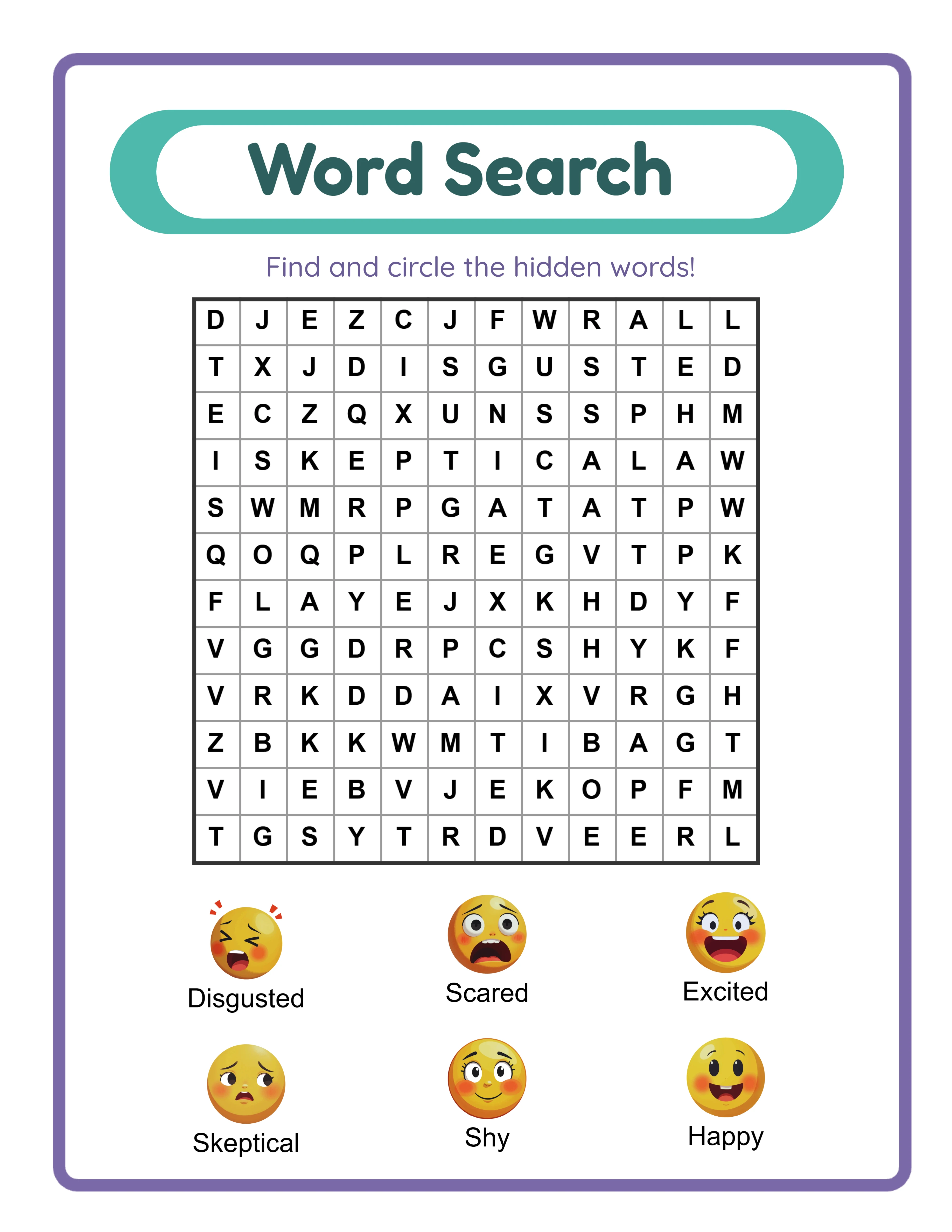
Word search worksheet for Etsy digital product listing
Word search puzzle with themed vocabulary and automatic answer key for instant digital delivery

Theme Images

Bear -- themed educational image
Koala
Butterfly โ€” themed educational image
Butterfly
Duck -- themed educational image
Duck
Frog -- themed educational image
Frog
Penguin -- themed educational image
Penguin

Frequently Asked Questions

How much does it cost to start selling on Etsy?
The minimum cost is $0.20 per listing. There is no monthly subscription fee. Etsy charges fees only when you make a sale (6.5% transaction fee + 3% + $0.25 payment processing). Starting with 10 listings costs $2.00 in listing fees. Your total initial investment is under $5, making Etsy the lowest-cost entry point for selling digital products.
How long does it take to get my first sale on Etsy?
Most digital product sellers get their first sale within 2 to 4 weeks with 10+ optimized listings and active social media promotion. Some sellers get their first sale within days if they target a low-competition niche with great mockup images. Sellers who list 1 to 2 products with minimal effort may wait 2 to 3 months.
What file format should I use for Etsy digital downloads?
PDF is the standard format for printable digital downloads. Etsy supports files up to 20 MB each with up to 5 files per listing. Include both US Letter (8.5 x 11) and A4 sizes when possible. The LessonCraftStudio generators export 300 DPI PDFs that meet professional print quality standards.
Do I need a business license to sell on Etsy?
Requirements vary by location. In most US states, you do not need a business license for small-scale online sales. Etsy allows individual sellers to operate under their personal name. As your business grows, consult a local accountant about business registration, sales tax permits, and tax reporting requirements.
Can I sell the same product on Etsy and other platforms?
Yes. Etsy does not require exclusivity. You can sell the same digital products on Shopify, Gumroad, Creative Market, Amazon KDP, and your own website simultaneously. Many successful sellers use Etsy as their primary discovery channel and direct repeat customers to their own website for higher margins.
How do I handle customer questions about digital downloads?
Most customer questions are about how to download and print the files. Create a saved reply that walks buyers through the download process: "Go to your Etsy account, click Purchases and Reviews, find the order, and click Download Files." Include printing tips in this reply. Respond to all messages within 24 hours -- Etsy tracks response time and it affects your search ranking.
What is the refund policy for commercial licenses?
Every generator offers a free trial with watermark so you can test all features, create sample worksheets, and evaluate output quality before purchasing. Because you can fully evaluate the product before buying, all commercial license sales are final. This is standard practice for digital product tools where the full product can be previewed before purchase.

Ready to Start Creating?

Try any generator free with watermark. No signup required.

Browse All Generators