Tutorial
1
Choosing the Right KDP Trim Size for Word Search Books
Your trim size decision affects everything downstream -- grid readability, printing cost, royalty margins, and buyer perception. KDP supports several standard trim sizes, but only three make sense for word search books.
8.5 x 11 inches (US Letter) is the most popular choice for activity books. It provides the largest grid area, accommodates 20x20 or larger grids comfortably, and matches buyer expectations for puzzle books. The downside is higher printing costs per page, which reduces your royalty per copy.
8 x 10 inches is a slightly smaller alternative that reduces printing costs while still offering generous grid space. This size works well for 15x15 grids and is a good compromise between readability and economics.
6 x 9 inches (standard trade paperback) suits travel-sized word search books. The smaller page limits you to 10x10 or 12x12 grids, but the significantly lower printing cost means better royalty margins. Travel-sized puzzle books are their own niche with dedicated buyers.
Margin requirements vary by page count. For a 200-page book at 8.5 x 11, KDP requires at least 0.75 inches on the inside margin (gutter side) and 0.25 inches on outside, top, and bottom. As page count increases, the gutter margin requirement grows because of spine thickness. Always check KDP's margin calculator for your specific page count.
Select "no bleed" in your KDP setup. Word search grids do not extend to page edges, so bleed adds unnecessary complexity. Choose "black and white" interior type unless your puzzles include color elements -- this dramatically reduces printing cost.
2
Configuring Grid Size and Difficulty Levels
Grid configuration determines your book's difficulty level, and difficulty level determines your target market. Get this right and you target a specific buyer with a specific need. Get it wrong and your book sits in a vague middle ground that appeals to nobody.
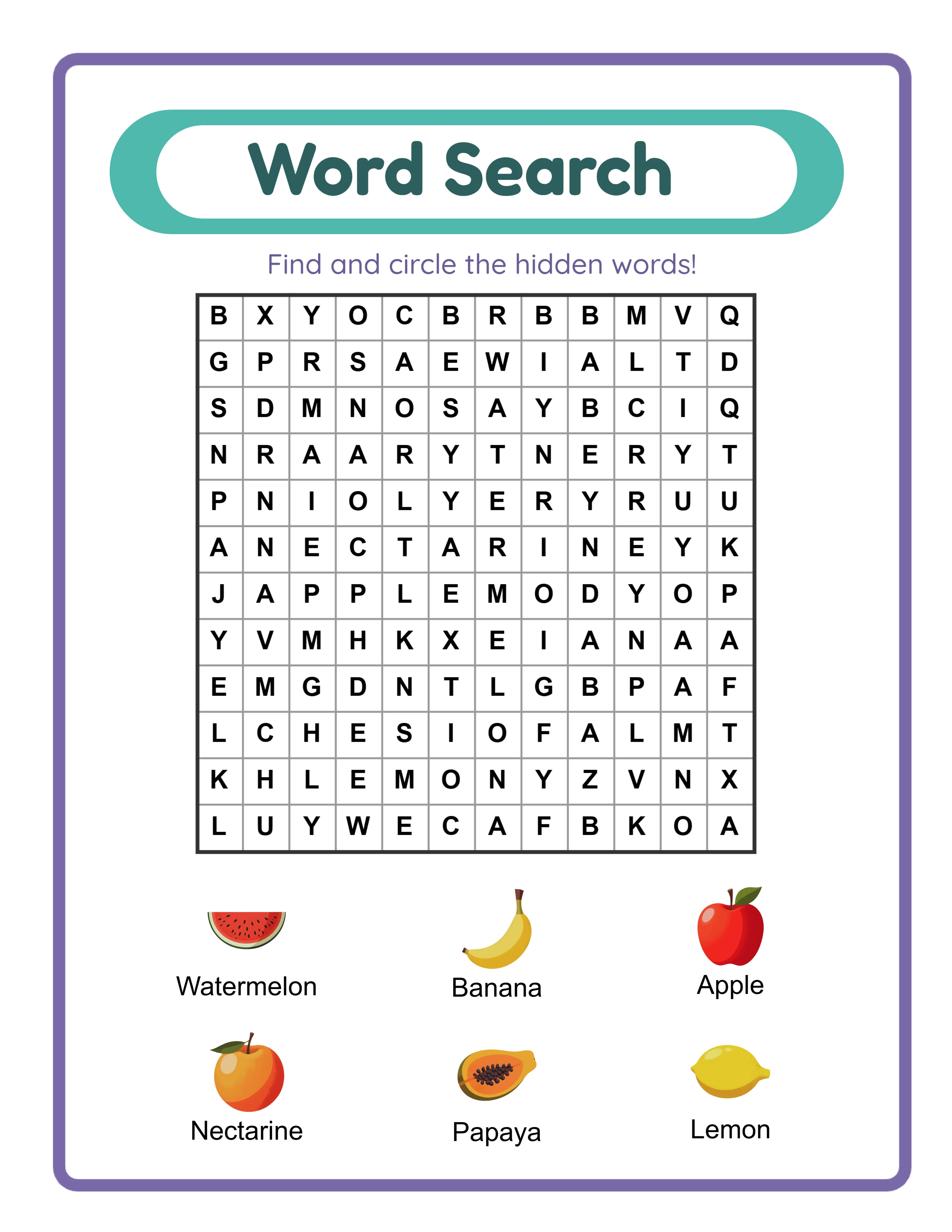
Easy difficulty (ideal for children 6-10 and seniors): Use 10x10 or 12x12 grids with 6 to 10 hidden words. Enable only horizontal and vertical word placement. Disable diagonal and reverse directions. The resulting puzzles are approachable and satisfying to complete. Title these books explicitly: "Easy Word Search" or "Simple Word Search for Kids."
Medium difficulty (general adult audience): Use 15x15 grids with 12 to 18 hidden words. Enable horizontal, vertical, and diagonal directions. Disable reverse placement. This produces the classic word search experience most buyers expect. These books sell at the highest volume.
Hard difficulty (puzzle enthusiasts): Use 20x20 or 25x25 grids with 20 to 30 hidden words. Enable all directions including reverse. These dense grids challenge experienced solvers and justify the "challenging" label on your cover. Hard difficulty books have a smaller but dedicated audience.
Large print variation: Use 12x12 or 15x15 grids but export at a larger scale to fill the 8.5 x 11 page. The letters become significantly larger, targeting the senior market. "Large Print Word Search" is one of the highest-demand, lower-competition niches on KDP.
Each difficulty level is a separate product. One theme can yield three or four books at different difficulties, multiplying your catalog without creating new content from scratch.
3
Building Themed Word Search Collections
Theme selection is where your book either targets a profitable niche or gets lost in generic competition. The LessonCraftStudio generator includes 104 themed image and vocabulary sets, and each one represents a potential book concept.
Single-theme books target specific keyword searches. "Animal Word Search Book," "Food Word Search Puzzles," or "Sports Word Search for Kids" each match a buyer query that generic word search books miss. When a buyer searches for "animal word search," a themed animal book outperforms a generic mixed-theme book every time.
Multi-theme compilation books offer perceived value. Combine 5 to 8 related themes into a single volume: "Nature Word Search Collection" might include animals, plants, weather, oceans, and forests. The higher puzzle count and variety justify a premium price point.
Seasonal themes spike in demand at predictable times. Christmas, Halloween, Easter, and Valentine's Day word search books sell heavily in the 4 to 6 weeks before each holiday. Create these books well in advance so they have time to index in Amazon's search before the buying season starts.
Age-targeted themes matter. Animals, food, and vehicles resonate with children. Travel, wine, gardening, and hobbies resonate with adults. Historical events, classic literature, and nature appeal to seniors. Match your theme to your target demographic.
To build a themed collection in the generator, select your theme, generate 10 to 15 puzzles with that theme's vocabulary, export them, then rotate to the next theme. For a 100-puzzle multi-theme book, generate 12 to 15 puzzles per theme across 7 or 8 themes.
4
Generating Puzzles and Answer Keys with the LCS Generator
Open the LessonCraftStudio word search generator and configure your first puzzle for KDP output.
Step 1 -- Select your language. English is the default, but you can switch to any of 11 supported languages. The generator produces native vocabulary with locale-appropriate filler letters for each language.
Step 2 -- Choose your theme. Browse the 104 available collections or search by keyword. Select a theme that matches your book concept.
Step 3 -- Set your grid dimensions. Enter your chosen grid size (e.g., 15x15 for medium difficulty). The generator creates a square grid with your specified dimensions.
Step 4 -- Configure word directions. Toggle horizontal, vertical, diagonal, and reverse placement to match your target difficulty level.
Step 5 -- Adjust word count. Select how many words from the theme vocabulary to hide in the grid. Aim for the sweet spot where the grid feels full but not overcrowded.
Step 6 -- Generate and preview. Click generate to create the puzzle. The generator displays the completed grid with hidden words and a word list. Preview the layout to confirm it meets your standards.
Step 7 -- Export as PDF. Export the puzzle page as a 300 DPI PDF. The generator also creates a matching answer key that highlights word positions in the grid. Export the answer key as a separate PDF.
Step 8 -- Repeat. Generate additional puzzles by varying the word selection within the same theme. Each generation produces a unique grid layout. Continue until you have enough puzzles for your book.
A 100-puzzle book typically takes 2 to 3 hours to generate. Your speed increases significantly after the first 20 puzzles as you develop a rhythm with the interface.
5
Compiling Your Word Search Manuscript for KDP
With all puzzle and answer key PDFs generated, you need to compile them into a single manuscript PDF that KDP accepts.
Recommended manuscript structure:
Page 1 -- Title page. Include book title, subtitle, and publisher name. Keep the design clean and professional.
Page 2 -- Copyright page. Standard copyright notice, year, publisher name, and a note that the book was created with a commercial license from LessonCraftStudio.
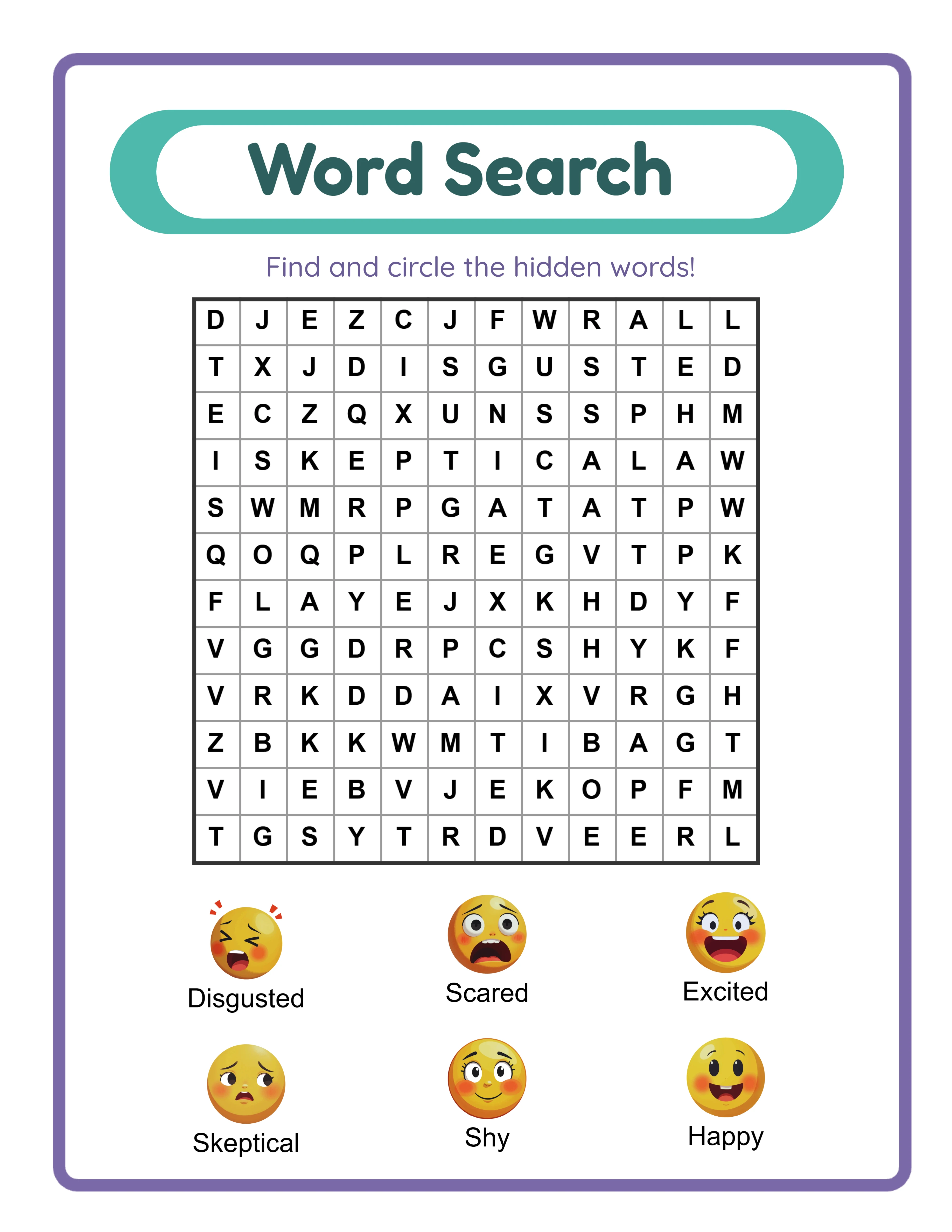
Pages 3-4 -- Instructions page (optional but recommended). Briefly explain how word search puzzles work, including a small example grid. This adds perceived value and helps less experienced solvers.
Pages 5 to 104 -- Puzzle pages. One puzzle per page, numbered sequentially. Include the theme name and a word list at the bottom of each page.
Pages 105 to 204 -- Answer key pages. One answer key per page, numbered to match the corresponding puzzle. The generator's answer keys highlight hidden word positions clearly.
Final page -- Catalog page (optional). List your other published books with their Amazon titles. This cross-promotes your catalog to buyers who enjoyed your book.
To merge individual PDFs into one manuscript, use PDFsam Basic (free, open source), Sejda, or the built-in Combine PDF feature in macOS Preview. Arrange files in page order before merging.
Pre-upload checks:
- All pages must be the same trim size
- No watermarks on any page (use commercially licensed exports)
- Margins meet KDP minimums throughout
- Page numbers are consistent and sequential
- Final PDF is under 650 MB (KDP's limit)
- Run through KDP's online previewer to catch formatting issues
6
Designing a KDP Cover That Drives Sales
Your cover determines whether browsers become buyers. On Amazon search results, your book appears as a small thumbnail next to dozens of competitors. The cover must communicate your book's value instantly at that size.
Cover dimensions: Use KDP's cover calculator tool. Enter your page count, trim size, and paper type. KDP generates the exact cover dimensions including spine width. For a 200-page 8.5 x 11 black-and-white interior, the full cover spread (front + spine + back) is approximately 17.75 x 11.25 inches at 300 DPI.
Front cover essentials:
- Show a word search grid preview. Buyers want to see the puzzle format before purchasing. Include a visible but partially completed grid.
- State the puzzle count prominently: "100 Word Search Puzzles" in large, readable text.
- Include the difficulty level: "Easy," "Medium," or "Challenging."
- Mention the theme if applicable: "Animal Themed" or "Nature Collection."
- Add "With Answer Keys" -- this is a significant selling point.
- Use fonts that remain legible at thumbnail size. Avoid decorative scripts for the title.
Spine: Include the book title and author name. KDP requires minimum spine widths for text -- check their guidelines for your page count.
Back cover: Write a brief description, list key features (puzzle count, themes, difficulty, answer keys included), include a sample puzzle preview, and leave space for the ISBN barcode.
Design tools: Canva has free KDP cover templates. Book Bolt offers KDP-specific cover creators. For a custom professional cover, Fiverr designers charge $20 to $50.
Upload your cover as a single PDF or high-resolution JPEG that matches KDP's exact dimensions.
7
Publishing Your Word Search Book on KDP
Navigate to kdp.amazon.com and click "Create New Title" to start your paperback listing.
Book details:
- Title: Descriptive and keyword-rich. Example: "Word Search Puzzle Book for Adults: 100 Large Print Themed Puzzles with Answer Keys"
- Subtitle: Cover details the title does not. Example: "Animals, Nature & Holiday Themes -- Easy to Medium Difficulty"
- Author: Your name or publisher brand name
- Description: 300 to 1,000 words covering puzzle count, themes, difficulty level, page size, and answer key inclusion. Use HTML formatting (bold, bullet points) for scannability.
Keyword slots (7 available):
- "word search puzzle book adults"
- "large print word search"
- "themed word search with answers"
- "animal word search book"
- "easy word search seniors"
- "word find puzzle book"
- "activity book adults"
Categories: Select "Puzzle Books" and "Word Search" as primary. Add relevant sub-categories like "Large Print" or "Activity Books."
Content settings:
- Interior: Black and white
- Trim size: Your chosen size
- Bleed: No bleed
- Paper: White (standard)
Upload your manuscript PDF and cover file. Use KDP's online previewer to inspect every page. Check margins, grid alignment, and print quality.
Pricing: A 200-page 8.5 x 11 book at $7.99 with 60% royalty yields approximately $4.79 minus ~$4.85 printing cost. A 120-page book at $6.99 yields $4.19 minus ~$3.35 = $0.84 per sale. Run your specific numbers through KDP's royalty calculator.
Publish. Your book typically goes live within 72 hours. Order an author proof copy to verify print quality before investing in advertising.