Tutorial
1
Understanding Picture Crosswords for KDP Publishing
Picture crosswords differ from traditional crosswords in ways that matter significantly for KDP publishing strategy.
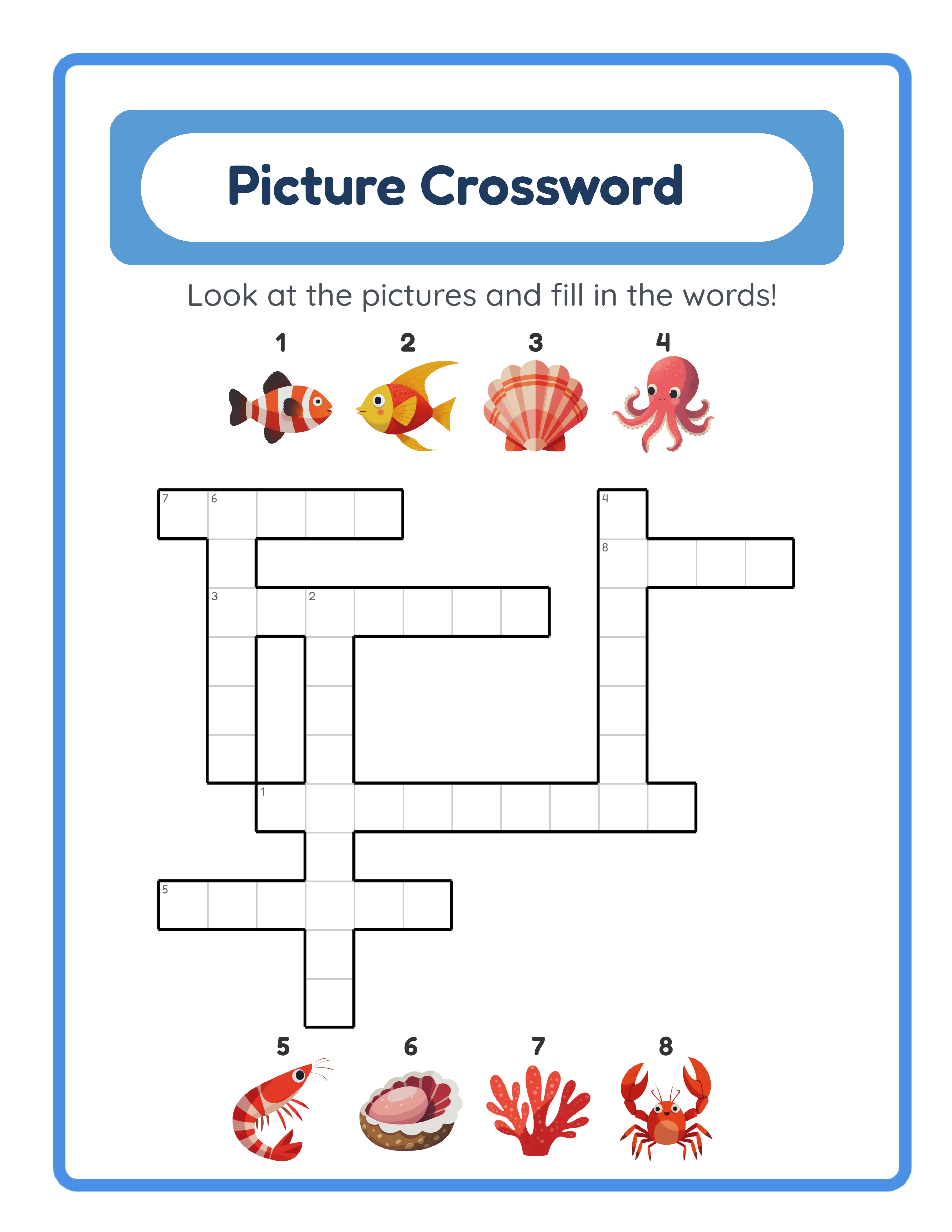
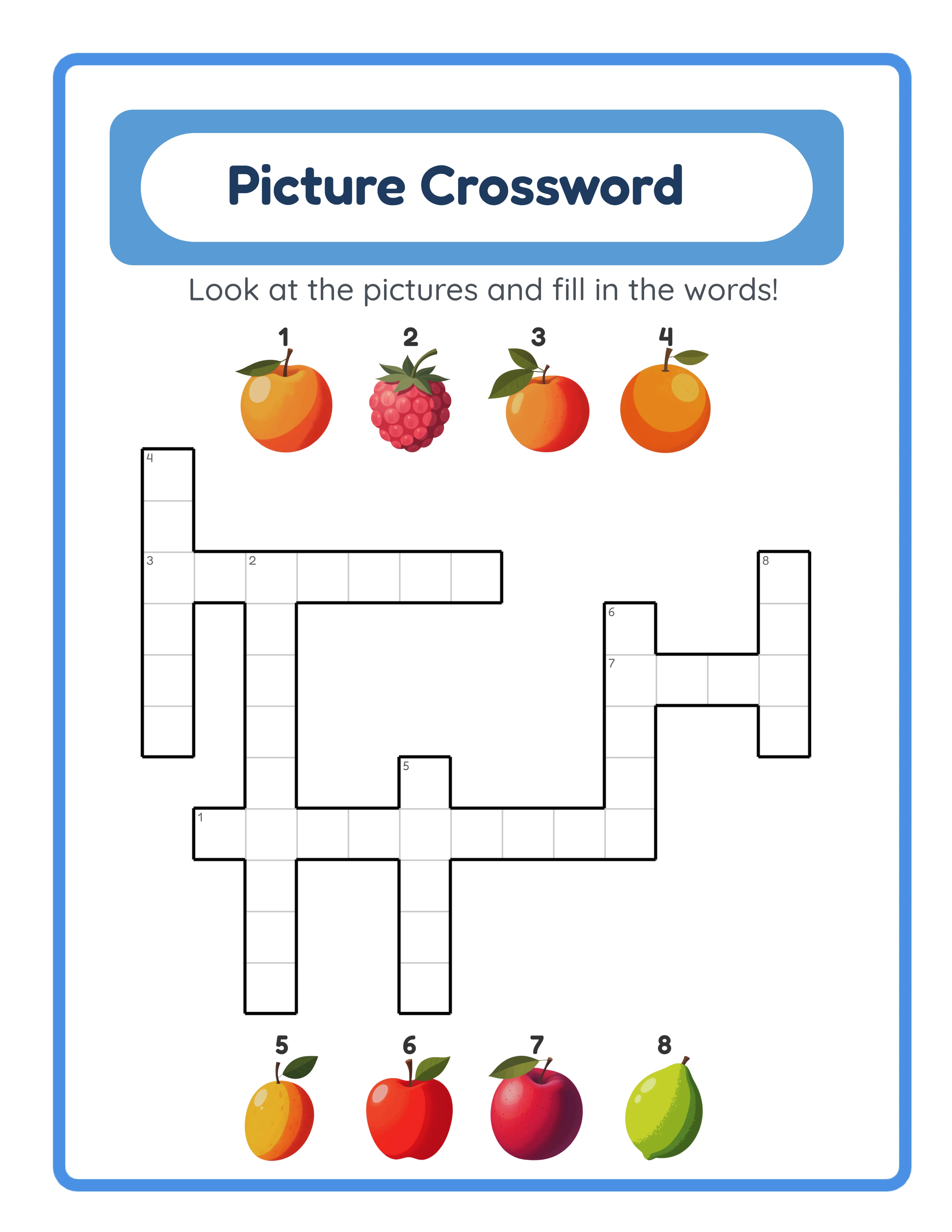
Format: A 15x15 grid with intersecting across and down entries. Instead of numbered text clues, each entry is paired with an image. The solver identifies the image and fills the corresponding word into the grid cells. Intersecting letters provide confirmation and help solve ambiguous images.
Grid density: The generator creates grids where words intersect at shared letters, just like traditional crosswords. A 15x15 grid typically contains 20 to 35 words depending on word lengths and grid fill. This density provides a satisfying solving experience on a single page.
Four input methods: The generator supports four ways for solvers to interact with the puzzle. For printed KDP books, these translate to difficulty levels:
1. Word bank provided: The solver sees all answer words listed below the grid and matches images to words. This is the easiest format.
2. First letter hints: Each grid entry shows the first letter. The solver identifies the image and completes the word.
3. No hints: Only images and empty grid cells. The solver must identify each image and spell the word correctly.
4. Free fill: The hardest variant -- the solver works from images alone with no assistance.
Target audiences: Children (vocabulary building), language learners (spelling practice), adults (visual puzzle enjoyment), seniors (accessible puzzle format). Each audience buys different difficulty levels and themes.
KDP advantage: "Picture crossword" is a low-competition keyword on Amazon compared to "crossword puzzle book." Your listing faces fewer competitors and can rank more quickly.
2
Configuring the LCS Crossword Generator for KDP Books
Open the LessonCraftStudio crossword generator and configure it for KDP-quality output.
Step 1 -- Select language. Choose from 11 supported languages. The language setting determines the vocabulary used for grid entries and any text labels. For English books targeting amazon.com, select English. For German books targeting amazon.de, select German -- the generator uses native German vocabulary with correct spelling and diacritics.
Step 2 -- Choose theme. Browse or search the 104 themed image collections. Select a theme that matches your book concept. Animals, food, everyday objects, and holidays are strong starting themes with broad appeal.
Step 3 -- Configure grid. The standard grid is 15x15, which fits cleanly on an 8.5 x 11 page. Each puzzle uses vocabulary from your selected theme to fill the crossword grid. The generator arranges words to maximize intersections, creating a dense and interconnected puzzle.
Step 4 -- Select difficulty mode. Choose which input method to use:
- With word bank: Print the word list below the grid (easiest)
- With first letters: Show starting letters in the grid (medium)
- No assistance: Empty grid cells with image clues only (hard)
Step 5 -- Generate and preview. The generator creates the completed grid, positions image clues adjacent to their corresponding entries, and produces a clean layout suitable for printing.
Step 6 -- Export as PDF. Export the puzzle page and its answer key as separate 300 DPI PDFs. The answer key shows the fully completed grid.
Step 7 -- Iterate. Generate additional puzzles by switching themes or regenerating with the same theme (each generation produces a unique grid layout). A typical book requires 40 to 80 puzzles.
3
Planning Theme Strategy and Difficulty Progression
Your theme and difficulty decisions determine which Amazon searches surface your book and which buyers convert. Plan both before generating puzzles.
Single-theme books target specific keyword niches:
- "Animal Crossword Puzzle Book for Kids"
- "Food and Cooking Crossword Puzzles"
- "Holiday Crossword Puzzle Collection"
Each single-theme book has its own keyword profile and competition level. The 104 themed collections in the generator give you over 100 potential single-theme books.
Multi-theme compilations offer variety and higher perceived value:
- "Picture Crossword Puzzle Book for Adults: 80 Themed Puzzles"
- "Big Book of Picture Crosswords: Animals, Food, Nature & Holidays"
Compilation books justify higher prices ($7.99 to $9.99) because of the puzzle count and theme variety.
Difficulty structure within a book:
Section 1 -- Word bank puzzles (easiest): Image clues plus a word list below the grid. Solvers match images to provided words. This section builds confidence and teaches the puzzle format.
Section 2 -- First letter hints (medium): Image clues plus the starting letter of each word in the grid. Solvers must identify the image and complete the spelling.
Section 3 -- No assistance (challenging): Image clues only with empty grid cells. Solvers must identify each image and spell the answer without help.
This three-section structure works for both children's and adult books. Clearly label each section with its difficulty level so solvers can navigate to their preferred challenge.
Age-targeted themes:
- Ages 4-7: Animals, vehicles, food, shapes, colors
- Ages 8-12: Sports, science, geography, history
- Adults: Travel, nature, wine, cooking, hobbies
- Seniors: Large print, everyday objects, nature
4
Generating Picture Crossword Puzzles for Your Book
With your theme and difficulty plan established, begin puzzle generation.
Batch generation workflow:
1. Start with your first theme. For a multi-theme book with 80 puzzles across 8 themes, you need 10 puzzles per theme.
2. Generate easy-mode puzzles first. Set the generator to word-bank mode. Generate 3 to 4 puzzles per theme in this mode. Export each puzzle and answer key as separate PDFs. Name files systematically: "animals-easy-01.pdf," "animals-easy-02.pdf," etc.
3. Switch to medium difficulty. Set the generator to first-letter-hint mode. Generate 3 to 4 puzzles per theme. Export and name systematically.
4. Generate hard-mode puzzles. Set to no-assistance mode. Generate 3 to 4 puzzles per theme. Export and name.
5. Move to the next theme and repeat steps 2 through 4.
6. After generating all puzzles, organize files into folders by difficulty section:
- /easy/ (all word-bank puzzles from all themes)
- /medium/ (all first-letter puzzles from all themes)
- /hard/ (all no-assistance puzzles from all themes)
- /answers/ (all answer key PDFs numbered to match)
Quality control during generation:
- Preview each puzzle before exporting to check image clarity and grid readability
- Verify that intersecting letters are correct across connected words
- Ensure image clues are positioned clearly next to their corresponding grid entries
- Check that the word bank (if included) lists all answer words alphabetically
Time estimate: Generating 80 puzzles across 8 themes takes approximately 4 to 6 hours. Subsequent books are faster as you develop your workflow and theme preferences.
5
Compiling Your Crossword Manuscript for KDP
Manuscript compilation for crossword books requires careful attention to page layout because crossword grids and image clues need adequate space.
Recommended manuscript structure:
Page 1 -- Title page: Book title, subtitle, publisher name. Clean and professional.
Page 2 -- Copyright page: Standard copyright notice, publication year, and commercial license attribution.
Pages 3-4 -- How to Solve Picture Crosswords: A brief instruction page with a small example puzzle. Show a mini grid with 3 to 4 entries, their image clues, and the solution. This page is especially important for children's books and helps all readers understand the format.
Pages 5-30 -- Easy section (word bank puzzles): One puzzle per page with image clues and word list. Include section header page: "Easy Puzzles -- With Word Bank."
Pages 31-56 -- Medium section (first letter hints): One puzzle per page with image clues and starting letters. Section header: "Medium Puzzles -- With First Letter Hints."
Pages 57-82 -- Hard section (no assistance): One puzzle per page with image clues only. Section header: "Challenging Puzzles -- No Hints."
Pages 83-160 -- Answer keys: One answer key per page, numbered to match puzzle pages.
Page 161-162 -- Catalog page listing your other published titles.
Merge PDFs using PDFsam Basic, Sejda, or macOS Preview. Create section divider pages in any word processor and export as PDF to merge with puzzle files.
Pre-upload verification:
- All pages same trim size (8.5 x 11 recommended)
- Images clear at 300 DPI
- Grid lines print cleanly
- No watermarks (commercial license required)
- Margins meet KDP requirements
- Page count is accurate
6
Creating a Cover for Your Crossword Book
Picture crossword covers have a visual advantage -- the image clues create an immediately engaging cover that text-based crossword books cannot match.
Cover dimensions: Use KDP's cover calculator with your page count, trim size (8.5 x 11), and paper type (black and white). Enter your exact page count to get precise spine width and full cover dimensions.
Front cover strategy:
Showcase the visual format. Display a partially completed picture crossword grid with 4 to 6 visible image clues surrounding it. This instantly communicates "this is not a standard text crossword" and differentiates your book in search results.
State the contents: "80 Picture Crossword Puzzles" or "Picture Crosswords for Kids Ages 6-10." Quantify and qualify.
Include difficulty information: "Easy to Challenging" or "3 Difficulty Levels" or "With Word Banks and Answer Keys."
Mention themes if specific: "Animal Themed" or "Holiday Collection" helps target niche searches.
Font readability at thumbnail size is critical. Use bold, sans-serif fonts for the title. Test your cover by viewing it at 150 x 200 pixels -- this simulates Amazon search result thumbnails.
Back cover: Brief description of the picture crossword format (buyers may be unfamiliar), puzzle count, theme list, difficulty levels, age recommendation if applicable, and ISBN barcode area.
Spine: Book title and author/publisher name. Spine text is required for books above approximately 100 pages.
Design tools: Canva (free templates), Book Bolt (KDP-specific tools), or Fiverr ($25 to $50 for custom covers).
7
Publishing and Optimizing Your KDP Crossword Book Listing
Your KDP listing is the sales page for your book. Every element -- title, description, keywords, categories -- affects discoverability and conversion.
Title: Descriptive and keyword-rich without being stuffed.
Example: "Picture Crossword Puzzle Book for Kids: 80 Themed Puzzles with Image Clues and Answer Keys"
Subtitle: Expand on the title.
Example: "Animals, Food, Holidays & Nature -- Easy to Challenging with Word Banks"
Description: 400 to 1,000 words covering:
- What picture crosswords are (brief explanation for unfamiliar buyers)
- Number of puzzles and page count
- Theme descriptions
- Difficulty levels explained (word bank, first letter hints, no hints)
- That answer keys are included
- Page size and format quality
- Age range if targeting children
Use HTML formatting for readability (bold headings, bullet points).
Keyword slots (7):
- "picture crossword puzzle book"
- "crossword puzzles with pictures for kids"
- "image crossword book"
- "visual crossword puzzles"
- "activity book ages 6-10"
- "crossword puzzle book easy"
- "themed crossword puzzles with answers"
Categories: "Puzzle Books" and "Crossword Puzzles" are primary. For children's books, add "Children's Activity Books" or the appropriate age-specific subcategory.
Pricing: For a 162-page 8.5 x 11 book:
- US: $6.99 to $7.99 (printing cost ~$3.55, royalty ~$0.64 to $1.24)
- Set individual prices for EU marketplaces
Publish, verify with KDP previewer, order a proof copy, then begin advertising.