Sell Printables on Teachers Pay Teachers

Teachers Pay Teachers is the largest dedicated marketplace for educational resources, with over 7 million registered buyers actively searching for printable worksheets, activity pages, and classroom materials. Unlike general marketplaces where educational products compete with jewelry and home decor, every single TPT buyer is specifically looking for teaching resources. This guide walks you through building a profitable TPT store from scratch -- from setting up your seller account and creating your first listings to optimizing for TPT's search algorithm and leveraging seasonal sale events that drive massive traffic spikes.
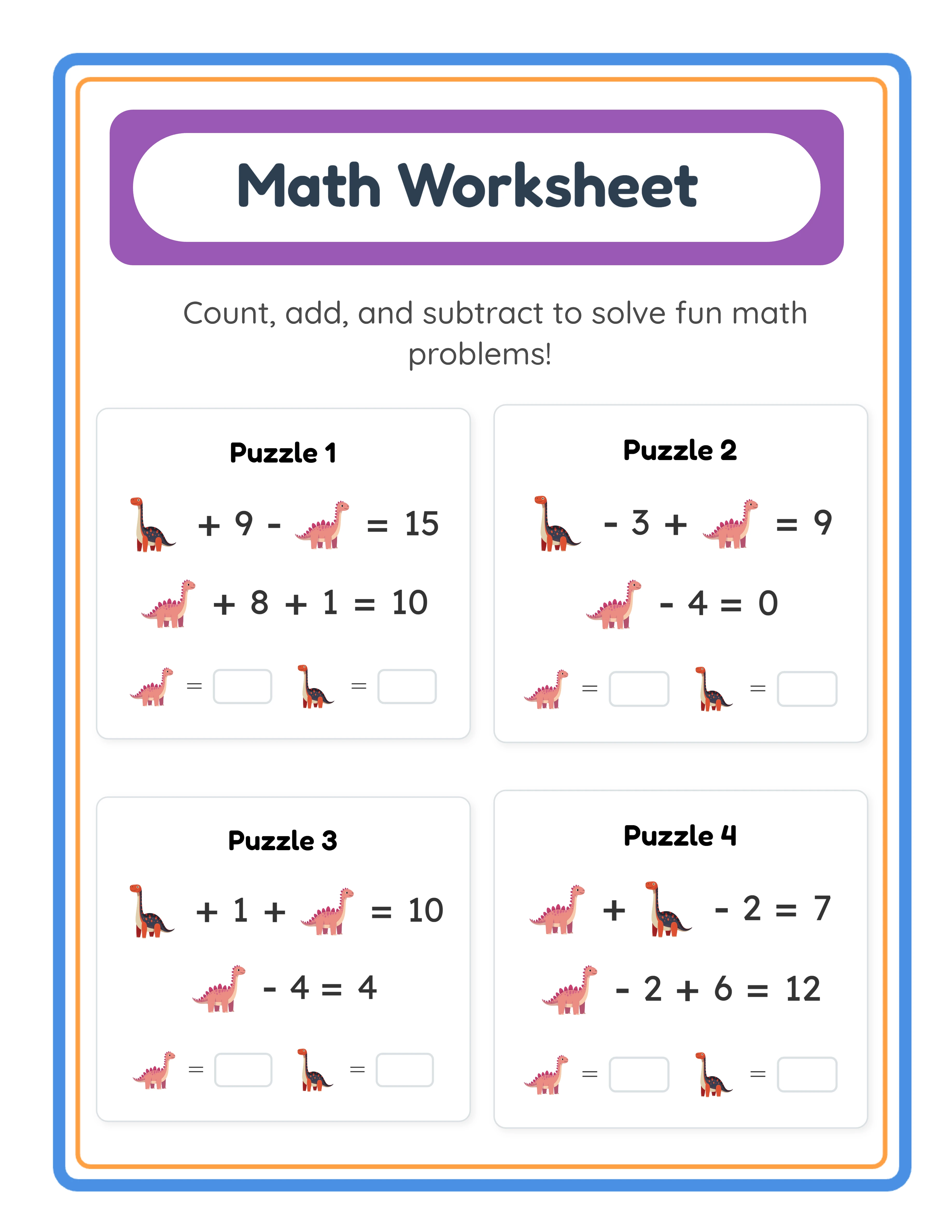
Math worksheet generated for Teachers Pay Teachers store listing

Introduction

Teachers Pay Teachers occupies a unique position in the printable marketplace landscape. It is the only major platform where 100% of buyers are specifically searching for educational resources. On Etsy, your math worksheets compete for attention against candle makers, jewelry designers, and vintage furniture sellers. On TPT, every visitor arrived with the explicit intent of finding teaching materials. That focused buyer intent translates directly into higher conversion rates and more predictable revenue. The platform hosts over 5 million individual resources from hundreds of thousands of sellers. Annual transaction volume exceeds $1 billion. Those numbers might suggest the market is saturated, but the reality is more nuanced. The vast majority of TPT sellers upload a handful of resources and abandon their stores. Sellers who consistently publish quality materials, optimize their listings, and engage with the community represent a much smaller group -- and they capture a disproportionate share of revenue. What makes TPT particularly attractive for printable sellers using generators is the production speed advantage. While a teacher-seller might spend 10 hours hand-designing a single math worksheet packet, you can generate a professional 20-page addition worksheet bundle in under an hour using the LessonCraftStudio math worksheet generator. That speed advantage lets you build a large catalog faster than manual creators, covering more grade levels, more subjects, and more seasonal themes. The LessonCraftStudio generators produce 300 DPI output across 104 themed image collections in 11 languages. Every feature described in this guide is available in the free trial with watermark so you can create sample products, test every configuration, and evaluate quality before purchasing a commercial license. TPT buyers expect professional formatting and consistent visual quality -- the generators deliver both automatically. This guide covers the complete TPT workflow: account setup, store branding, listing creation, category and standard alignment, pricing strategy, follower growth, seasonal sales events, and scaling to a sustainable TPT business.
Try It Free with Watermark

Try any generator free with watermark. No signup required.

Tutorial

1

Setting Up Your TPT Seller Account

Creating a TPT seller account is straightforward, but the decisions you make during setup affect your store's long-term success. Navigate to teacherspayteachers.com and click "Sell on TPT" to create your seller account. You will need to choose between a free Basic account and a Premium account at $59.95 per year. The Basic account takes a 45% commission on each sale, leaving you 55%. The Premium account takes a 20% commission, leaving you 80%. If you plan to sell more than approximately $200 per year, the Premium account pays for itself. Choose your store name carefully -- it cannot be changed later without creating a new account. Use a name that communicates what you sell: "PrintableMathStation" or "WorksheetWizardShop" immediately tells buyers what to expect. Avoid names tied to a single product type, because you will want to expand your catalog over time. Upload a professional store logo and banner. These visual elements appear on every product page and in search results. A clean, consistent brand identity builds buyer trust. Use the same color palette and font style across your logo, banner, and product thumbnails. Write your store "About" section with genuine information about your products and approach. TPT buyers value knowing who they are purchasing from. Mention the tools you use, the quality standards you maintain (300 DPI output, answer keys included, multiple difficulty levels), and the subjects you cover. Set up your payment information. TPT pays via PayPal or direct deposit. Payments are processed on the 15th of each month for the previous month's earnings, with a $5 minimum threshold.
2

Understanding TPT Categories and Standards Alignment

TPT's category system is more granular than any other marketplace. Understanding how to place your products within this system directly affects discoverability. TPT organizes resources by subject (Math, English Language Arts, Science, etc.), grade level (PreK through 12th grade and higher education), and resource type (worksheets, activities, games, assessments, etc.). When you create a listing, you select a primary subject, up to two secondary subjects, grade levels, and resource type. These selections determine which category pages your product appears on. For printable generators, the most relevant TPT categories are: Math: Basic Operations, Number Sense, Geometry, Measurement, Problem Solving English Language Arts: Vocabulary, Spelling, Reading, Writing, Phonics Special Education: Life Skills, Adapted Activities, Visual Supports Early Childhood: Pre-K, Kindergarten readiness, Fine Motor Skills Standards alignment is a powerful TPT feature that most sellers underuse. TPT allows you to tag resources with Common Core, NGSS, or state-specific standards. When a teacher searches for "2.OA.B.2" (a second-grade addition standard), only resources tagged with that standard appear. Tagging your addition worksheets with the correct Common Core math standards puts them in front of buyers with very specific needs -- and very high purchase intent. Research which standards your worksheets address. A set of addition worksheets with single-digit addends aligns with 1.OA.C.6 (first grade). Two-digit addition aligns with 2.NBT.B.5 (second grade). Adding these tags takes 2 minutes per listing but significantly expands your discoverability.
3

Creating Your First TPT Listing

A TPT listing consists of the product file (your printable PDF), a product description, preview images, and metadata. Each element matters for both search ranking and conversion. Product file: Upload your printable as a PDF. TPT accepts files up to 200 MB. For worksheet bundles, compile all pages into a single PDF. Include a cover page, a table of contents (for bundles over 10 pages), the worksheet pages, and answer key pages. The LessonCraftStudio generators export 300 DPI PDFs that meet TPT's quality standards. Title: TPT titles should be descriptive and keyword-rich while remaining readable. Format: "[Product Type] - [Subject/Skill] - [Grade Level or Audience] - [Distinguishing Feature]". Example: "Addition Worksheets -- Single Digit Math Practice -- Grade 1-2 -- With Answer Keys". Avoid ALL CAPS, excessive punctuation, or keyword stuffing. Description: Write 200 to 500 words describing exactly what the buyer gets. Include page count, skill focus, difficulty level, whether answer keys are included, and any differentiation features. Use TPT's formatting tools (bold, bullet points, headers) to make the description scannable. Mention that worksheets are print-ready at 300 DPI. Preview images: TPT allows you to upload preview images that buyers can browse before purchasing. Upload 4 to 8 screenshots showing sample pages. Include the cover page, 2 to 3 worksheet samples, and an answer key sample. Watermark preview images with "PREVIEW" text to prevent screenshot theft. Thumbnail: The first image in your preview set becomes your product thumbnail in search results. Make it visually appealing with a clear title, grade level indicator, and a glimpse of the worksheet design. This thumbnail is the single biggest factor in click-through rate from search results.
4

Optimizing for TPT Search Algorithm

TPT's internal search engine determines which products buyers see. Understanding how it works is essential for generating organic traffic. TPT search considers multiple factors: keyword relevance in title and description, category and standards tags, sales history, ratings, wish list saves, and recency. Unlike Google, TPT's algorithm heavily weights sales velocity -- products that sell consistently rank higher in search results. Keyword strategy: TPT buyers search differently than Google users. They use specific, practical terms: "2nd grade addition worksheets," "kindergarten sight words," "fine motor tracing activities." Research keywords by typing partial phrases into TPT's search bar and noting autocomplete suggestions. These are real searches from real buyers. Use your primary keyword in the title, the first sentence of the description, and naturally throughout the description. Include synonyms and related terms: if your primary keyword is "addition worksheets," also use "math practice," "addition problems," "sum exercises," and "arithmetic drills" in the description. Tags: TPT allows you to add keyword tags to each listing. Use all available tag slots. Include grade level tags, subject tags, skill-specific tags, and seasonal tags where applicable. Tags directly influence search visibility. Recency boost: New listings receive a temporary boost in TPT search results. Time your new product launches strategically -- publishing on Sunday evening or Monday morning catches the weekly planning cycle when teachers are most actively searching for resources. Ratings: Positive ratings improve search ranking. Include a polite note in your product file asking satisfied buyers to leave a review. Respond to all ratings, including negative ones, professionally and promptly.
5

TPT Pricing Strategy for Maximum Revenue

TPT pricing requires a different approach than Etsy or KDP because of the platform's unique commission structure, buyer expectations, and bundling features. Price anchoring: TPT buyers are accustomed to specific price ranges for different product types. Single worksheet pages sell for $1.00 to $2.50. Worksheet packets (5 to 15 pages) sell for $2.50 to $5.00. Large bundles (20 to 50 pages) sell for $5.00 to $12.00. Comprehensive curriculum units sell for $12.00 to $30.00. Price your products within the expected range for their type -- pricing too far below signals low quality, and pricing too far above loses impulse buyers. Free trial with watermark strategy: Use TPT's "Free Download" option strategically. Upload a single-page sample as a free resource with your branding and a link to the full paid version. These free resources attract followers, generate ratings, and funnel buyers toward paid products. Every LessonCraftStudio generator lets you create free trial outputs with watermark -- use these as your TPT free resources. Bundle pricing: TPT's custom bundle feature lets you offer a discount when buyers purchase multiple products together. Price individual worksheets at $3.00 each, then create a bundle of 10 worksheets at $18.00 (40% savings). Bundles increase average order value and reduce the per-product marketing effort. Sale pricing: TPT hosts several site-wide sales per year. During these events, sellers typically offer 20% to 25% off. Factor sale pricing into your regular pricing -- if you want to earn $3.00 per worksheet during a sale, price the worksheet at $3.75 normally so the 20% discount brings it to $3.00. Custom categories and price tiers: Organize your TPT store into custom categories that guide buyers from lower-priced individual items to higher-priced bundles. A clear pricing ladder -- single page, multi-page packet, subject bundle, mega bundle -- maximizes revenue per customer visit.
6

Building Your TPT Follower Base

TPT followers are your most valuable marketing asset. When a buyer follows your store, they receive email notifications about your new products and sales. A large follower base gives you a built-in audience for every new product launch. Free resources drive follower growth. Create high-quality free resources (using free trial with watermark outputs) in your most popular categories. When a teacher downloads a free resource and finds it professionally designed and useful, they follow your store for more. Aim to have at least 3 to 5 free resources in your store at all times, spread across different subjects and grade levels. Consistency builds followers. Upload new products on a regular schedule -- weekly or biweekly. Regular uploads keep your store visible in TPT's "Recently Updated" feeds and give existing followers a reason to return. Announce new products through TPT's seller blog feature. Engage with the TPT community. Join TPT seller Facebook groups, participate in collaborative events, and contribute to "TPT Seller Tips" forums. Cross-promotion with complementary sellers (you sell math, they sell reading) introduces your store to new audiences. Seasonal follower campaigns: Before major holidays (back to school, Halloween, Christmas, Valentine's Day), release themed free resources that attract seasonal searchers. A free "Halloween Math Coloring Page" in October attracts followers who then see your full catalog of paid resources. Store presentation matters. An organized store with clear categories, consistent thumbnails, and a professional banner builds credibility. Buyers are more likely to follow stores that look established and trustworthy. Use the same cover page template across all products for visual consistency.
7

Leveraging TPT Sales Events and Seasonal Peaks

TPT runs several site-wide sale events each year that generate massive traffic spikes. Aligning your product launches and promotions with these events maximizes revenue. Major TPT sale events: Back to School Sale (August): The single largest TPT sales event. Teachers spend their classroom budgets before the school year starts. This event alone can generate 3 to 5 times your normal monthly revenue. Prepare by uploading your strongest products 2 to 4 weeks before the sale. Thank a Teacher Sale (May, during Teacher Appreciation Week): The second-largest event. Teachers receive bonus TPT credits and spend more freely. Time your spring-themed products for this event. Cyber Monday Sale (November): Significant spike as teachers purchase resources during the holiday shopping season. Holiday-themed printables perform especially well. Site-wide bonus events: TPT periodically runs "Bonus" events where buyers earn extra TPT credits on purchases. These events increase average order value because buyers spend more to hit credit thresholds. Seasonal product strategy: Create themed content for every major school-year milestone. Back to school worksheets (August to September), Halloween activities (October), Thanksgiving counting sheets (November), Christmas and holiday printables (December), Valentine's Day worksheets (February), Spring and Easter activities (March to April), and end-of-year review packets (May to June). The LessonCraftStudio generators include seasonal themes among their 104 collections, making themed product creation efficient. Pre-sale preparation checklist: Update all product thumbnails 2 weeks before a sale event. Refresh descriptions with seasonal keywords. Set your sale discount percentage. Create a "Sale Preview" blog post for your followers. Schedule social media posts announcing your participation in the sale.
Platform Tips

TPT Product Preview Best Practices

Your product preview is the most important conversion tool on TPT. Buyers browse previews before deciding to purchase, and TPT's algorithm tracks preview engagement as a ranking signal. Upload 5 to 10 preview pages for each product. The first page should be your product cover with a clear title, grade level, page count, and a visual sample of the content. Pages 2 through 4 should show actual worksheet pages at full resolution so buyers can evaluate quality. Include at least one answer key page in the preview. Watermark all preview pages clearly. TPT recommends a diagonal "PREVIEW" watermark that is visible but does not obscure the content. This prevents screenshot theft while still letting buyers evaluate quality. Create a "What's Included" page as page 2 of your preview. List every component: number of worksheets, answer keys, difficulty levels, standards addressed. This single page answers the buyer's "is this worth the price?" question immediately. Use consistent preview formatting across all products. A unified look builds brand recognition and tells repeat buyers they are looking at your products before they even read the title.

TPT Store Organization and Custom Categories

An organized TPT store converts browsers into buyers. TPT provides custom category functionality that lets you create a logical navigation structure for your product catalog. Create categories based on subject and grade level combinations: "Grade 1-2 Math," "PreK Fine Motor," "K-1 Literacy," "Holiday Activities." Limit yourself to 8 to 12 categories to avoid overwhelming buyers. Pin your best-selling products to the top of each category. TPT allows sellers to reorder products within custom categories -- place your highest-rated and best-selling items first. Create a "Bundles and Value Packs" category prominently positioned in your store. Buyers who are already interested in your individual products often upgrade to bundles when they see the savings clearly presented. Update custom categories seasonally. Move holiday-themed products to a featured "Seasonal" category during their relevant time period, then rotate them back to their subject categories afterward. This keeps your store feeling fresh and timely throughout the school year.

Responding to TPT Buyer Questions and Feedback

TPT provides a direct messaging system where buyers can ask questions before purchasing and leave feedback after. How you handle these interactions directly affects your ratings, search ranking, and repeat purchase rate. Respond to all buyer questions within 24 hours. Teachers often browse TPT on Sunday evenings while planning for the upcoming week. A fast response during Sunday evening or Monday morning catches them during their buying window. When buyers leave negative feedback, respond professionally and constructively. Offer to update the product based on their feedback, provide additional resources, or issue a refund if appropriate. Other potential buyers read your responses to negative feedback -- a gracious, helpful response actually builds trust. Actively request feedback from satisfied buyers. Include a final page in your PDF product that says: "If you enjoyed this resource, I would love a rating on TPT. Your feedback helps me create better resources for your classroom." This gentle prompt significantly increases rating volume. Use buyer feedback to improve future products. If multiple buyers request answer keys, difficulty variations, or specific themes, incorporate those suggestions. This responsiveness builds loyalty and generates repeat customers who follow your store.

Monetization Strategies

Revenue Projections for TPT Printable Stores

Realistic revenue expectations help you plan your TPT business strategy and set meaningful milestones. New store phase (months 1 to 6): Most new TPT stores earn $0 to $100 per month during the first 6 months. This phase is about building your catalog (aim for 30 to 50 products), establishing your brand, earning initial ratings, and learning TPT's ecosystem. Do not judge your long-term potential by these early numbers. Growth phase (months 6 to 18): With 50 to 100 products and positive ratings, monthly revenue typically reaches $200 to $800. Sales accelerate during major TPT events. Your follower count grows as buyers discover your store through search results and free resources. Established phase (months 18 to 36): Stores with 100 to 300 products, consistent ratings, and an established follower base earn $800 to $3,000 per month. Top sellers in popular categories exceed $5,000 monthly. At this stage, your catalog generates recurring revenue -- older products continue selling without additional effort. The production advantage of using generators is significant. While manual creators might publish 2 to 4 products per month, you can generate and publish 10 to 20 products per month across multiple categories. This production speed lets you reach the established phase in 12 to 18 months instead of 24 to 36 months. Commission impact: On a Premium account (80% to seller), a $4.00 worksheet earns you $3.20. Selling 100 units per month across your catalog generates $320. Scaling to 500 units per month generates $1,600. These are realistic mid-term targets for a well-managed TPT store.

Bundle Strategy for Higher Average Order Value

Bundling is TPT's most powerful revenue multiplier. Individual worksheets sell for $2.00 to $4.00, but bundles of those same worksheets sell for $12.00 to $25.00 -- a 3x to 5x increase in per-transaction revenue. Subject bundles: Group all your addition worksheets (varying difficulty levels and themes) into a "Complete Addition Bundle." If you have 15 individual addition products priced at $3.00 each ($45.00 total), price the bundle at $22.00 to $28.00. The 40% to 50% savings incentivizes the bundle purchase over individual items. Grade-level bundles: Combine all products suitable for a specific grade level into one bundle. "Complete Grade 2 Math Bundle" containing addition, subtraction, word problems, and measurement worksheets appeals to teachers who need year-long curriculum resources. Seasonal bundles: "Complete Holiday Math Bundle" containing Halloween, Thanksgiving, Christmas, Valentine's Day, and Easter themed worksheets provides year-round seasonal content in a single purchase. Growing bundles: TPT supports "growing bundles" where you add new products over time at no additional cost to the buyer. Price a growing bundle at a premium, then add new worksheets monthly. Buyers get increasing value, and you get an upfront sale plus an incentive to keep creating. Bundle thumbnails should clearly communicate the scope and value. Show multiple product covers in a grid layout with the total page count and savings percentage prominently displayed.

Diversifying Revenue Across TPT Product Types

The most resilient TPT stores do not depend on a single product type. Diversification across product formats and subject areas protects against algorithm changes and seasonal fluctuations. Product format diversification: Use the LessonCraftStudio generators to create products across all 6 categories. Math worksheets from the math generators. Word searches and crosswords from the literacy generators. Coloring pages and drawing worksheets from the visual learning generators. Bingo cards and matching games from the matching generators. Each format attracts different buyer segments. Grade level diversification: Create products spanning PreK through Grade 6. PreK and Kindergarten products sell heavily in late summer (back to school). Elementary products sell consistently throughout the school year. Spreading across grade levels smooths out seasonal revenue dips. Seasonal diversification: Create themed products for every major school calendar event. Stores with strong seasonal catalogs see revenue spikes during 6 to 8 periods per year instead of relying on back-to-school alone. Language diversification: The LessonCraftStudio generators support 11 languages. Create Spanish, French, or German versions of your best sellers to target bilingual education and foreign language programs. ESL and dual-language resources are a growing TPT category with less competition than English-only products. Digital vs. printable: While your primary products are printable PDFs, consider creating digital versions compatible with Google Slides or Seesaw for the growing digital classroom market. This is a separate buyer segment willing to pay separately for digital-compatible formats.

Examples

Complete TPT Store Launch Blueprint: Math Focus

Here is a concrete 30-day plan for launching a math-focused TPT store using LessonCraftStudio generators. Week 1 -- Store Setup and First Products: Day 1: Create TPT Premium seller account. Design store logo and banner. Write "About" section highlighting your math resource specialization. Day 2-3: Generate 5 single-digit addition worksheet sets (10 pages each, varying difficulty). Export at 300 DPI. Create answer keys for each set. Day 4-5: Create TPT listings for all 5 products. Write keyword-rich titles and descriptions. Upload 6 preview pages per product. Price at $2.50 to $3.50 each. Day 6-7: Create 1 free addition worksheet (free trial with watermark) as a free TPT resource. Upload with full listing optimization. Week 2 -- Expanding to Subtraction and Word Problems: Day 8-10: Generate 5 subtraction worksheet sets and 3 math word problem sets. Create listings with standards alignment tags. Day 11-14: Create your first "Addition and Subtraction Bundle" containing all 10 paid math worksheets. Price at $15.00 (normally $30.00 individual). Week 3 -- Adding Visual Math and Games: Day 15-17: Generate 3 math coloring pages, 2 math bingo card sets, and 2 math puzzle worksheets using the respective generators. Create listings. Day 18-21: Create a "Grade 1-2 Complete Math Bundle" containing all products. Create custom store categories: "Addition," "Subtraction," "Math Games," "Bundles." Week 4 -- Optimization and Launch: Day 22-25: Review all listing keywords using TPT search autocomplete. Update descriptions and tags. Refresh any thumbnails that feel weak. Day 26-28: Join 3 TPT seller Facebook groups. Share your free resource in appropriate threads. Day 29-30: Create 2 additional free resources to drive follower growth. End-of-month inventory: 20+ paid products, 3 bundles, 3 free resources, organized store with custom categories. This foundation positions you for your first sale within the first 30 to 45 days.

Seasonal Product Calendar: Year-Round TPT Revenue

This calendar shows how to align product creation with TPT's seasonal demand cycles, using the 104 themed image collections from LessonCraftStudio generators. August (Back to School): Generate "Getting to Know You" word searches, back-to-school math review worksheets, and classroom bingo cards. This is TPT's highest-traffic month. Upload at least 5 new products by August 1st. September-October (Fall and Halloween): Create Halloween-themed coloring pages, fall counting worksheets, and monster-themed word scrambles. The generators' seasonal themes make this production fast. November (Thanksgiving): Generate Thanksgiving counting activities, gratitude word searches, and food-themed matching games. Launch products by November 1st. December (Holiday Season): Christmas math worksheets, winter-themed crossword puzzles, holiday bingo cards. Upload by December 1st. TPT's Cyber Monday sale falls in this window. January (New Year, Winter): Winter-themed worksheets, New Year resolution writing prompts, snowflake pattern activities. January is a slower month -- use it to build inventory for spring. February (Valentine's Day): Heart-themed math coloring pages, Valentine word searches, friendship bingo cards. Upload by February 1st. March-April (Spring and Easter): Spring animal worksheets, Easter egg counting activities, garden-themed matching games. Teacher Appreciation Week falls in May -- prepare sale inventory. May (Teacher Appreciation): TPT's second-largest sale event. Ensure your entire catalog is sale-ready. Upload end-of-year review bundles. June-July (Summer): Summer-themed activity bundles for parents. "Summer Math Practice" and "No Summer Slide" products sell to parents, not teachers. This is also your catalog-building time for the August rush. Each seasonal product cycle takes 3 to 5 hours of generation time using LessonCraftStudio tools. Over 12 months, this calendar produces 60 to 80 seasonal products that sell year after year.

Sample Worksheets

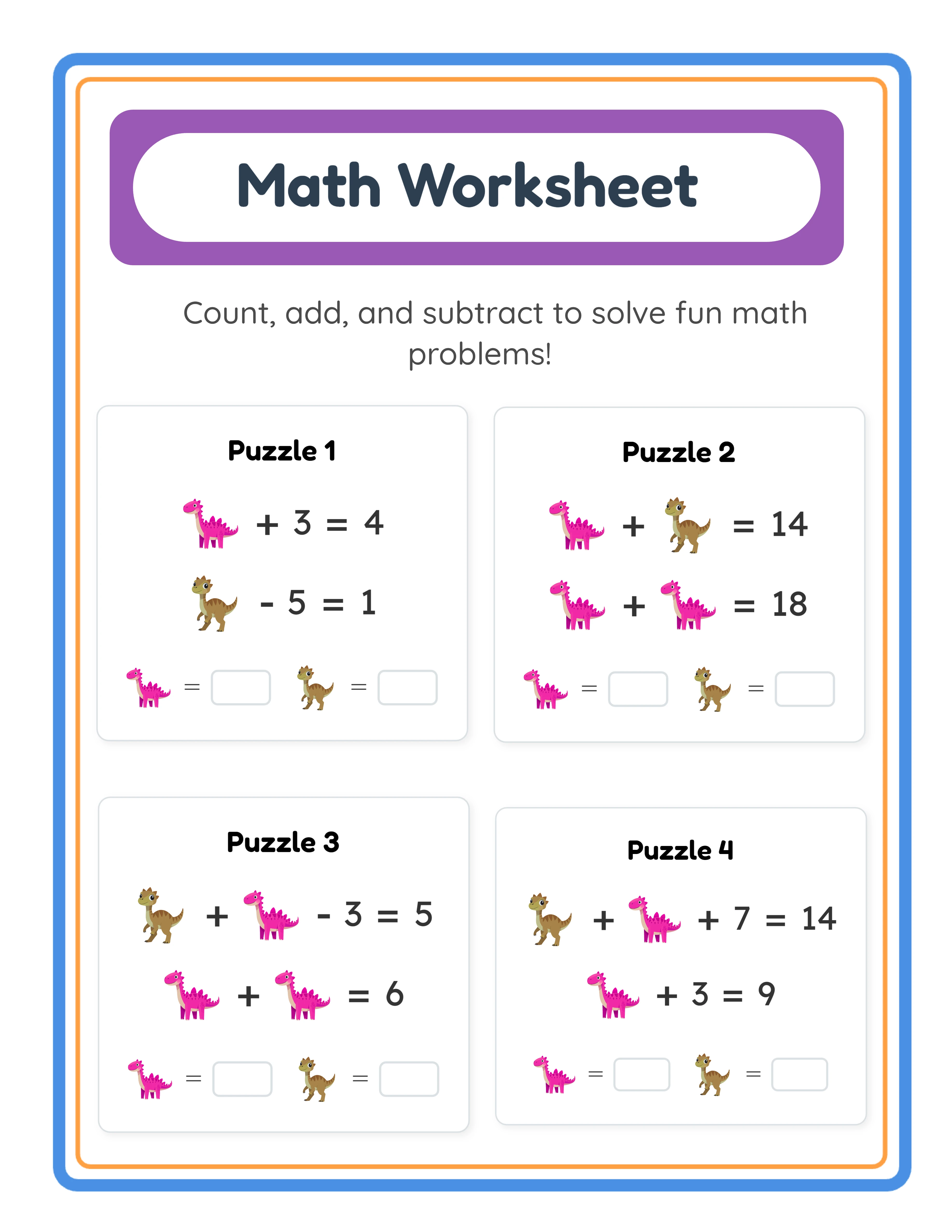
Addition worksheet ready for TPT listing with answer key
A professional math worksheet exported at 300 DPI for TPT product listing
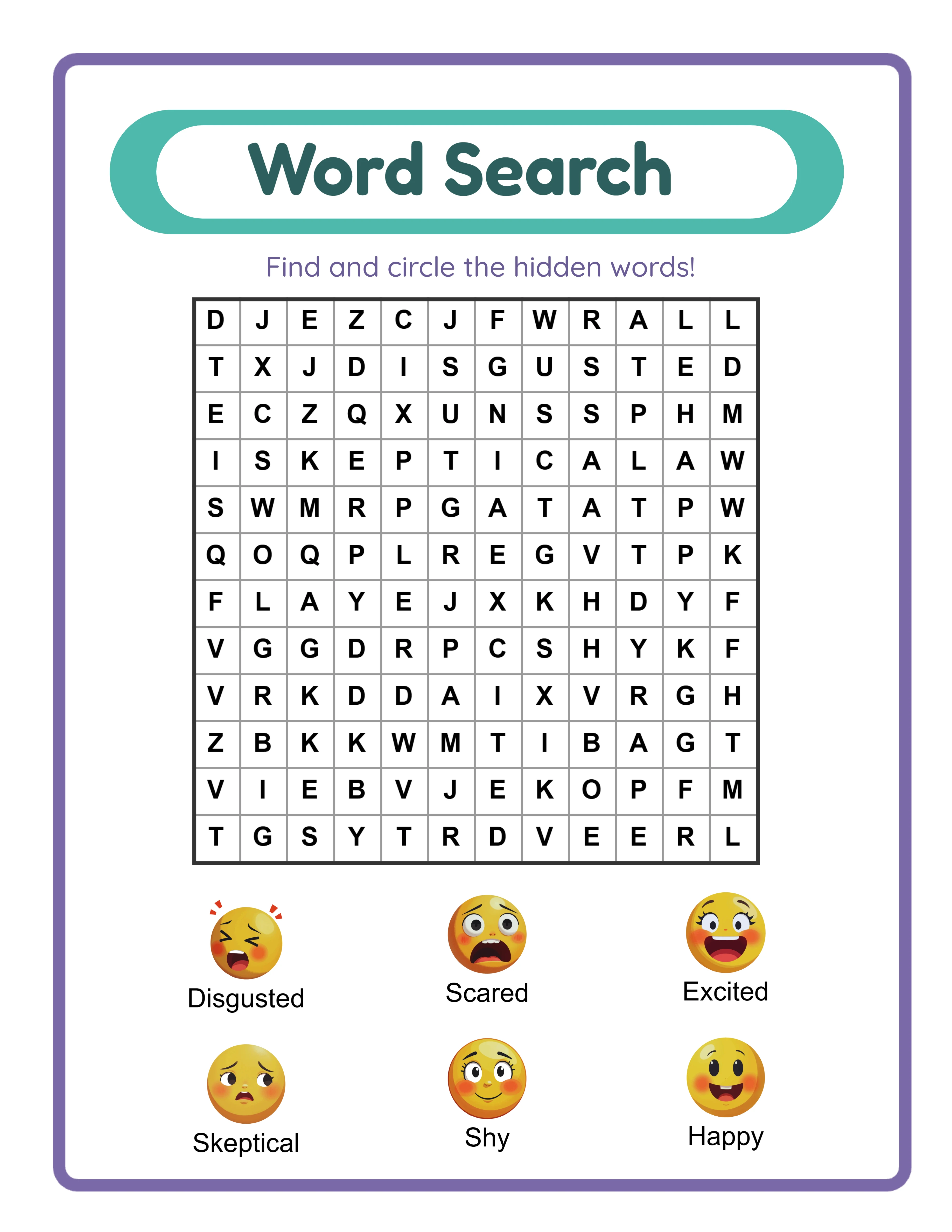
Word search puzzle formatted for TPT educational marketplace
Themed word search puzzle ready for TPT listing with automatic answer key

Theme Images

Cat -- themed educational image
Cat
Dog -- themed educational image
Dog
Apple -- themed educational image
Apple
Car -- themed educational image
Car
Butterfly โ€” themed educational image
Butterfly

Frequently Asked Questions

How much does it cost to sell on Teachers Pay Teachers?
TPT offers two seller accounts. The Basic account is free but takes a 45% commission on each sale. The Premium account costs $59.95 per year and takes a 20% commission. If you plan to sell more than $200 per year, the Premium account saves you money. There are no listing fees, upload fees, or monthly transaction fees beyond the commission.
What file formats does TPT accept for printable products?
TPT accepts PDF, PowerPoint, Word, Google Slides links, and ZIP files. For printable worksheets, PDF is the standard format. The LessonCraftStudio generators export 300 DPI PDFs that meet TPT quality requirements. Upload your printable as a single PDF containing all pages including cover page, worksheets, and answer keys.
How do I get my first sale on TPT?
First sales typically come from three sources: TPT search (optimize your titles and descriptions with keywords), free resource downloads that lead to paid purchases (create 3 to 5 high-quality free resources to build followers), and TPT seller community cross-promotion. Most new stores make their first sale within 30 to 60 days of opening if they have at least 15 to 20 optimized products.
Can I sell the same printables on TPT and Etsy simultaneously?
Yes. TPT does not require exclusivity. Many successful sellers list their products on both TPT and Etsy, as well as on their own websites. Each platform reaches a different buyer segment. TPT reaches teachers directly, while Etsy reaches parents, homeschoolers, and general consumers. Selling on multiple platforms maximizes your revenue from each product you create.
How do I price printable worksheets on TPT?
TPT pricing follows established ranges: individual worksheets at $1.00 to $3.00, multi-page packets at $3.00 to $6.00, large bundles at $8.00 to $20.00, and comprehensive curriculum units at $15.00 to $35.00. Research competitor pricing in your specific subject and grade level. Price within 10% of the average for similar products. Factor in the 20% TPT commission (Premium account) when setting prices.
Do I need to align my worksheets with Common Core or other standards?
Standards alignment is not required but strongly recommended. TPT allows you to tag products with Common Core, NGSS, and state-specific standards. Teachers frequently search by standard number (e.g., "2.OA.B.2"), so aligned products appear in these high-intent searches. Adding standards tags takes 2 minutes per listing and significantly increases discoverability.
What is the refund policy for commercial licenses?
Every generator offers a free trial with watermark so you can test all features, create sample worksheets, and evaluate output quality before purchasing. Because you can fully evaluate the product before buying, all commercial license sales are final. This is standard practice for digital product tools where the full product can be previewed before purchase.

Ready to Start Creating?

Try any generator free with watermark. No signup required.

Browse All Generators