Tutorial
1
Understanding the Shadow Match Generator Modes
The shadow match generator offers two primary modes, each producing a different worksheet format. Understanding both modes is essential for building a diverse product catalog.
Shadow Match mode: This is the classic format. The worksheet displays a column of colorful illustrations on one side and a column of black silhouettes on the other. The child draws lines connecting each picture to its matching shadow. The generator automatically creates the silhouettes from the source images using edge detection, producing clean outlines that preserve the recognizable shape of each object.
You control the number of items per worksheet (4 to 8 is typical for preschool), the layout orientation (horizontal or vertical matching), and whether the silhouettes appear on the left or right side. More items increase difficulty. Fewer items suit younger children. The generator also shuffles the silhouette order so the matching is not simply top-to-top.
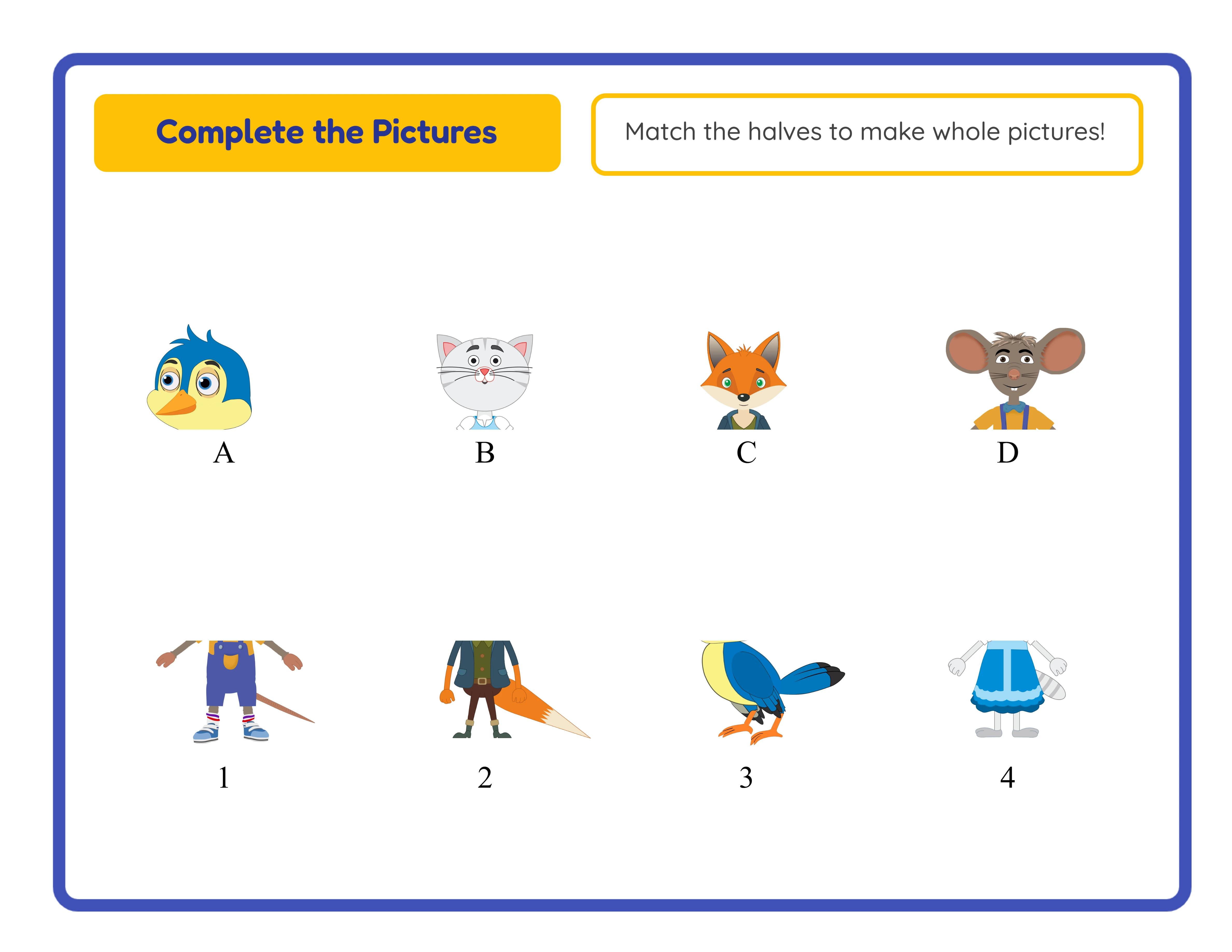
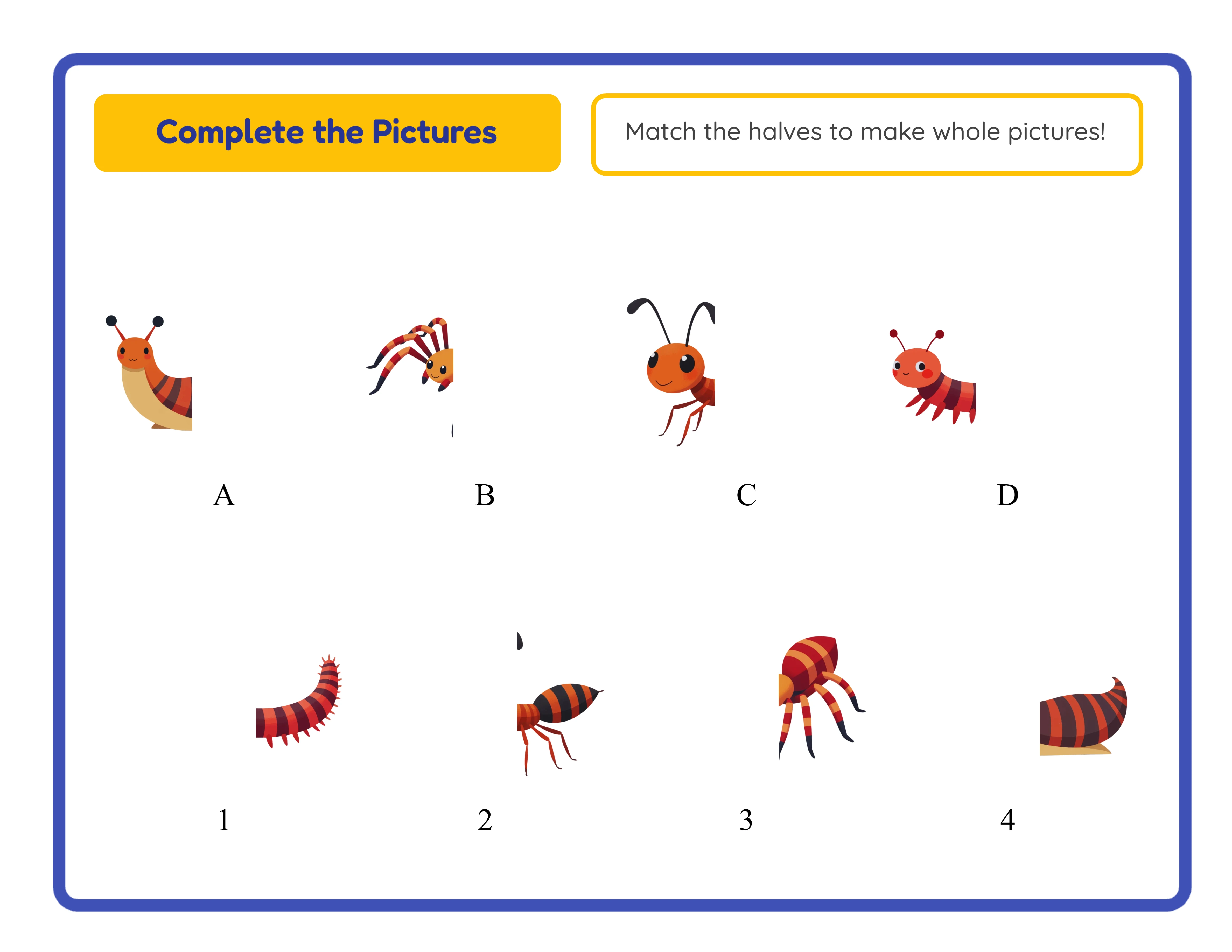
Make It Whole mode: This mode splits each image vertically down the center, creating a left half and a right half. The worksheet displays one set of halves in a fixed column and the other set scrambled. The child identifies which halves belong together and draws connecting lines. This format tests a different visual skill -- recognizing partial images and mentally completing them -- which makes it a distinct product rather than a simple variation of shadow matching.
Both modes include automatic answer keys that show the correct connections with colored lines. Every worksheet exports at 300 DPI as a print-ready PDF, meeting the quality threshold that Etsy buyers expect for printable products.
2
Selecting Themes That Sell on Etsy
Theme selection directly impacts your sales velocity on Etsy. Not all themes perform equally in the preschool printable market.
Top-performing shadow match themes for Etsy:
Animals: The single best-selling theme for preschool worksheets. Farm animals, ocean creatures, jungle animals, pets, and insects each represent a sub-niche. Parents search for "animal shadow matching worksheet" more than any other variation.
Vehicles: Cars, trucks, construction equipment, and emergency vehicles appeal strongly to the 3-to-5 age group. Vehicle shadow matching has lower competition than animals but strong search volume.
Food and kitchen: Fruits, vegetables, kitchen utensils, and baked goods make excellent shadow match subjects because their silhouettes are distinctive and recognizable even to very young children.
Holiday themes: Halloween shadow matching (pumpkins, ghosts, bats), Christmas shadow matching (trees, ornaments, stockings), and Easter shadow matching (eggs, bunnies) spike in demand 4 to 6 weeks before each holiday.
The generator provides 104 themed image collections covering all of these categories and more. Each collection contains enough images to create multiple unique worksheets without repeating content. A single theme like "farm animals" can produce 10 to 15 distinct worksheets by varying the animals selected and the number of items per sheet.
Avoid themes with visually similar silhouettes unless you are targeting advanced difficulty. Themes where objects share similar outlines (like different types of balls) make frustrating shadow match worksheets for preschoolers.
3
Configuring Worksheets for Maximum Print Quality
Etsy buyers expect professional-grade printables. Here is how to configure the shadow match generator for optimal output.
Resolution: The generator exports at 300 DPI by default. This is the industry standard for print products and ensures sharp lines, crisp silhouettes, and clean text at any paper size. Never reduce the DPI setting -- lower resolution produces fuzzy silhouettes that look unprofessional when printed.
Page size: US Letter (8.5 x 11 inches) is the default and the most common format for Etsy printables sold to US buyers. If you target European markets, also generate A4 versions. Many successful Etsy sellers include both US Letter and A4 in a single listing, described as "both sizes included."
Items per worksheet: For ages 2-3, use 3 to 4 items per page. The silhouettes should be large and the spacing generous. For ages 4-5, use 5 to 6 items. For ages 5-6, use 7 to 8 items with smaller images and closer spacing. Label your listings with the appropriate age range so buyers self-select the right difficulty.
Layout: Horizontal matching (pictures on the left, silhouettes on the right) is the standard format. Vertical matching (pictures on top, silhouettes on bottom) offers visual variety. Include both layouts in bundles to increase perceived value.
Answer keys: Always include answer keys in your Etsy products. Parents and teachers use them to verify correct answers. The generator creates answer keys automatically with colored connecting lines. Include the answer key as the final page of each PDF.
4
Creating a Shadow Match Bundle for Etsy
Individual worksheets sell on Etsy, but bundles sell better. Here is how to structure a shadow match bundle that maximizes value perception and average order value.
Bundle structure for a "Shadow Match Mega Bundle":
Section 1 -- Animal Shadow Match (15 worksheets): Farm animals, ocean life, jungle, pets, birds. Three difficulty levels (easy 4-item, medium 6-item, hard 8-item) for each sub-theme.
Section 2 -- Vehicle Shadow Match (10 worksheets): Cars, trucks, construction, emergency vehicles. Mixed difficulties.
Section 3 -- Food Shadow Match (10 worksheets): Fruits, vegetables, kitchen items. Mixed difficulties.
Section 4 -- Make It Whole (15 worksheets): Split-image puzzles using the same themes above. This adds a completely different activity type using the same themes, which increases perceived value significantly.
Section 5 -- Answer Keys (50 pages): One answer key per worksheet.
Total: 50 worksheets + 50 answer keys = 100 pages
Generation workflow: Open the shadow match generator, select "Farm Animals" theme, set 4 items per page, generate 3 worksheets. Then increase to 6 items, generate 3 more. Then 8 items for 3 hard worksheets. Switch theme to "Ocean" and repeat. Once shadow match worksheets are complete, switch to Make It Whole mode and repeat the process with the same themes.
Estimated generation time: 3 to 4 hours for the complete bundle. Export each worksheet individually as a PDF, then merge them into a single file with a cover page and table of contents.
5
Generating Auto-Silhouettes vs. Manual Design
One of the key advantages of the LessonCraftStudio shadow match generator is its automatic silhouette creation. Understanding how this works helps you produce better worksheets.
The generator uses the source illustrations from its 104 themed image collections. When you select a theme and generate a shadow match worksheet, the algorithm processes each selected image through edge detection to create a solid black silhouette. The result is a clean, recognizable outline that preserves the distinctive shape of each object -- the trunk of an elephant, the spikes of a hedgehog, the wings of a butterfly.
This automated approach has several advantages over manual silhouette creation in design software:
Speed: Generating a complete shadow match worksheet with 6 items and an answer key takes seconds, not the 30 to 60 minutes it would take to manually trace silhouettes in Photoshop or Illustrator.
Consistency: Every silhouette is generated using the same algorithm, so the style is uniform across all worksheets. Manual tracing often produces inconsistent results -- some silhouettes too detailed, others too simplified.
Scale: You can generate dozens of unique worksheets in a single session. Manual creation limits your output to perhaps 3 to 5 worksheets per hour.
Accuracy: The algorithm preserves the exact outline of the source image. Manual tracing introduces human error -- smoothed corners, missed details, uneven edges.
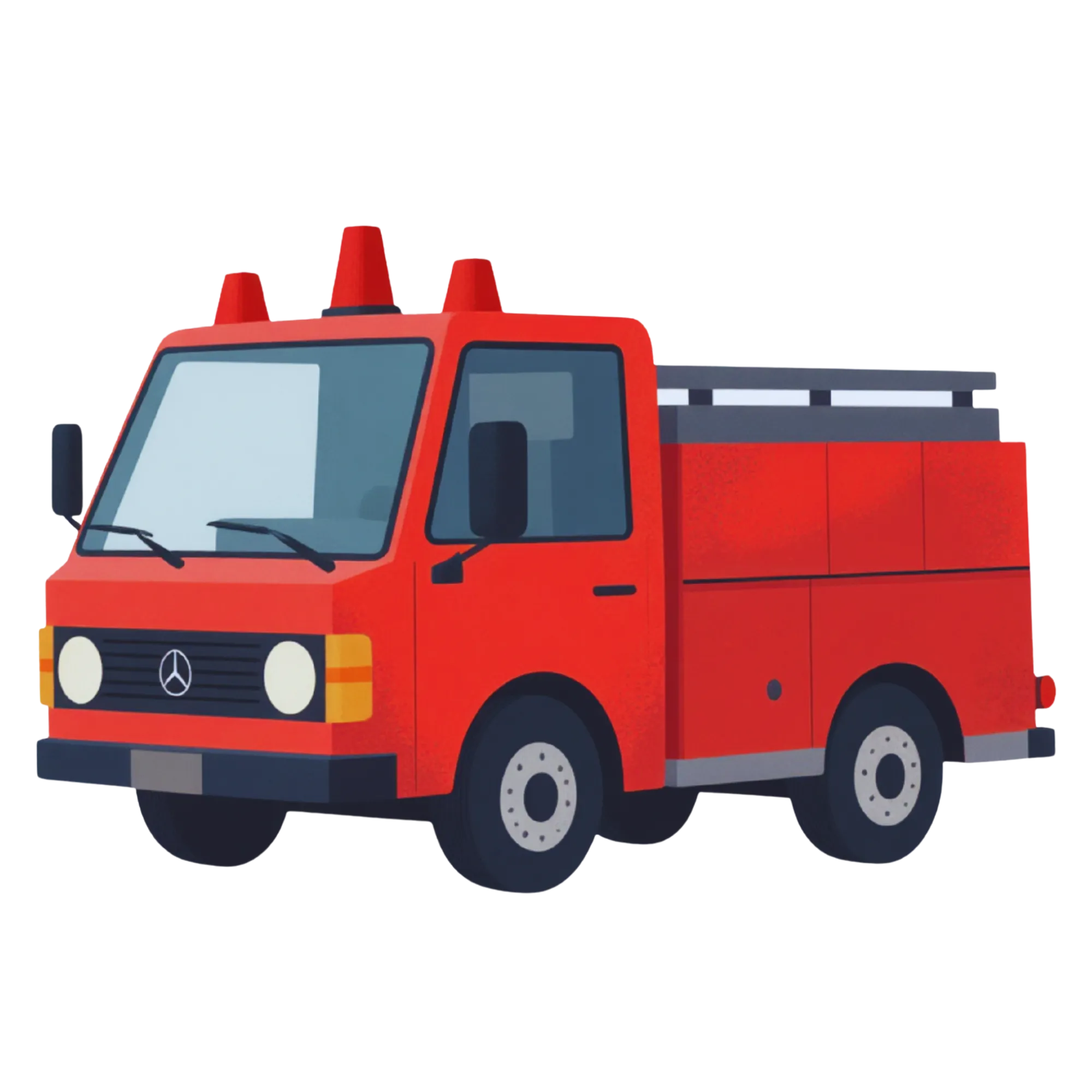
The silhouettes work because the source illustrations in the image library are designed with clear, distinct outlines. A cartoon cat has a recognizable cat shape. A fire truck has a recognizable truck shape. This design characteristic of the source images ensures that the auto-generated silhouettes are immediately identifiable, which is the entire point of a shadow matching activity.
6
Optimizing Your Etsy Listing for Shadow Match Worksheets
Your Etsy listing determines whether your shadow match worksheets get found in search and whether browsers convert to buyers. Every element matters.
Title: Etsy allows 140 characters. Front-load your primary keyword and include specific details. Example: "Shadow Matching Worksheets for Preschool | Animal Shadow Match Activity | Printable Toddler Busy Book Pages | Visual Discrimination"
Tags: Etsy provides 13 tag slots. Use all 13. Each tag can be up to 20 characters. Effective tags for shadow match listings:
- shadow matching
- preschool worksheets
- toddler activity
- visual discrimination
- silhouette matching
- preschool printable
- busy book pages
- shadow match game
- matching worksheets
- homeschool preschool
- daycare activities
- fine motor skills
- educational printable
Description: Start with what the buyer gets (number of worksheets, page count, themes included). Then describe the educational benefit (visual discrimination, fine motor practice from drawing lines). Include printing instructions (US Letter and A4 sizes, recommended paper weight). End with your shop policies.
Listing images: Use 10 listing photos. Photo 1 should be a mockup showing the printed worksheet in use. Photos 2-5 should show individual worksheet samples. Photos 6-8 should show the Make It Whole format. Photos 9-10 should show the answer keys and a full bundle overview.
Pricing: Individual shadow match worksheets (5-10 pages) sell for $2.50 to $4.00. Bundles (30-50 pages) sell for $5.99 to $9.99. Mega bundles (100+ pages) sell for $12.99 to $19.99.
7
Leveraging 11-Language Support for International Etsy Sales
The shadow match generator supports 11 languages: English, German, French, Spanish, Portuguese, Italian, Dutch, Swedish, Danish, Norwegian, and Finnish. For shadow matching worksheets, language support primarily affects the instructional text on each worksheet (title, instructions) rather than the visual content -- silhouettes are language-independent.
This creates an interesting opportunity: you can sell the same visual worksheet design to buyers in multiple language markets with minimal additional effort. Generate the English version, then switch the language selector and regenerate with German instructions, French instructions, and so on.
Etsy market strategy by language:
English: Your primary market. Largest buyer base, highest competition.
German: Second-largest Etsy market in Europe. German parents actively search for "Schattenbilder Arbeitsblatt" (shadow matching worksheet). Competition is significantly lower than English.
French: Growing Etsy market. "Fiches d'association d'ombres" has minimal competition.
Spanish: Large market across Spain, Mexico, and Latin America. "Hojas de trabajo de sombras" is searched but underserved.
Dutch, Swedish, Danish, Norwegian, Finnish: Very low competition in these markets. Even a handful of listings can capture significant market share for preschool printables in these languages.
Create separate Etsy listings for each language. Do not combine multiple languages in one listing -- buyers search in their native language and expect products entirely in that language. Each listing targets a different keyword set and a different buyer pool, effectively multiplying your catalog without creating new content from scratch.