How to Create Math Puzzle Worksheets

Math puzzle worksheets combine math practice with the thrill of solving a visual puzzle. A single image is divided into grid pieces, each piece gets a math equation, and children solve the equations to figure out where each piece belongs and reassemble the picture. This format transforms routine math drill into an engaging game that children actually want to complete. This guide walks you through creating math puzzle worksheets using the Math Puzzle Generator — from choosing themes and grid sizes to exporting print-ready PDFs with automatic answer keys. Whether you are launching your first printable product or adding a unique format to an existing math worksheet catalog, you will have finished puzzles ready to list by the end of this tutorial.
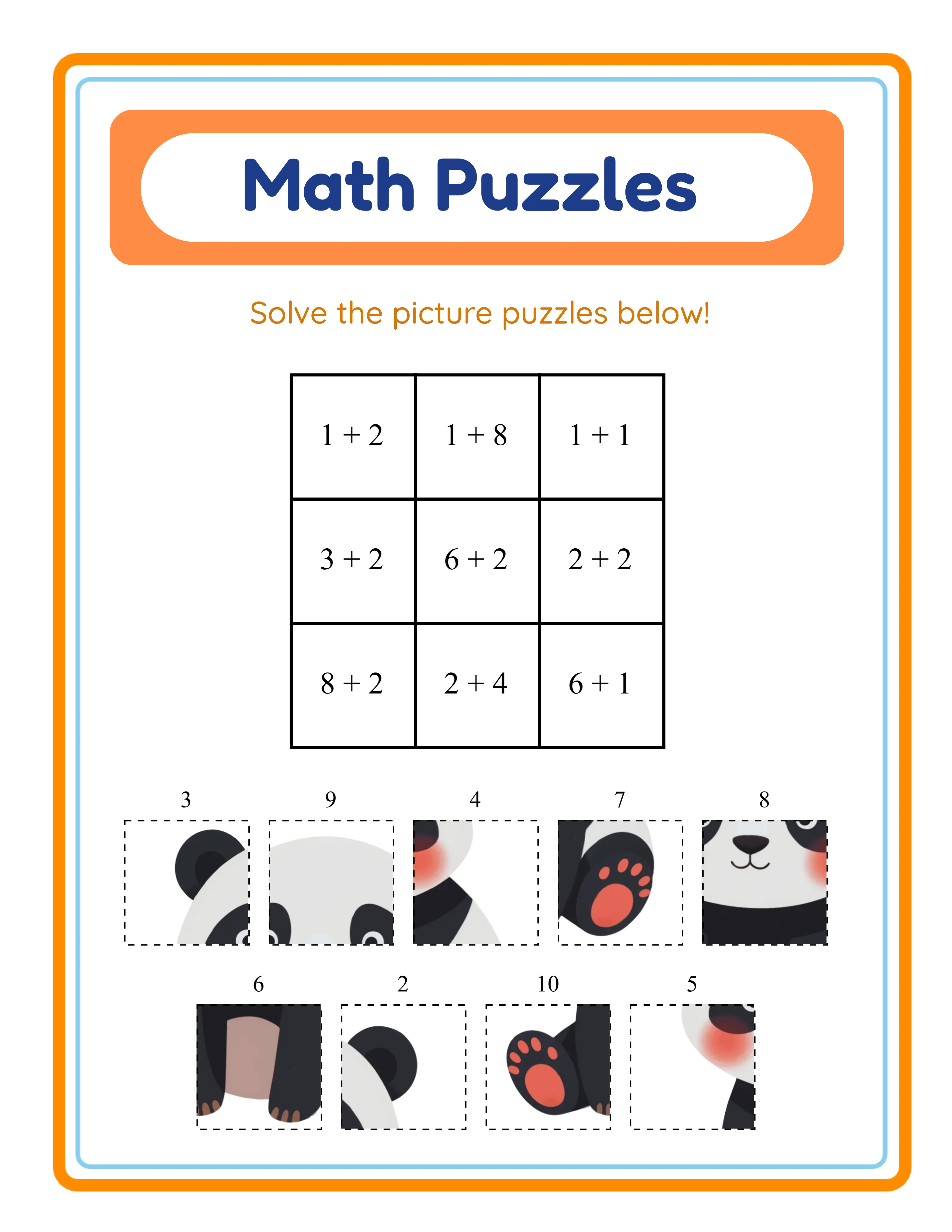
Math puzzle worksheet showing scrambled image pieces with math equations for kids to solve and reassemble
Professional Printables

How to Create Math Puzzle Worksheets

Create stunning math puzzle worksheets your customers will love

Math Puzzle worksheet sample 1
Math Puzzle worksheet sample 2
Math Puzzle worksheet sample 3
Brain TeasersAnswer KeysPrint-ReadyFree Trial with Watermark

Introduction

Standard addition and subtraction worksheets are essential, but they all follow the same format: a list of equations on a page. Math puzzle worksheets break that pattern entirely. Instead of rows of problems, children see a grid of scrambled image pieces alongside math expressions. Solving each equation reveals a number that tells the child where that piece belongs in the reconstructed image. The reward is not just a correct answer — it is a completed picture. This format taps into something powerful: children who resist traditional math drills will eagerly work through the same equations when a puzzle is involved. The visual payoff of seeing the image come together creates intrinsic motivation that plain worksheets cannot match. For printable sellers, this translates directly into marketplace differentiation. Buyers scrolling through pages of identical-looking math worksheets stop when they see a product that looks fundamentally different. The Math Puzzle Generator handles all the technical complexity. It divides any themed image into grid pieces (2x2, 3x3, or 4x4), generates appropriate math equations for each cell, scrambles the pieces with numbered labels, and produces both the puzzle worksheet and a complete answer key. You configure the grid size, math operation, and theme — the generator handles layout, equation accuracy, and print formatting. Because math puzzles use numbers and images rather than words, the puzzle content itself is language-independent. Numbers are universal. This means a single puzzle product works for buyers in any country without translation, simplifying international sales significantly. Every feature described in this guide is available in the free trial with watermark. You can create sample puzzles, test every grid size and operation combination, and evaluate output quality before purchasing a commercial license.
Try It Free with Watermark

Try any generator free with watermark. No signup required.

Tutorial

1

Choose a Theme and Select Your Image

Every math puzzle centers on a single image that gets divided into grid pieces. The theme you choose determines which images are available, and the image you select becomes the visual payoff that motivates children to solve the puzzle. Open the Math Puzzle Generator and locate the theme selector. With a commercial license, you have access to 10 themed image sets including animals, fruits, vegetables, vehicles, ocean life, dinosaurs, space, birds, flowers, and insects. The Full Access license unlocks over 100 themed image sets covering every category from sports and occupations to holidays and fantasy. Browse the available images within your chosen theme and select one that is visually clear and recognizable even when divided into pieces. Bold, colorful images with distinct features work best because children can identify partial fragments more easily. A bright red fire truck or a colorful parrot is easier to reassemble than a subtle landscape. The generator also supports custom image upload. You can upload your own images to create fully custom puzzles — brand mascots, group photos, or client-specific artwork. This feature opens the door to personalized puzzle products that command premium pricing on marketplaces. Theme selection is a product strategy decision. Each theme creates a distinct product listing with different search keywords. "Dinosaur math puzzles" and "ocean animal math puzzles" target completely different buyer searches. Ten themes at one difficulty level gives you ten unique products from a single generator session.
2

Set Your Grid Size for Difficulty Control

Grid size is the primary difficulty control for math puzzles. It determines how many pieces the image is divided into, which directly controls how many equations the child must solve. 2x2 grid (4 pieces): The easiest level. Four image fragments and four equations. Best for preschool and early kindergarten children who are just learning basic addition. The image is easy to reconstruct because four large pieces leave little ambiguity. 3x3 grid (9 pieces): Medium difficulty and the default setting. Nine fragments and nine equations provide a solid challenge for kindergarten through first grade. This is the most versatile grid size and works well for the widest range of products. 4x4 grid (16 pieces): The hardest level. Sixteen fragments and sixteen equations create a substantial challenge for first and second grade solvers. The image pieces are smaller, making reconstruction harder, and the volume of equations provides extended practice. To set the grid size, use the Grid Size control in the generator. The default is 3x3, which is a safe starting point for most products. Grid size maps directly to product differentiation. A single theme with three grid sizes gives you three products: an easy version (2x2) for younger children, a standard version (3x3) for the core age range, and a challenge version (4x4) for advanced solvers. Label these clearly in your marketplace listings — "Easy (4 pieces)," "Medium (9 pieces)," "Hard (16 pieces)" — so buyers choose the right level for their child.
3

Select the Math Operation

The Math Puzzle Generator supports three operation modes that determine the type of equations assigned to each grid cell. Addition: Each grid cell shows an addition equation like "3 + 5." The child solves it to get the piece number (8), then finds the image fragment labeled 8 and places it in that cell. Addition-only puzzles are appropriate for children who have learned to add but may not yet handle subtraction. Subtraction: Each cell shows a subtraction equation like "9 − 4." This targets children practicing subtraction skills. Subtraction puzzles work well as companion products to addition puzzles. Both (Mixed): Cells contain a mix of addition and subtraction equations on the same puzzle. This is the most challenging mode and works well for assessment worksheets, review activities, or products targeting older solvers who are comfortable with both operations. Select your operation from the Operation control in the generator. The number ranges for equations are auto-calculated based on the grid size, ensuring that answer numbers are appropriate and that each cell gets a unique solution number. For product creation, consider making separate products for each operation at each grid size. A "Dinosaur Math Puzzle — Addition Only — 3x3 Grid" is a different product from "Dinosaur Math Puzzle — Mixed Operations — 3x3 Grid." Each targets different search terms and buyer needs.
4

Configure Page Layout and Appearance

Layout and appearance settings transform a functional puzzle into a professional-looking product that stands out in marketplace listings. Page size options include US Letter Portrait, US Letter Landscape, A4 Portrait, A4 Landscape, Default Worksheet (800x1000 pixels), and Square (1200x1200). US Letter is standard for North American buyers. A4 is standard for European and international markets. Landscape orientation can work well for puzzles with wide images, while portrait is the traditional worksheet format. Background themes add subtle decorative patterns behind the puzzle content. Browse the available background options and adjust the opacity slider to control how prominent the pattern appears. A light background at 10–20% opacity adds visual polish without distracting from the puzzle. Border themes frame the puzzle page with decorative edges. These are particularly effective for products marketed as group activities or holiday-themed puzzles. Adjust border opacity separately from the background. The canvas editor provides additional customization through Fabric.js-based tools. Add text for custom titles like "Math Puzzle Challenge" or instructions like "Solve each equation to find where the puzzle piece belongs." Choose from multiple font families, adjust size and color, and position elements precisely on the canvas. Grayscale mode converts the entire output to black and white, which is useful for products designed for photocopying in group environments. Buyers who print in bulk on school copiers appreciate worksheets that look clean in B&W. These visual options matter for marketplace differentiation. A math puzzle with a polished background, themed border, and custom title looks significantly more professional than a bare grid on a white page.
5

Generate and Preview Your Math Puzzle

With your theme, grid size, operation, and layout configured, click Generate to create your math puzzle worksheet. The generator performs several operations automatically: it takes your selected image, divides it into the specified grid (2x2, 3x3, or 4x4), assigns a unique number to each piece, generates a math equation for each grid cell whose answer matches the piece number, and arranges scrambled image fragments with their number labels alongside the puzzle grid. The preview shows two key elements: The puzzle grid: A grid of cells, each containing a math equation (like "3 + 5 = ?" or "9 − 4 = ?"). Children solve each equation to determine which numbered image piece belongs in that cell. The scrambled pieces: Numbered image fragments arranged outside the grid. Each fragment shows a portion of the original image with a number label. Children match their equation answers to these numbers to identify the correct piece for each cell. Examine the preview carefully before exporting. Check that equations are age-appropriate for your target audience. Verify that image fragments are visually distinct enough to be identifiable. Confirm that the overall layout is clean and the grid lines are clear. If the layout needs adjustment, modify your settings and regenerate. The generator produces a fresh puzzle each time, so you can quickly iterate through variations. Generate several versions with the same settings to create multi-page puzzle sets.
6

Review the Answer Key

Every math puzzle includes an automatic answer key that you can access via the Answer Key tab in the generator. The answer key shows the reconstructed image at 30% opacity with a grid overlay. Each cell displays the complete solved equation (for example, "3 + 5 = 8") so that the correct answer and piece placement are immediately clear. This format lets buyers and parents verify answers at a glance without solving the equations themselves. The answer key is essential for two reasons: Grading efficiency: Buyers grading a stack of math puzzle worksheets need a quick reference. An answer key that shows both the solved equations and the reconstructed image makes grading fast and unambiguous. Self-checking: When children finish a puzzle, they can compare their reconstructed image against the answer key to verify they placed all pieces correctly. This immediate feedback loop reinforces learning. For marketplace products, always include the answer key as part of your deliverable. "Includes answer key" is a commonly searched qualifier on Etsy and Gumroad. Mention it prominently in your product title and description. The answer key exports as a separate file (both PDF and JPEG), so buyers get clean, separate files for the puzzle and its solution.
7

Export as Print-Ready PDF and JPEG

The export section provides download options for both the puzzle worksheet and the answer key in multiple formats. Worksheet PDF: The professional standard for printable products. PDF maintains exact formatting across all devices and printers. This is the format marketplace buyers expect for downloadable worksheets. Worksheet JPEG: A high-resolution image file (6x resolution multiplier for crisp output) suitable for listing previews, social media marketing, or inclusion in digital download bundles. Answer Key PDF and Answer Key JPEG: Separate files for the solution in both formats. Always include these with your product. The 6x resolution multiplier ensures that exported files look sharp even when printed at full page size. Images are crisp, grid lines are clean, and equations are clearly legible. Grayscale export is available for products designed for B&W photocopying. Enable grayscale mode before exporting to produce clean monochrome output. Important: the free trial with watermark produces fully functional exports with a visible watermark overlay ("TRIAL VERSION — LessonCraftStudio.com" in a grid pattern). This lets you evaluate print quality, verify formatting, and create test prints before purchasing a commercial license. The commercial license removes the watermark, producing clean files ready for sale.
8

Create Variations for a Complete Product Line

A single math puzzle is a product sample. A systematic collection of variations is a catalog. The most successful printable sellers build product lines through deliberate variation, not one-off creations. Theme variations: Create the same grid size and operation with different themes. Ten animal themes at 3x3 difficulty gives you ten unique products targeting different search terms: "dinosaur math puzzle," "ocean animal math puzzle," "farm animal math puzzle," and so on. Grid size variations: Create the same theme at all three grid sizes. A "Space Math Puzzle" set with 2x2 (easy), 3x3 (medium), and 4x4 (hard) gives you three products or one tiered bundle. Label difficulty clearly in listings. Operation variations: Create addition-only, subtraction-only, and mixed versions of the same theme and grid size. Parents and buyers search by operation, so each version targets different keywords. Bundle strategy: Combine 10–20 individual puzzles into themed bundles. A "Complete Dinosaur Math Puzzle Pack — 30 Puzzles, 3 Difficulty Levels, Addition and Subtraction with Answer Keys" at $9.99–$14.99 is a high-value product that requires no additional creative work beyond generating variations. Math puzzle books for KDP: Compile 50–80 puzzles into a workbook format for Amazon KDP. Include a difficulty progression from 2x2 through 4x4, with answer keys at the back. Math puzzle activity books are a distinct category from standard worksheet books, giving you less competition in KDP search results. Cross-format bundles: Pair math puzzles with standard addition and subtraction worksheets from companion generators. A "Complete First Grade Math Bundle" that includes traditional worksheets plus puzzle worksheets offers variety that buyers cannot find in single-format products.

Skill Levels

Worksheets for Every Level

Three difficulty tiers for differentiated content

Beginner
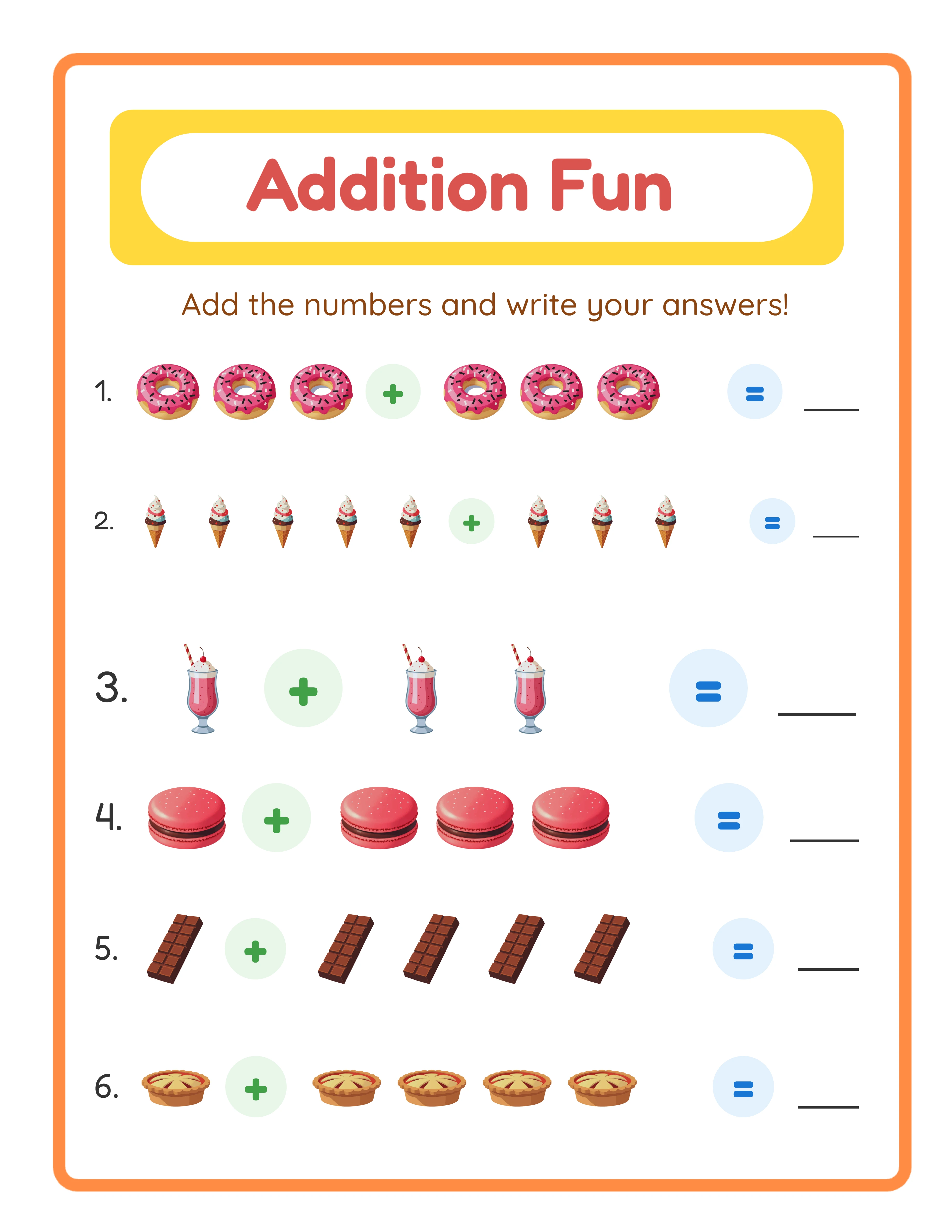
Addition beginner worksheet

Simple picture counting (1-5)

Explorer
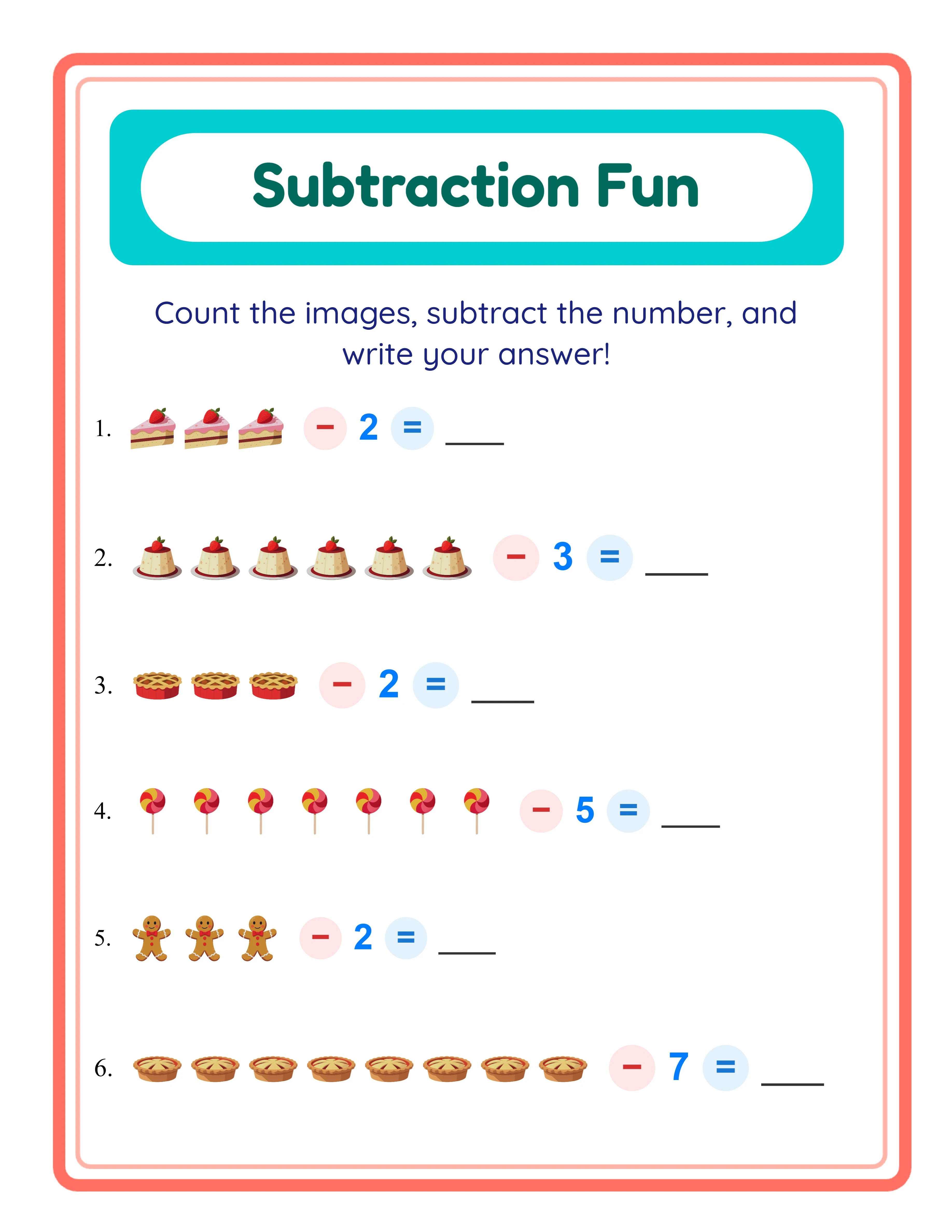
Subtraction intermediate worksheet

Image-number subtraction to 10

Expert
Code Addition advanced worksheet

Advanced decoding to 20

Professional quality at every difficulty level

Platform Tips

Selling Math Puzzle Worksheets on Etsy

Math puzzle worksheets have a distinct advantage on Etsy: they look different from everything else. When a buyer scrolls through pages of standard addition worksheets, a math puzzle with scrambled image pieces and a grid of equations immediately catches the eye. This visual differentiation drives higher click-through rates on your listings. Title optimization: Lead with your primary keyword and add specifics. Strong examples: "Math Puzzle Worksheets for Kids — Dinosaur Theme — Solve Equations to Build the Picture — With Answer Keys" or "Addition Math Puzzles — Ocean Animals — 3 Difficulty Levels — Printable PDF." Use the full 140 characters. Tags: Use all 13 Etsy tags. Combine broad and specific: "math puzzle worksheets," "math activity for kids," "image puzzle math," "addition practice puzzle," "printable math games," "first grade math," "kindergarten math puzzle," "puzzle worksheets with answers," and similar variations. Listing images: Upload 5–10 images. Show the full puzzle page, a close-up of the scrambled pieces alongside the equation grid, the answer key with the reconstructed image, and a mockup of the printed puzzle. The visual nature of math puzzles makes for compelling listing photos — use this advantage. Pricing: Individual math puzzles sell at $1.49–$2.99. Themed puzzle packs (10–15 puzzles) sell at $4.99–$9.99. Comprehensive bundles with multiple themes and difficulty levels sell at $14.99–$24.99.

Selling Math Puzzle Worksheets on Amazon KDP

Math puzzle books occupy a unique niche on Amazon KDP. While the market is saturated with standard math workbooks, math puzzle activity books face significantly less competition because the format is less common and harder to produce without a specialized generator. Product format: Compile 50–80 puzzles into a single book with difficulty progression. Start with 2x2 puzzles (addition only), progress to 3x3 (addition and subtraction), and finish with 4x4 (mixed operations). Include all answer keys at the back of the book. Use a trim size of 8.5x11 inches for maximum puzzle size. Title and subtitle: Example title: "Math Puzzle Activity Book for Kids." Example subtitle: "60 Image Reconstruction Puzzles with Addition and Subtraction — Solve Equations to Build Pictures — Ages 5–8 with Answer Keys." Keywords: KDP provides 7 keyword slots. Target underserved terms: "math puzzle book kids," "picture math puzzles," "solve and build math activity," "visual math workbook," "math puzzle worksheets," "addition subtraction puzzle book," "image math games children." Cover design: Show a partially completed math puzzle on the cover so buyers instantly understand the format. Include text highlighting key features: "60 Puzzles," "3 Difficulty Levels," "Answer Keys Included." A cover that clearly communicates the unique puzzle format converts significantly better than a generic math workbook cover.

Selling Math Puzzle Worksheets on Gumroad

Gumroad buyers value innovative formats that make math practice engaging for solvers. Math puzzle worksheets stand out on Gumroad because they transform routine equation practice into a collaborative, game-like activity. Product descriptions on Gumroad should include: grade level range, operations covered (addition, subtraction, or both), grid sizes and piece counts, number of puzzles in the set, and whether answer keys are included. Mention that the puzzle format works well as a math center activity, early finisher task, or reward activity. Preview files: Gumroad lets you upload a preview file. Include 2–3 sample puzzles showing different grid sizes so buyers can evaluate the format. Show both the puzzle page and its answer key so they understand the complete product. Bundling on Gumroad: Buyers purchase bundles for entire units or semesters. A "Math Puzzle Bundle — Full Year of Puzzles — Addition and Subtraction — 3 Difficulty Levels" appeals to buyers planning their math enrichment activities for the whole school year. Gumroad-specific positioning: Market math puzzles as "math centers," "enrichment activities," "early finisher tasks," or "fun Friday math." These are the terms sellers list when searching for engaging math resources that go beyond standard worksheets. Math puzzles work particularly well as reward activities because solvers perceive them as games rather than practice.

Math Puzzle Showcase

See What You Can Create!
Featured math puzzle worksheet
Puzzle Fun!Math + LogicWith Answer Keys

Monetization Strategies

Pricing Your Math Puzzle Products

Math puzzle worksheets command slightly higher prices than standard worksheets because the format is more novel and harder to replicate without a specialized tool. Buyers perceive image reconstruction puzzles as more engaging and unique than traditional equation lists. Single puzzles with answer key: $1.99–$2.99. These work as entry-point products to attract buyers into your shop. Each puzzle is a complete activity, not just a worksheet page. Themed puzzle packs (8–12 puzzles): $4.99–$7.99. Group puzzles by theme for a cohesive product. A "Dinosaur Math Puzzle Pack — 12 Puzzles with Answer Keys" provides clear value at this price point. Difficulty-tiered sets (15–25 puzzles): $7.99–$12.99. Include 2x2, 3x3, and 4x4 versions across multiple themes. Market these as "easy to hard progression" sets for parents and buyers who want scaffolded difficulty. Complete collections (40–60+ puzzles): $14.99–$24.99. Combine multiple themes, grid sizes, and operations into a comprehensive product. Position these as "everything you need" bundles for a full semester or school year. KDP activity books (50–80 puzzles): $6.99–$9.99 retail price. Amazon takes a significant cut through printing and distribution fees, so price at the higher end to maintain worthwhile royalties. The unique puzzle format justifies a premium over standard math workbooks.

Bundling Math Puzzles with Other Math Worksheets

Math puzzles pair naturally with standard addition and subtraction worksheets for high-value cross-format bundles that no single-format seller can match. Math variety packs: Combine math puzzle worksheets with standard addition worksheets and subtraction worksheets from companion generators. A "Complete First Grade Math Bundle" with 20 standard worksheets plus 10 math puzzles offers format variety that keeps children engaged. Price these at $12.99–$19.99. Operation-specific bundles: Pair addition math puzzles with addition worksheets. An "Addition Mastery Pack — Traditional Worksheets + Puzzle Challenges" at $8.99–$12.99 gives buyers both drill and engagement tools for the same skill. Group activity kits: Bundle 5–10 math puzzles at different difficulty levels into a "Math Center Kit" for sellers who rotate activities across solver groups. Different grid sizes let buyers assign appropriate difficulty to each group. Seasonal math bundles: Create holiday-themed math puzzles and bundle them with holiday-themed standard worksheets. A "Halloween Math Activity Pack" with both traditional worksheets and image puzzles creates a comprehensive seasonal product. The bundling strategy works because math puzzles are a complementary format, not a replacement for standard worksheets. Buyers and parents need both: drill worksheets for foundational practice and puzzle worksheets for engagement and variety.

Seasonal and Themed Math Puzzle Opportunities

Math puzzles have a natural advantage for seasonal products because the visual image component makes themed products immediately appealing in listing thumbnails. Holiday puzzles: Halloween pumpkins, Christmas trees, Valentine hearts, Easter eggs — each seasonal image becomes a math puzzle that buyers actively search for during that season. Create and list holiday math puzzles 4–6 weeks before each holiday. Back-to-school (August–September): Buyers stocking up on math center activities create the biggest demand spike. Have your math puzzle bundles optimized and listed by late July. Position them as "first week of school" or "math center rotation" activities. Summer learning (June–July): Parents searching for "fun math practice" and "summer math activities" respond well to the puzzle format because it feels less like homework than traditional worksheets. Animal and nature themes: Evergreen demand year-round. Dinosaurs, ocean animals, jungle creatures, and farm animals are consistently searched terms. These products provide stable baseline revenue between seasonal spikes. Custom image opportunities: The custom image upload feature lets you create puzzles with branded or niche images. Client-specific puzzles (a puzzle featuring a child's photo, a school mascot, or a brand character) command premium pricing as personalized products. This is a differentiation strategy that mass-produced worksheet sellers cannot match.

Examples

Product Variations by Grid Size and Operation

Here are concrete product examples you can create with the Math Puzzle Generator, organized by grid size and operation type. Easy puzzles (2x2 grid, 4 pieces): Use addition-only equations. Select themes with bold, simple images — a bright red fire truck, a large cartoon dinosaur, a colorful butterfly. Four pieces means four equations, making this appropriate for preschool and early kindergarten. Create 8–10 puzzles per theme. Product title example: "Easy Math Puzzles for Preschool — Animals Theme — Solve Addition to Build Pictures." Medium puzzles (3x3 grid, 9 pieces): The most versatile difficulty level. Use addition, subtraction, or mixed operations depending on target age. Nine pieces provide a satisfying challenge without overwhelming younger solvers. Create 10–15 puzzles per theme. Product title example: "Math Puzzle Worksheets — Ocean Animals — Addition and Subtraction — 9-Piece Puzzles with Answer Keys." Hard puzzles (4x4 grid, 16 pieces): Use mixed operations for maximum challenge. Sixteen equations per puzzle provide extended practice. The smaller image pieces make reconstruction harder, adding a spatial reasoning component. Best for first grade and above. Create 10–15 puzzles per theme. Product title example: "Challenging Math Puzzles for First Grade — 16-Piece Grids — Mixed Addition and Subtraction." Difficulty bundle: Combine all three grid sizes for the same theme into a single product. A "Dinosaur Math Puzzle Set — Easy, Medium, and Hard — 30 Puzzles with Answer Keys" is a high-value product that covers multiple age groups within the same theme.

Cross-Format Product Ideas

Math puzzles create unique product opportunities when combined with other formats and positioned for specific buyer segments. Group math center rotation: Bundle 6 math puzzles at 3x3 difficulty (two addition, two subtraction, two mixed) with a buyer instruction card explaining how to use them as a rotation activity. Buyers search for "math center activities" and value products with clear implementation guidance. Homeschool math enrichment kit: Combine 20 math puzzles (progression from 2x2 to 4x4) with 20 standard addition and subtraction worksheets. Market as a "complete math practice kit" for homeschool families who need varied activities to keep children engaged across multiple practice sessions. Tutoring resource pack: Create math puzzles specifically for one-on-one tutoring sessions. Include 2x2 puzzles as warm-up activities, 3x3 puzzles as main practice, and 4x4 puzzles as challenge extensions. Tutors value products organized by session structure. Party and reward activities: Math puzzles with fun themes (dinosaurs, space, superheroes) work as educational party activities or group reward tasks. Market these with titles like "Fun Math Puzzles for Kids — Dinosaur Theme — Group Party Activity" to reach buyers who might not search for traditional worksheets. The custom image upload feature opens an additional product category: personalized puzzles. Upload a child's name written in decorative text, a group photo, or a custom illustration. Personalized math puzzles command $3.99–$5.99 each because the customization adds perceived value that generic themed puzzles cannot offer.

Sample Worksheets

Math puzzle worksheet with animal theme showing grid equations and numbered image fragments
Math puzzle worksheet — children solve equations to determine where each numbered image piece belongs in the grid
Math puzzle answer key showing reconstructed image with solved equations
Automatic answer key showing the reconstructed image at 30% opacity with complete solved equations

Theme Images

Asteroid — themed educational image
Asteroid
Astronaut — themed educational image
Astronaut
Comet — themed educational image
Comet
Earth — themed educational image
Earth
Galaxy — themed educational image
Galaxy

Professional Worksheet Gallery

Clean, polished layouts ready for your business

Addition professional worksheet
Addition
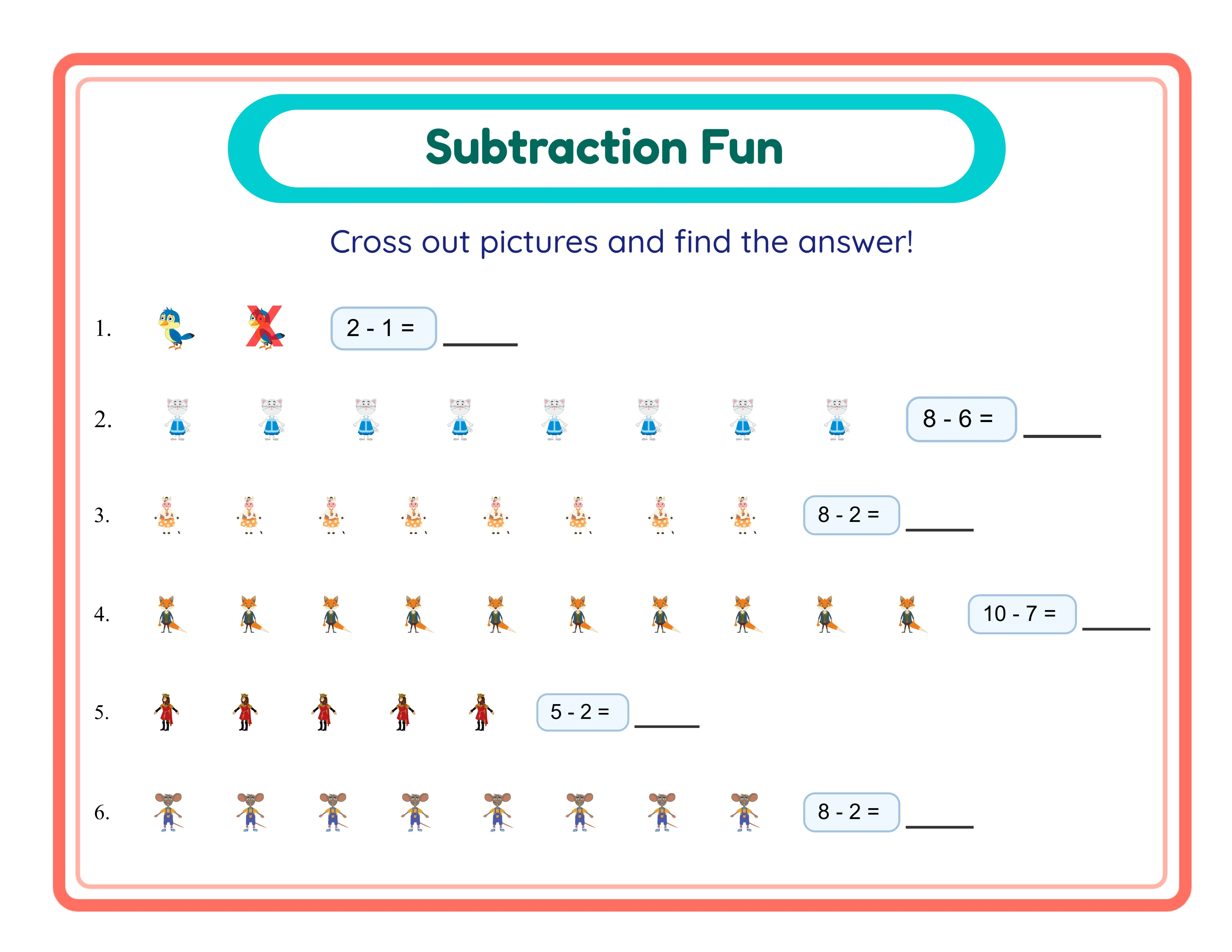
Subtraction professional worksheet
Subtraction
Code Addition professional worksheet
Code Addition
Print-ReadyProfessional QualityMultiple FormatsAnswer Keys

Frequently Asked Questions

How does the image reconstruction puzzle format work?
The generator takes a single themed image and divides it into grid pieces (2x2, 3x3, or 4x4). Each grid cell gets a math equation whose answer corresponds to a numbered image fragment. Children solve the equations, match their answers to the numbered pieces, and place each piece in the correct cell to reassemble the original image. The worksheet shows scrambled, numbered image fragments alongside the puzzle grid with equations.
What grid sizes are available and which should I use?
Three grid sizes are available: 2x2 (4 pieces, 4 equations), 3x3 (9 pieces, 9 equations), and 4x4 (16 pieces, 16 equations). Use 2x2 for preschool and early kindergarten, 3x3 for kindergarten through first grade, and 4x4 for first grade and above. Grid size directly controls difficulty — more pieces means more equations and smaller image fragments to identify.
What math operations does the Math Puzzle Generator support?
The generator supports three operation modes: Addition only, Subtraction only, and Both (mixed). In mixed mode, a single puzzle contains both addition and subtraction equations. Number ranges are auto-calculated based on the grid size to ensure appropriate difficulty and unique solution numbers for each cell.
Can I upload my own images for custom puzzles?
Yes. The generator supports custom image upload alongside the themed image library. You can upload any image — photos, illustrations, logos, or custom artwork — and the generator will divide it into grid pieces and assign math equations. This enables personalized puzzle products that command premium pricing.
How many themed image sets are available?
The commercial license includes 10 themed image sets: animals, fruits, vegetables, vehicles, ocean life, dinosaurs, space, birds, flowers, and insects. The Full Access license unlocks over 100 themed image sets covering every category. Each theme creates distinct products with different marketplace search keywords.
Can I sell the math puzzles I create on Etsy and Amazon KDP?
Yes. A commercial license gives you full rights to sell generated math puzzles on any platform including Etsy, Amazon KDP, Gumroad, Gumroad, Creative Fabrica, and your own website. There are no royalty fees or per-sale charges. You keep 100% of your sales revenue after marketplace fees.
What is the refund policy for commercial licenses?
Every generator offers a free trial with watermark so you can test all features, create sample puzzles, and evaluate output quality before purchasing. Because you can fully evaluate the product before buying, all commercial license sales are final. This is standard practice for digital product tools where the full product can be previewed before purchase.

Ready to Start Creating?

Try any generator free with watermark. No signup required.

Browse All Generators