How to Create Maze Worksheets and Activity Sheets

Mazes are one of the most universally appealing puzzle formats for children. They build spatial reasoning, problem-solving skills, and patience — and they sell consistently across every printable marketplace. This guide walks you through the entire creation process using the Picture Path Maze Generator, which offers three fundamentally different game modes: Picture Pathway for visual path-following, Classic Maze for wall-based navigation with collectible counting, and Choose the Right Path for directional decision-making. Each mode produces a distinct product type from a single tool. You will learn how to configure grid sizes, assign themed image roles, customize wall appearance, and export print-ready PDFs with automatic answer keys. Whether you are building your first maze product or expanding a puzzle worksheet catalog, this tutorial covers every setting and strategy you need.
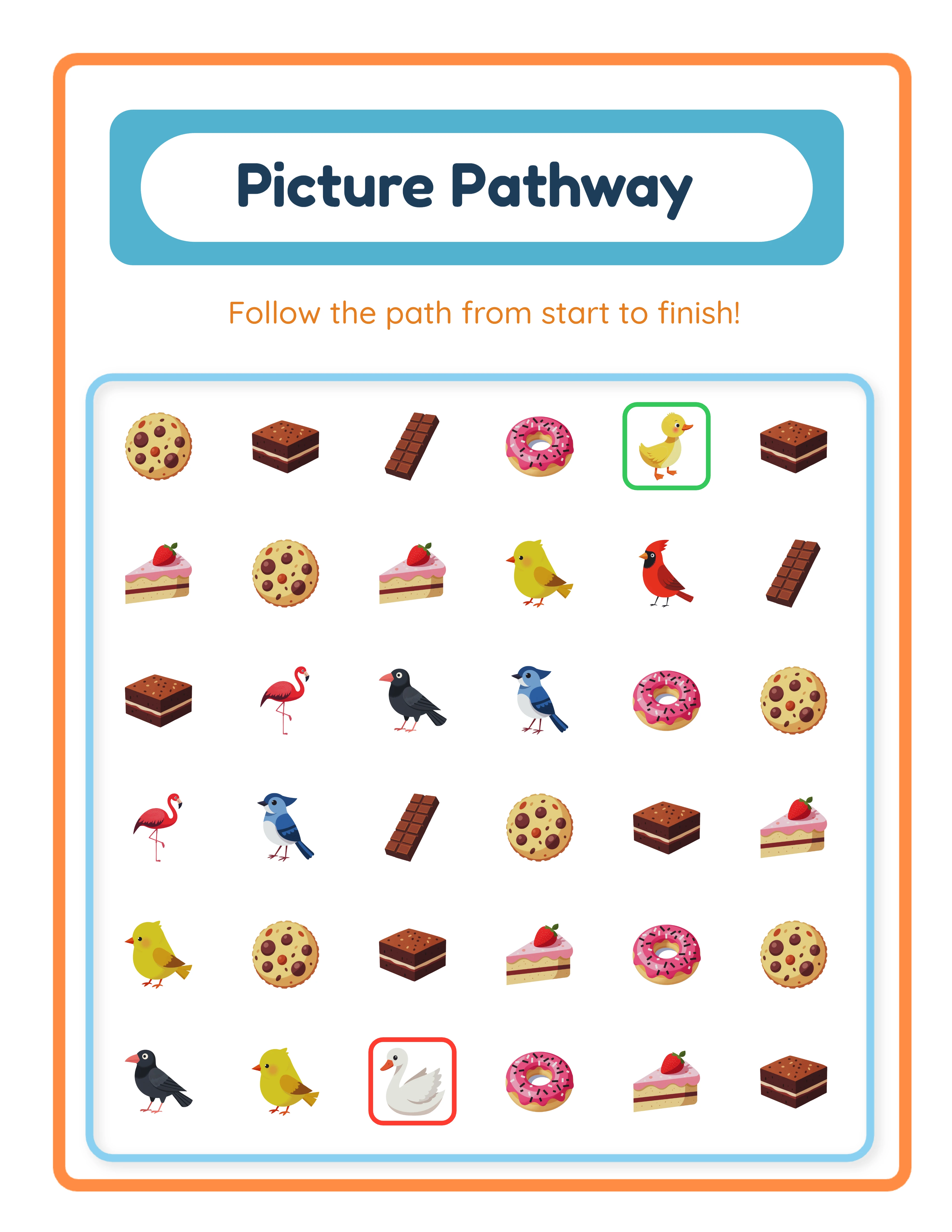
Maze worksheet showing a themed picture path activity with start and end images for kids
Professional Printables

How to Create Maze Worksheets and Activity Sheets

Create stunning picture path worksheets your customers will love

Picture Path worksheet sample 1
Picture Path worksheet sample 2
Picture Path worksheet sample 3
Follow the PathAnswer KeysPrint-ReadyFree Trial with Watermark

Introduction

Mazes tap into something fundamental about how children learn. Following a path from start to finish requires spatial awareness, forward planning, and the ability to recover from wrong turns — skills that transfer directly to math, reading comprehension, and real-world navigation. That educational depth makes maze worksheets a strong product category with year-round demand from parents, buyers, and tutoring centers. What sets the Picture Path Maze Generator apart from basic maze tools is its three distinct game modes. Picture Pathway creates visual path-following activities where children trace a route between themed images. Classic Maze generates traditional wall-based mazes with collectible images scattered throughout — combining navigation skills with counting practice. Choose the Right Path presents directional mazes with multiple route options where only one leads to the correct destination. Each mode creates a fundamentally different product, giving you three times the catalog variety from a single generator. Beyond mode selection, the generator offers extensive customization: six grid sizes from 15x15 to 20x20, configurable path counts and lengths, wall color and thickness controls, five distinct image roles (Start, End, Path, Distractor, Decoration), and 100+ themed image sets. The result is a tool that can produce thousands of unique maze variations — each one a potential product. Every feature described in this guide is available in the free trial with watermark. You can create sample mazes in all three modes, test every configuration, and evaluate output quality before purchasing a commercial license.
Try It Free with Watermark

Try any generator free with watermark. No signup required.

Tutorial

1

Choose Your Game Mode

The Picture Path Maze Generator offers three game modes, and each one creates a fundamentally different type of maze product. Your mode selection determines the puzzle mechanic, visual style, and educational focus of the finished worksheet. Picture Pathway is the default mode and the most visual of the three. Children follow a path from a start image to an end image, navigating through decorative images and avoiding distractors along the route. This mode works best for younger children (ages 3–6) because the path is defined by images rather than walls. It is visually rich and engaging, making it ideal for themed activity books and preschool puzzle packets. Classic Maze generates traditional wall-based mazes where children navigate from start to finish through corridors and dead-ends. What makes this mode unique is the collectible image mechanic: themed images are scattered throughout the maze, and children count how many of each image they find along the correct path. The answer key shows the total count per collectible image. This dual-skill approach — navigation plus counting — makes Classic Maze products particularly attractive to buyers who want worksheets that practice multiple skills simultaneously. Choose the Right Path presents a directional maze with multiple path options branching from a starting point. Only one path leads to the correct destination. This mode supports four directional orientations: bottom-to-top, top-to-bottom, left-to-right, and right-to-left. The directional variety lets you create worksheets that challenge children to think spatially in different orientations — a skill that directly supports reading direction and map-reading development. For product strategy, consider creating separate product lines for each mode. A "Picture Pathway Animals" line targets the preschool-age market, a "Classic Maze Adventures" line targets kindergarten through second grade, and a "Choose the Path Challenges" line targets first through third grade. Three modes mean three distinct audiences and three separate revenue streams.
2

Set Grid Size and Difficulty

Grid size is the primary difficulty control for all three maze modes. The generator offers six grid sizes: 15x15, 16x16, 17x17, 18x18, 19x19, and 20x20. Larger grids produce more complex mazes with longer paths and more dead-ends. For younger children (ages 3–5), start with 15x15 or 16x16. These grids create mazes that are challenging enough to be engaging without being frustrating. The paths are shorter and the overall structure is easier to visually parse. For elementary-age children (ages 6–8), 17x17 through 19x19 grids provide appropriate challenge. The additional cells create more branching points and longer corridors. For older children or advanced puzzlers (ages 8+), 20x20 grids produce the most complex mazes. These work well for group challenge activities and gifted solver enrichment. Classic Maze and Choose the Right Path modes offer additional difficulty controls beyond grid size. Number of Paths sets how many route options appear in the maze: 1, 2, or 3. With 1 path, there is a single correct route. With 2 or 3 paths, additional dead-end paths are generated, increasing the decision-making required. Path Length Min and Max controls (ranging from 4 to 30 cells) let you fine-tune how long the solution path is relative to the grid. Choose the Right Path mode adds a Direction selector with four orientations: bottom-to-top, top-to-bottom, left-to-right, and right-to-left. Varying direction across worksheets in a bundle creates additional challenge and prevents children from developing a single-direction solving habit. For product bundles, include a progression of grid sizes. A "Maze Activity Book" that starts at 15x15 and works up to 20x20 over 30 pages gives buyers a built-in difficulty curve that keeps children engaged across the entire product.
3

Select a Theme and Assign Image Roles

Theme selection transforms generic mazes into visually distinctive products that target specific search keywords on marketplaces. The generator includes a theme library with over 100 themed image sets covering animals, food, vehicles, nature, holidays, occupations, sports, and dozens more categories. What makes image selection in the maze generator more nuanced than other tools is the five distinct image roles: Start Image marks the maze entry point. Choose an image that clearly signals "beginning" for your theme — a house for a neighborhood theme, a ship for an ocean theme, a rocket on the launch pad for a space theme. End Image marks the maze exit or destination. Pick an image that represents a goal or destination — a treasure chest, a finish flag, a home, or a specific character the child is trying to reach. Path Images are the collectible items in Classic Maze mode. These images appear along the maze corridors, and children count how many they find. You can assign 1 to 4 unique collectible images, with configurable minimum and maximum copies of each (1–3 minimum, 1–10 maximum). Count labels appear on each collectible. The answer key automatically tallies the correct count per image type. Distractor Images appear as wrong-answer elements or visual noise. In Picture Pathway mode, these images sit along incorrect paths to test whether children can distinguish the correct route. In Classic Maze mode, they appear in dead-end corridors. Decoration Images add aesthetic richness without affecting gameplay. They fill empty spaces around the maze, making the worksheet visually appealing and theme-consistent. Theme selection is a product strategy decision. Each theme creates a different searchable product. "Dinosaur Maze Worksheets" and "Ocean Animal Maze Worksheets" are separate products targeting separate buyer searches. With 100+ themes available under the Full Access license, you can create an extensive catalog from a single generator tool.
4

Configure Wall Appearance

Classic Maze and Choose the Right Path modes use walls to define the maze corridors. The generator provides three wall customization controls that let you create visually distinct products. Wall Color uses a color picker with a default green (#4CAF50). Green walls on a white background create clean, print-friendly mazes. But customizing wall color lets you create themed products: blue walls for ocean mazes, brown walls for jungle mazes, orange walls for Halloween mazes, red walls for Valentine's Day mazes. Branded wall colors help your products stand out in marketplace search results. Wall Thickness adjusts from 1 to 10 pixels. Thinner walls (1–3px) create delicate, detailed mazes that look sophisticated and work well for older children. Thicker walls (5–10px) create bold, easy-to-see corridors that work better for younger children and ensure clear printing even on lower-quality printers. For most products, 3–5px is the sweet spot. Wall Opacity adjusts from 10% to 100%. At 100%, walls are fully solid. Reducing opacity creates translucent walls that let background elements show through, producing a softer visual effect. This is useful when you have a background theme applied and want the walls to blend with the overall design rather than dominating it. Picture Pathway mode does not use walls — paths are defined by image placement instead. If you are creating Picture Pathway products, skip this step. For product consistency within a bundle, keep wall settings identical across all worksheets. A "Jungle Maze Adventure Pack" should use the same brown wall color, the same thickness, and the same opacity throughout so the product looks professionally cohesive.
5

Set Page Size and Layout

Page configuration ensures your maze worksheets are formatted correctly for your target marketplace and buyer expectations. Page Size options include US Letter Portrait, US Letter Landscape, A4 Portrait, A4 Landscape, Square, and Custom dimensions. US Letter is standard for North American buyers on Etsy and Gumroad. A4 is standard for European and international markets. Square format works well for social media posts and digital maze activities. For maze worksheets specifically, portrait orientation typically works better than landscape because mazes benefit from vertical space for complex path structures. However, landscape orientation can work well for Choose the Right Path mazes with a left-to-right or right-to-left direction, where the horizontal layout matches the solving direction. The Name and Date Fields checkbox adds name and date lines at the top of the worksheet. Always include these for products targeting structured use — buyers strongly prefer worksheets with name fields for easy paper management. Page Color sets the background color of the worksheet. White is standard for printable products. Light pastel colors can add visual warmth but test printing before listing, as some colors print differently than they appear on screen. For Amazon KDP activity books, you will need consistent page sizing throughout. Use either 8.5x11 inches (US Letter) or A4 for KDP interiors. Create all mazes in the same size before compiling into a book.
6

Generate and Preview the Maze

With your settings configured, click the Generate Worksheet button to create your maze. The generator builds the maze algorithmically — constructing walls, calculating paths, placing images in their assigned roles, and positioning collectibles — then renders the result on the canvas. Review the generated maze carefully before exporting: Check path solvability: The generator guarantees at least one valid path from start to end, but visually verify that the correct path is traceable. For Classic Maze mode, follow the solution path and confirm it passes through the expected number of collectible images. Check image placement: Are the Start and End images clearly positioned at the maze entry and exit? Are Path images (collectibles) distributed along the corridors? Are Distractor images placed in dead-ends or off the correct path? Are Decoration images filling space without blocking pathways? Check difficulty: For younger audiences, make sure the maze is not too dense. For older audiences, confirm there are enough dead-ends and branching points to create genuine challenge. Check printability: Will the walls, images, and text be clearly visible when printed? Thin walls with low opacity might look good on screen but disappear on paper. Each time you click Generate Worksheet, the generator creates a completely new maze with different path layouts and image positions. This means you can rapidly produce dozens of unique mazes with the same settings — each one a new page for your activity book or a new product for individual sale. If the result does not meet your standards, adjust settings and regenerate. The process is instantaneous, so iteration costs you nothing but a click.
7

Customize with Text, Background, and Border Themes

After generating the maze, enhance the worksheet with text, backgrounds, and borders to create a polished, professional product. Text Tools let you add custom titles, instructions, or difficulty labels anywhere on the canvas. The generator offers 7 font families, adjustable font size and color, and text outline options. Add a title like "Dinosaur Maze Adventure" or instructions like "Find the path from the rocket to the planet." Position text above or below the maze grid to keep the puzzle area clear. Background Themes apply a subtle decorative pattern behind the entire worksheet. The background opacity control lets you adjust how prominent the pattern is — keep it subtle (20–40% opacity) so it adds visual richness without interfering with maze readability. Border Themes frame the worksheet with a decorative border. Match the border theme to your maze theme for visual consistency. A space-themed border around a space maze, or a floral border around a garden maze, makes the product look intentionally designed rather than generically generated. The locale selector at the top of the generator supports 11 languages, which automatically translates the worksheet header text. This is valuable for creating products for international markets without manual translation work. Canvas tools provide additional control: layers for ordering elements, alignment helpers for precise positioning, lock/unlock to prevent accidental moves, undo/redo for experimentation, and group/ungroup for managing multiple elements together. These tools let you fine-tune the layout to professional standards.
8

Generate Answer Key and Export

Every maze worksheet includes an automatic answer key that shows the correct solution path highlighted from start to finish. For Classic Maze mode, the answer key includes an additional feature: collectible image counts. Each unique collectible image appears with its total count along the solution path. This makes the answer key a grading tool for both navigation accuracy and counting accuracy — two skills assessed on a single worksheet. The export section provides four download buttons: Worksheet JPEG: High-resolution image for listing previews, social media marketing, or digital delivery. Worksheet PDF: Print-ready format that maintains exact layout across all printers and devices. This is the standard deliverable for printable product sales. Answer Key JPEG: Image version of the solution for quick reference. Answer Key PDF: Print-ready answer key for inclusion in product bundles. For marketplace listings, export both formats. Use the JPEG for your listing preview images (buyers want to see exactly what they are purchasing) and deliver the PDF as the actual product file. Important: the free trial with watermark produces fully functional exports with a visible watermark overlay. You can evaluate print quality, verify path solutions, and test every setting before purchasing a commercial license. The commercial license removes the watermark, producing clean files ready for sale. When building activity books for Amazon KDP, export each maze as a separate PDF, then compile all pages into a single interior file using your preferred PDF editor. Include the answer key section at the back of the book, with answer keys grouped by page number for easy reference.
Skill Levels

Worksheets for Every Level

Three difficulty tiers for differentiated content

Beginner
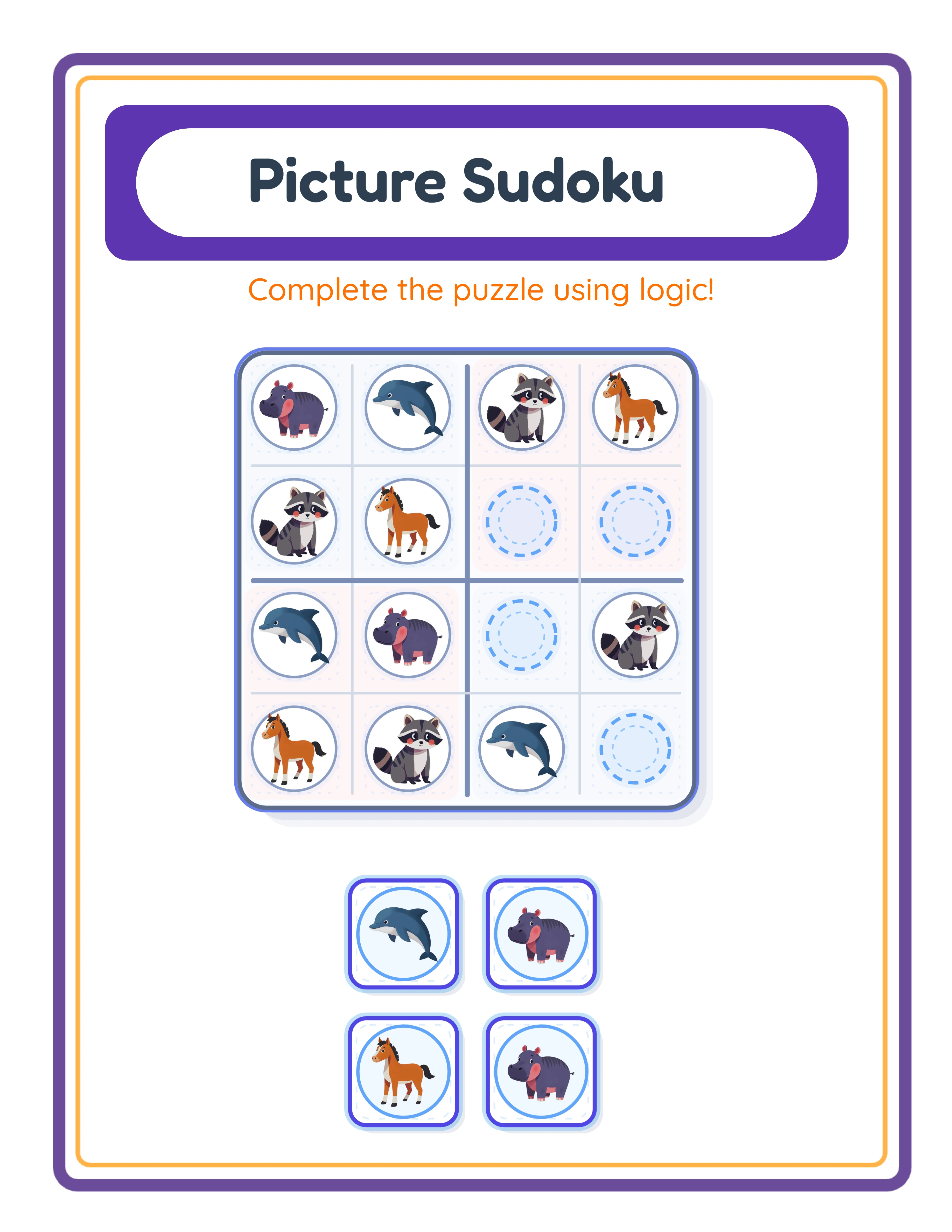
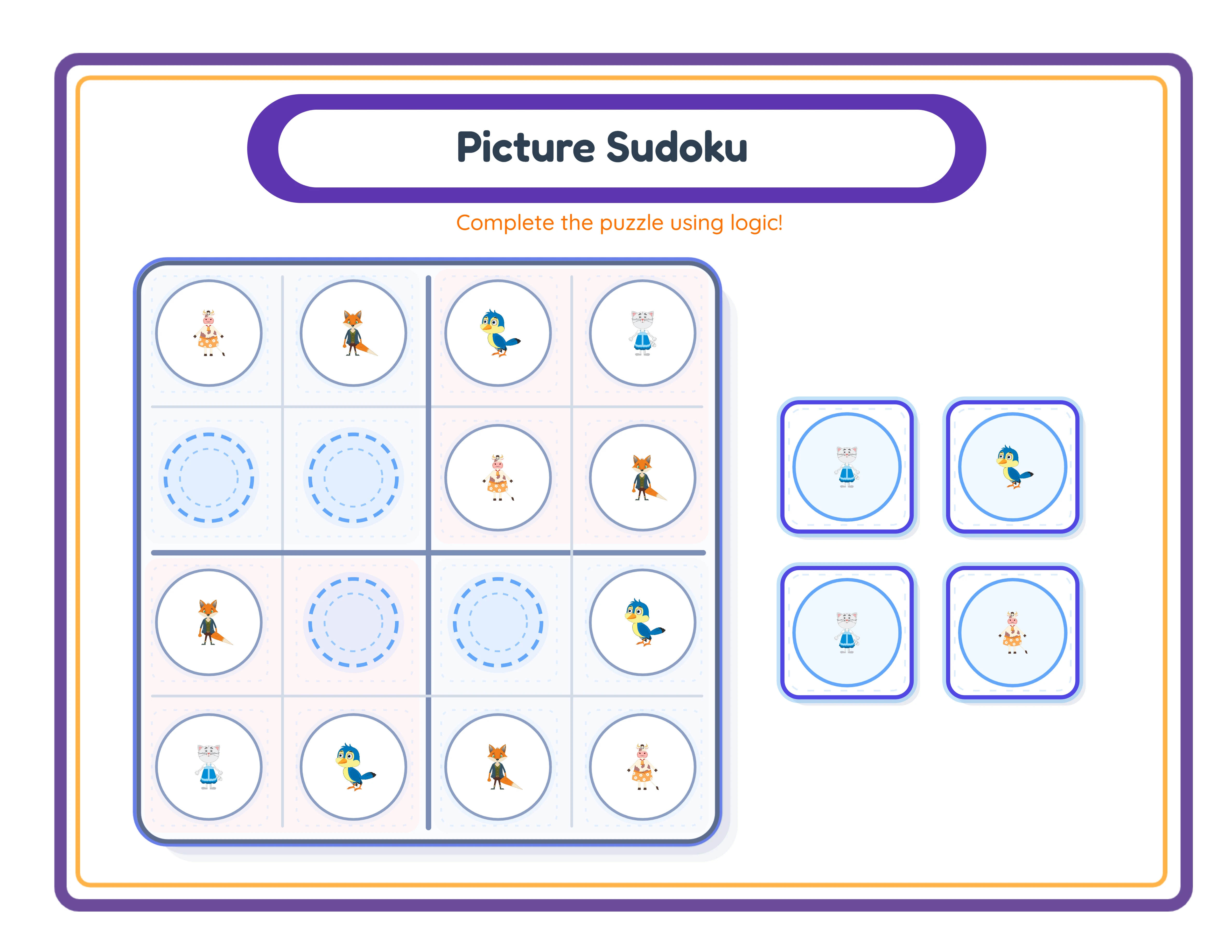
Sudoku beginner worksheet

Easy 4×4 picture sudoku

Explorer
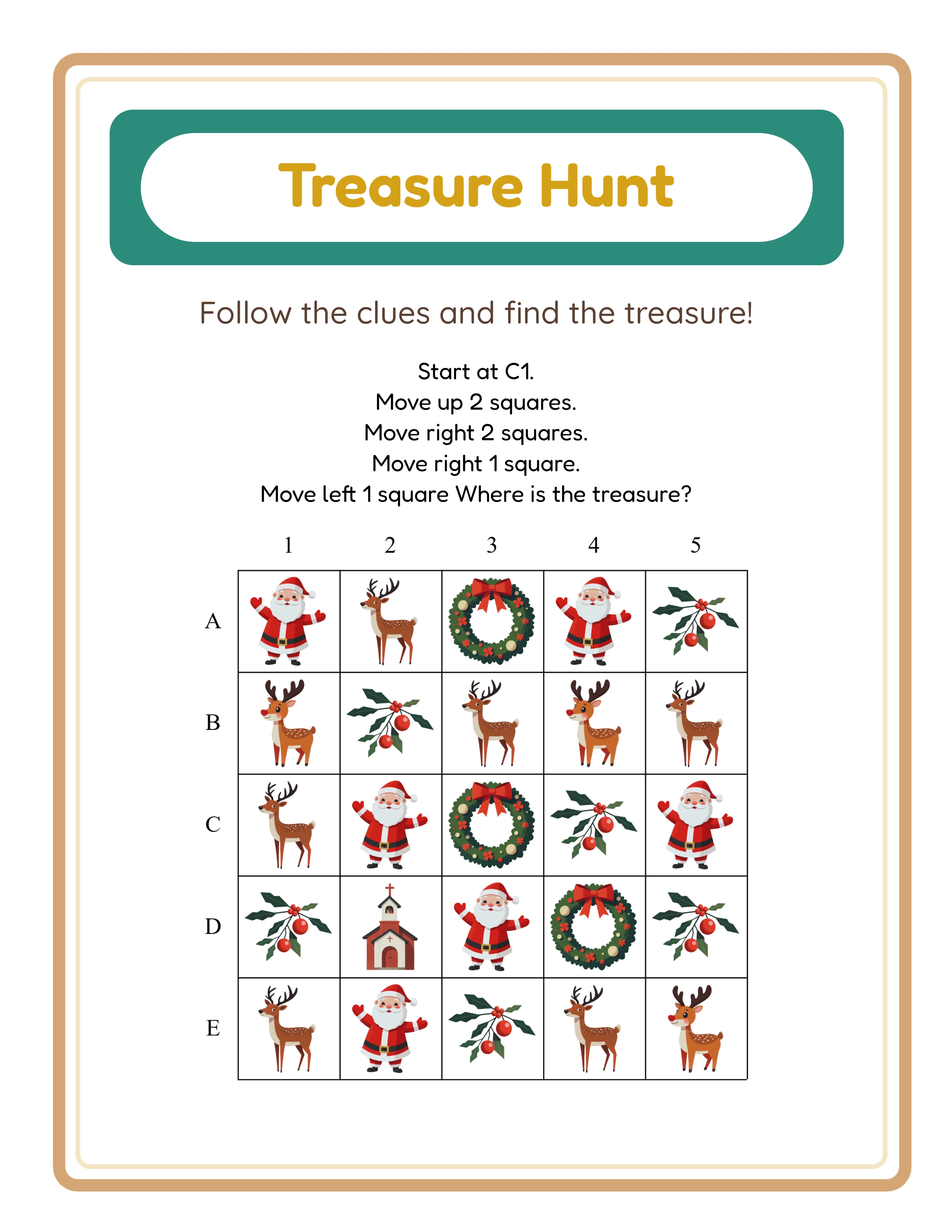
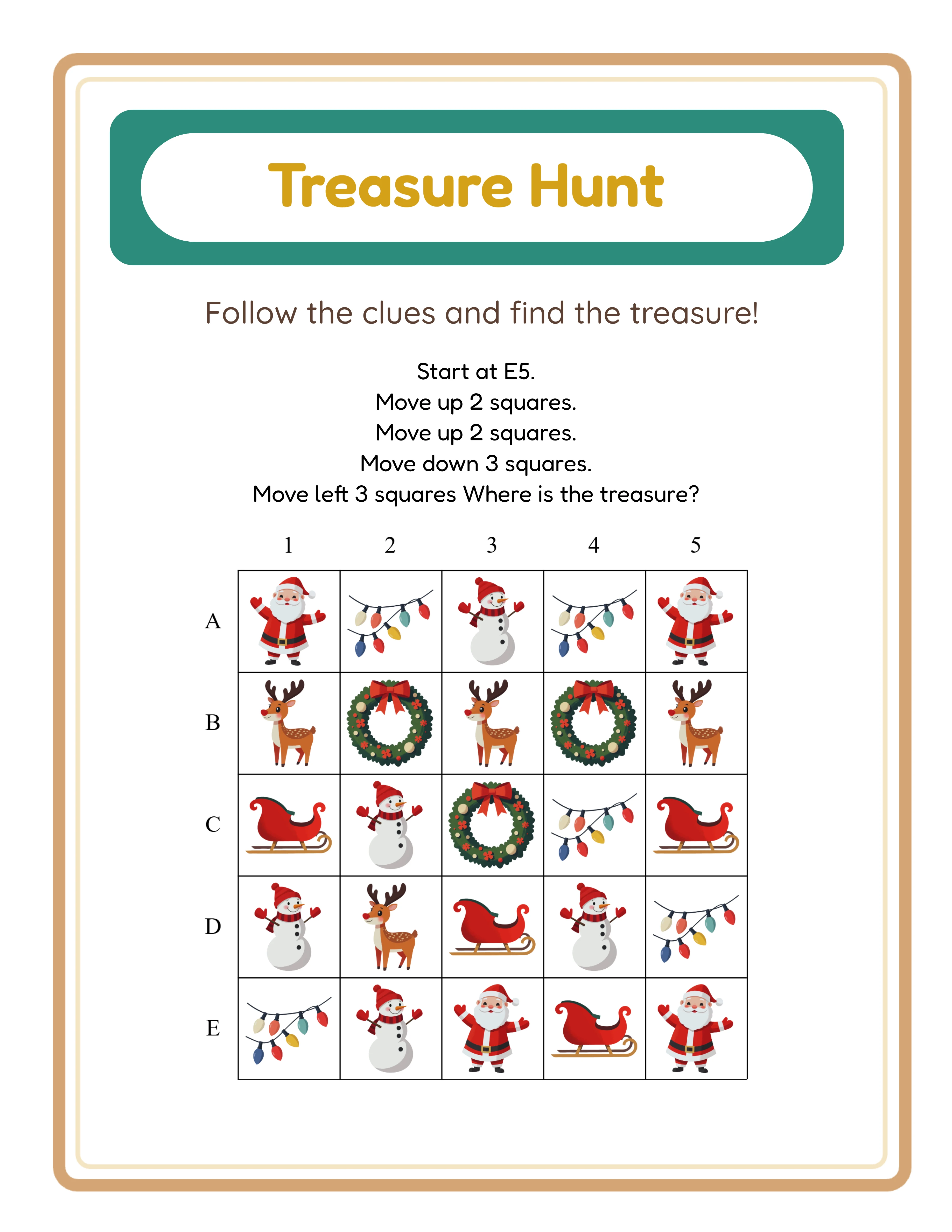
Treasure Hunt intermediate worksheet

Directional treasure maps

Expert
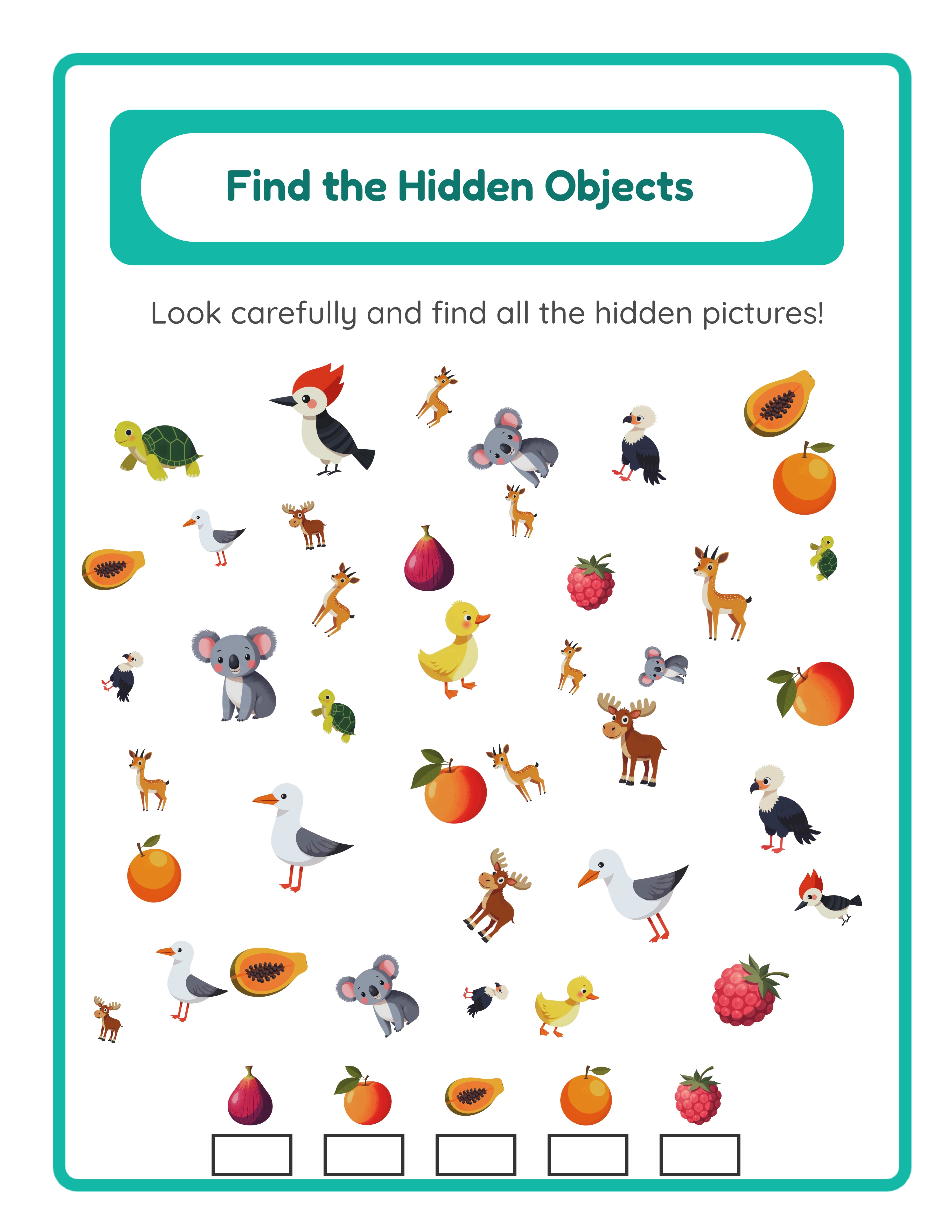
Find Objects advanced worksheet

Complex find challenges

Professional quality at every difficulty level

Platform Tips

Selling Maze Worksheets on Etsy

Maze worksheets perform well on Etsy because they appeal to both educational and entertainment buyers. Parents search for "maze worksheets for kids" and "printable maze activities" as engaging offline activities, while buyers search for "maze puzzles group" and "spatial reasoning worksheets." Title optimization: Front-load your primary keyword and include mode, theme, and age group. Strong examples: "Maze Worksheets for Kids Ages 4–7 — Dinosaur Theme — 30 Printable Mazes with Answer Keys" or "Picture Pathway Activity Sheets — Ocean Animals — Preschool Puzzle Worksheets PDF." Tags: Use all 13 Etsy tags. Mix broad and specific: "maze worksheets," "printable mazes for kids," "maze activity book," "spatial reasoning worksheets," "preschool puzzles," "picture maze printable," "maze with answer key," "kids puzzle worksheets," and theme-specific tags. Listing images: Show the maze clearly in your first image — the full worksheet at a slight angle with a pencil nearby for context. Include a second image showing the answer key with the solution path highlighted. Add close-ups of collectible counting (Classic Maze) or directional choices (Choose Path) as additional images. For bundles, show a spread of multiple maze pages to communicate volume. Pricing: Individual maze worksheets (1–3 pages): $1.49–$2.49. Themed mini-bundles (10–15 mazes): $3.99–$6.99. Complete maze activity books (30–50 mazes): $7.99–$14.99. Multi-mode mega bundles: $16.99–$24.99.

Selling Maze Activity Books on Amazon KDP

Amazon KDP is ideal for maze products because mazes naturally compile into activity books. A 50-page maze activity book with progressive difficulty is a strong KDP product that competes well in the children's activity book category. Product structure: Start with easier mazes (15x15 grid, Picture Pathway mode) and progress to harder mazes (20x20 grid, Classic Maze with multiple paths). Place all answer keys at the back. Include a simple introduction page explaining each maze type. This difficulty progression adds perceived value and makes the book suitable for extended use. Title and subtitle: KDP allows detailed metadata. Example title: "Maze Activity Book for Kids Ages 4–8." Example subtitle: "50 Themed Picture Mazes, Classic Mazes, and Path Puzzles with Answer Keys — Dinosaur, Ocean, and Space Adventures." Keywords: KDP provides 7 keyword slots. Use phrases buyers search for: "maze book for kids," "printable maze activity book," "picture maze puzzles," "kids puzzle book ages 4–8," "maze worksheets with answers," "spatial reasoning activities children," "no-screen activity book." Interior formatting: Use 8.5x11 inch trim size for maximum maze area. Ensure walls print clearly at standard book resolution (300 DPI). Test print before publishing — thin walls and low-opacity settings may not reproduce well in paperback format. Pricing: KDP maze activity books (50–80 pages) sell well at $5.99–$8.99. Thicker books (100+ pages) can command $9.99–$12.99. Amazon's print-on-demand model means no inventory risk.

Selling Maze Worksheets on Gumroad

Gumroad (Gumroad) buyers value maze worksheets as spatial reasoning activities that align with early math and geometry standards. Mazes also serve as group brain breaks — short puzzle activities that give solvers a mental reset between academic lessons. Product descriptions on Gumroad should include: grade level range, specific skills practiced (spatial reasoning, counting, directional awareness, problem-solving), number of maze pages, maze modes included, whether answer keys are included, and any alignment to educational standards (spatial reasoning appears in geometry standards across most frameworks). Preview files: Gumroad allows preview uploads. Include 2–3 sample maze pages showing different modes — one Picture Pathway, one Classic Maze, and one Choose the Right Path. This demonstrates the variety in your product and helps buyers see exactly what they are buying. Gumroad-specific positioning: Frame mazes as "problem-solving centers" or "spatial reasoning stations." Buyers search for activities to fill specific group needs: "early finisher activities," "brain break puzzles," "indoor recess activities," "sub tub fillers," and "morning work." Maze worksheets fit all of these use cases. Bundling on Gumroad: Create themed bundles by season or subject. A "Fall Maze Activity Pack" with harvest, pumpkin, and forest themes, or a "Transportation Maze Bundle" with vehicles, planes, and boats. Buyers purchase bundles to stock their resource libraries for extended periods.

Picture Path Showcase

See What You Can Create!
Featured picture path worksheet
Find the Way!Maze & PathWith Answer Keys

Monetization Strategies

Pricing Maze Worksheet Products

Maze worksheets command competitive pricing because they are perceived as premium puzzle content — more complex than standard fill-in-the-blank worksheets and more replayable than single-use activities. Single maze worksheets with answer key: $1.49–$2.49. These work as entry-point products to attract buyers to your shop. Each worksheet should include one maze and its corresponding answer key. Themed mini-bundles (8–15 mazes): $3.99–$6.99. Group mazes by theme and include multiple grid sizes for difficulty variety. A "Space Explorer Maze Pack — 12 Mazes with Answer Keys" is a clear, searchable product. Mode-specific bundles (20–30 mazes): $7.99–$12.99. Create bundles focused on a single game mode across multiple themes. "Classic Maze Collection — 25 Wall Mazes with Collectible Counting" targets buyers who want a specific puzzle type. Complete activity books (40–60+ mazes): $12.99–$24.99. Include all three modes, progressive difficulty, multiple themes, and full answer key sections. Position these as comprehensive resources that last weeks or months. Do not underprice your maze products. Mazes involve algorithmic complexity that buyers cannot easily replicate with basic online tools. The collectible counting feature, directional variants, and themed imagery add genuine value that justifies mid-range pricing.

Bundling Strategies for Maze Products

The three game modes in the Picture Path Maze Generator create natural bundling opportunities that other maze tools cannot match. Mode variety bundles: Include all three maze types in a single product. "3-in-1 Maze Activity Pack: Picture Pathways + Classic Mazes + Path Challenges" offers genuine variety that justifies premium pricing. Each mode exercises different cognitive skills, making the bundle more educationally comprehensive. Theme bundles: Group 10–20 mazes sharing a theme across all modes. "Dinosaur Maze Adventure — Picture Pathways, Classic Mazes, and Path Challenges" creates a themed product with depth. Difficulty progression bundles: Start with 15x15 grids and simple paths, progressing to 20x20 grids with multiple paths and longer routes. Market these as "leveled maze books" for group differentiation. Cross-product bundles: Pair maze worksheets with other puzzle generators for comprehensive activity collections. Mazes plus word searches plus picture sudoku creates a "Puzzle Activity Super Bundle" that commands $19.99–$29.99. Seasonal collections: Halloween mazes (spooky themes, orange walls), Christmas mazes (winter themes, red and green walls), Valentine's Day mazes (heart decorations, pink walls). Seasonal products create urgency and tap into predictable demand spikes. Always list individual mazes alongside bundles. Individual listings expand your keyword coverage across marketplace search, while bundles drive higher average order value.

Maximizing Product Variety from One Tool

The Picture Path Maze Generator offers more product variation potential than almost any other single worksheet tool. Here is how to systematically exploit this variety. Three modes times six grid sizes gives 18 base configurations before adding themes. With 100+ themes available under Full Access, the mathematical product count is staggering. In practice, focus on the 15–20 most searched themes and create products at 3–4 difficulty levels in each mode. Directional variants in Choose the Right Path mode quadruple your output for that mode alone. A bottom-to-top maze and a left-to-right maze using the same theme and grid size are different products that test different spatial skills. Collectible configuration in Classic Maze mode adds another variation axis. A maze with 2 collectible images at 1–3 copies each creates a different counting challenge than one with 4 collectible images at 2–10 copies each. Vary collectible settings across worksheets within a bundle for built-in variety. Wall appearance variations let you create visually distinct product lines. A "Pastel Maze Collection" with light-colored, thick walls targets a different aesthetic than a "Bold Maze Challenge" with dark, thin walls. Page size duplication: Create every product in both US Letter and A4 formats. This doubles your international market reach with no additional creative work — just change the page size setting and re-export. The key is systematic production. Create a product matrix listing modes, themes, grid sizes, and page formats. Work through the matrix methodically, and you will build a large catalog efficiently.

Examples

Preschool and Kindergarten Maze Products

Younger children need simpler mazes with larger visual elements and clear directional cues. Here are product configurations optimized for ages 3–6. Picture Pathway — Animals (Ages 3–5): Use 15x15 grid, farm animal theme. Assign a barn as the Start Image and a farmer as the End Image. Add animal Decoration images to fill space. Create 10 mazes per theme with simple, short paths. Bundle as "Farm Animal Maze Fun for the preschool-age market — 10 Picture Pathway Worksheets." Picture Pathway — Vehicles (Ages 4–6): Use 16x16 grid, vehicle theme. Start Image: garage. End Image: gas station. Distractor Images: traffic signs. Create a "Vehicle Adventure Maze Pack" with 12 mazes across cars, trucks, and planes sub-themes. Classic Maze — Easy (Ages 5–6): Use 15x15 grid with 1 path, path length 4–8. Assign 2 collectible images with 1–2 copies each. Wall thickness at 5–7px for clear visibility. Green walls on white background. This creates simple counting-plus-navigation activities perfect for kindergarten. Choose the Right Path — Introduction (Ages 5–6): Use 15x15 grid with 2 paths, bottom-to-top direction. Keep the maze simple with a clear correct choice. Theme with animals or food for maximum appeal. Bundle 8–10 worksheets as "Which Way? Path Puzzles for Kids." For all preschool/kindergarten products, include large name fields, use thick walls, and keep grid sizes at 15x15 or 16x16. Simplicity and visual clarity are essential at these ages.

Elementary and Advanced Maze Products

Older children and advanced puzzlers need denser mazes with more challenge and deeper cognitive engagement. Here are configurations for ages 6–10+. Classic Maze — Intermediate (Ages 6–8): Use 17x17 or 18x18 grid with 2 paths, path length 10–20. Assign 3 collectible images with 2–5 copies each. Wall thickness at 3–4px. Create themed bundles: "Ocean Explorer Maze Book — 20 Classic Mazes with Collectible Counting." The counting mechanic adds math practice to the navigation challenge. Classic Maze — Advanced (Ages 8+): Use 19x19 or 20x20 grid with 3 paths, path length 15–30. Assign 4 collectible images with 3–10 copies each. Thin walls (2–3px) at full opacity create dense, challenging corridor networks. Market as "Expert Maze Challenge — Advanced Puzzle Worksheets." Choose the Right Path — Multi-Direction Set (Ages 7–9): Create a bundle where each worksheet uses a different direction (bottom-to-top, top-to-bottom, left-to-right, right-to-left). Use 18x18 grid with 3 paths. Theme with adventure imagery (space, pirates, treasure). "Directional Maze Challenge — 4 Orientations, 20 Puzzles" differentiates your product from standard mazes. Multi-Mode Activity Books (Ages 5–9): Combine all three modes into a single book. Start with 10 Picture Pathway mazes (easiest), progress to 15 Classic Mazes (intermediate), and finish with 10 Choose the Right Path challenges (hardest). Include answer keys at the back. This structure creates a premium product that serves a wide age range and justifies higher pricing at $12.99–$19.99. For group products, create sets of 25–30 identical-difficulty mazes in a single mode so buyers can distribute one per solver. Same theme, same grid size, but unique maze layouts thanks to the algorithmic generation.

Sample Worksheets

Picture pathway maze worksheet with themed images for preschool and kindergarten
Picture Pathway mode: children follow a visual path from start image to end image through themed decorations
Classic maze worksheet with collectible counting and answer key
Classic Maze mode with collectible images and automatic answer key showing solution path and counts

Theme Images

Antelope — themed educational image
Antelope
Bat — themed educational image
Bat
Camel — themed educational image
Camel
Cat — themed educational image
Cat
Dog — themed educational image
Dog

Professional Worksheet Gallery

Clean, polished layouts ready for your business

Sudoku professional worksheet
Sudoku
Treasure Hunt professional worksheet
Treasure Hunt
Find Objects professional worksheet
Find Objects
Print-ReadyProfessional QualityMultiple FormatsAnswer Keys

Frequently Asked Questions

What game modes does the Picture Path Maze Generator support?
The generator supports three game modes. Picture Pathway creates visual path-following mazes where children trace a route between themed images. Classic Maze generates traditional wall-based mazes with collectible images that children count along the solution path. Choose the Right Path presents directional mazes with multiple route options where only one leads to the correct destination. Each mode creates a fundamentally different type of maze product.
How does the collectible counting feature work in Classic Maze mode?
In Classic Maze mode, you assign 1 to 4 unique collectible images with configurable minimum and maximum copies of each (1–3 min, 1–10 max). These images appear along the maze corridors with count labels. Children navigate the maze and count how many of each collectible they find on the correct path. The answer key automatically shows the total count per image type, making it a dual-skill worksheet: navigation plus counting.
What grid sizes and difficulty levels are available?
The generator offers six grid sizes: 15x15, 16x16, 17x17, 18x18, 19x19, and 20x20. Larger grids create more complex mazes. For Classic Maze and Choose the Right Path modes, you can also configure the number of paths (1, 2, or 3) and path length (4–30 cells). Direction can be set to four orientations in Choose the Right Path mode. These controls let you create mazes for any age group from preschool to advanced.
Can I customize the wall appearance in the mazes?
Yes. Classic Maze and Choose the Right Path modes provide wall color (any color via color picker), wall thickness (1–10 pixels), and wall opacity (10–100%) controls. This lets you create themed wall styles: green for jungle mazes, blue for ocean mazes, orange for Halloween mazes. Wall customization helps your products stand out visually on marketplace listings.
Does the generator create answer keys for all maze modes?
Yes. Every maze mode generates an automatic answer key showing the correct solution path highlighted from start to finish. Classic Maze answer keys include an additional feature: the total count of each collectible image along the solution path. Answer keys export as both PDF and JPEG, separate from the worksheet file.
Can I sell the maze worksheets I create on Etsy and Amazon KDP?
Yes. A commercial license gives you full rights to sell generated maze worksheets on any platform including Etsy, Amazon KDP, Gumroad, Gumroad, Creative Fabrica, and your own website. There are no royalty fees or per-sale charges. You keep 100% of your sales revenue after marketplace fees.
What is the refund policy for commercial licenses?
Every generator offers a free trial with watermark so you can test all three game modes, create sample mazes at every grid size, and evaluate output quality before purchasing. Because you can fully evaluate the product before buying, all commercial license sales are final. This is standard practice for digital product tools where the full product can be previewed before purchase.

Ready to Start Creating?

Try any generator free with watermark. No signup required.

Browse All Generators