How to Create Treasure Hunt Worksheets

Treasure hunt worksheets are a uniquely engaging path-finding activity where solvers follow sequential directional clues to locate hidden treasure on a 5×5 coordinate grid labeled with letter rows (A–E) and number columns (1–5). The format combines coordinate literacy with directional vocabulary — solvers read a start position, follow exactly 4 directional moves across the grid, and determine which cell contains the treasure. Because the Treasure Hunt Maker offers two direction types — basic (up/down/left/right) for younger learners and cardinal (north/south/east/west) for older solvers — every puzzle naturally differentiates by age group. Parents use them for spatial reasoning practice at home. Buyers use them for coordinate grid introduction and directional vocabulary lessons. Tutoring centers use them for sequential instruction-following activities. This guide walks you through the entire creation process using the Treasure Hunt Maker — from choosing a direction type and populating the grid with 6 themed images to reviewing the auto-generated answer key with its pale yellow highlighted treasure cell, leveraging fully localized directional clues in 11 languages for multilingual product lines, and exporting production-ready files. Whether you are building your first path-finding product or expanding an existing worksheet catalog with coordinate grid activities, you will have a finished product ready to list by the end of this tutorial.
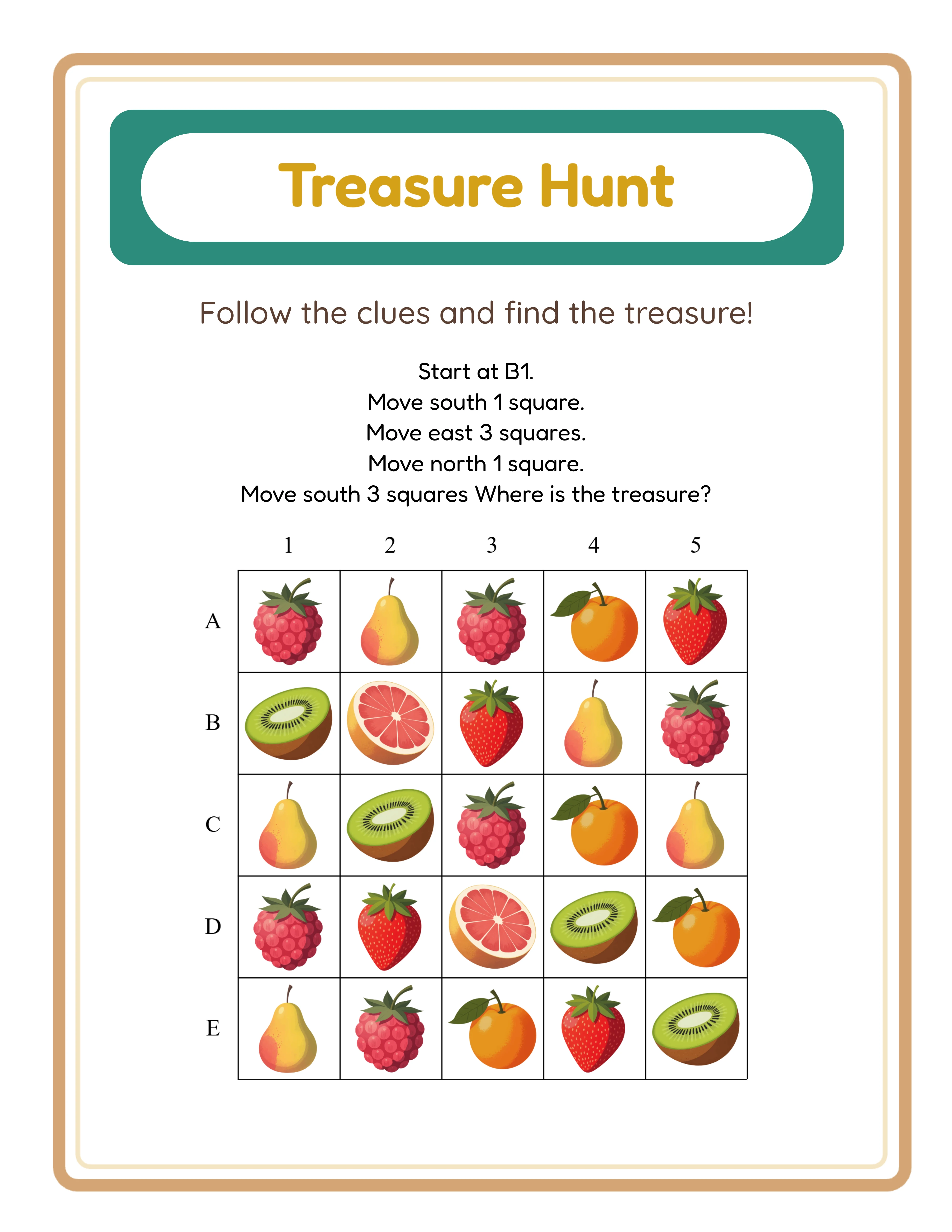
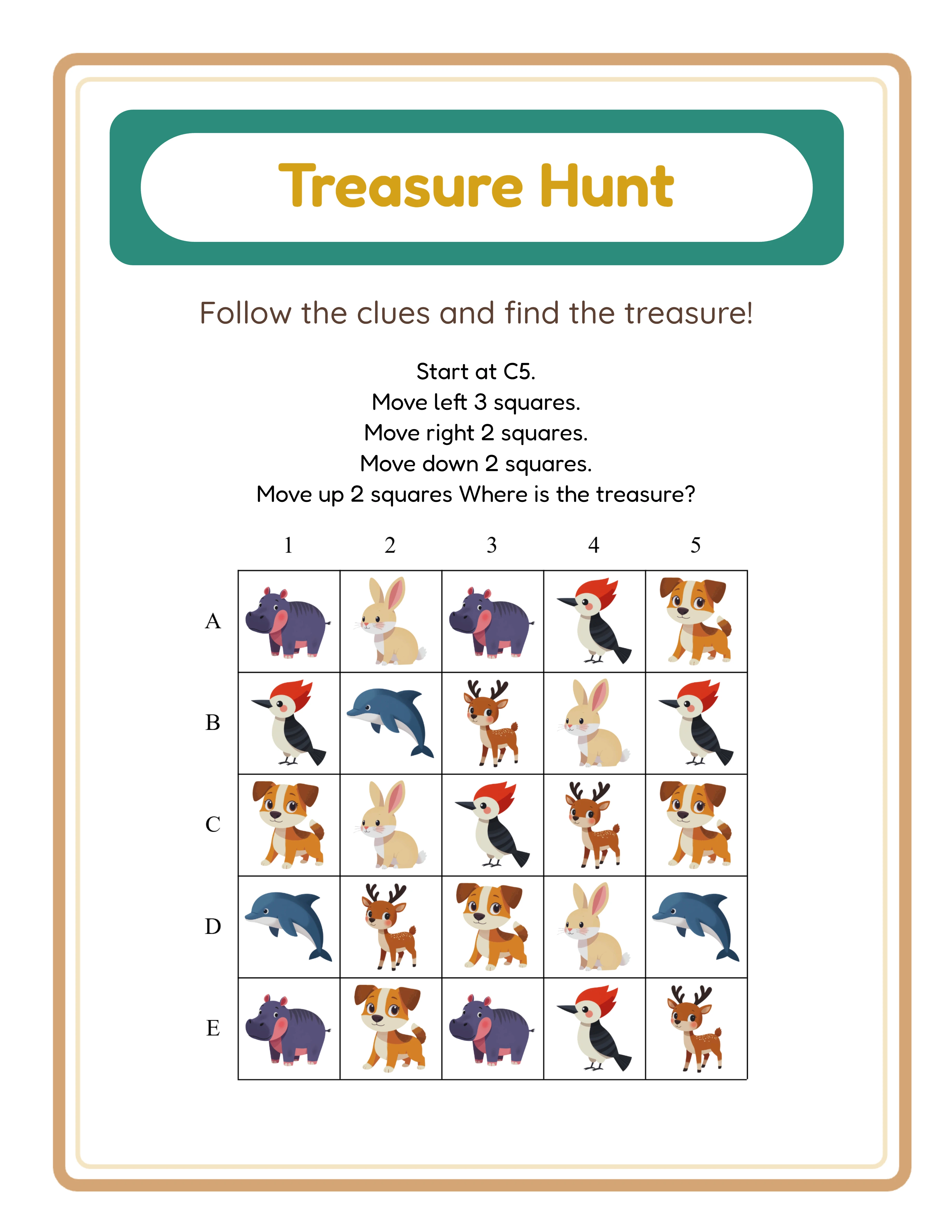
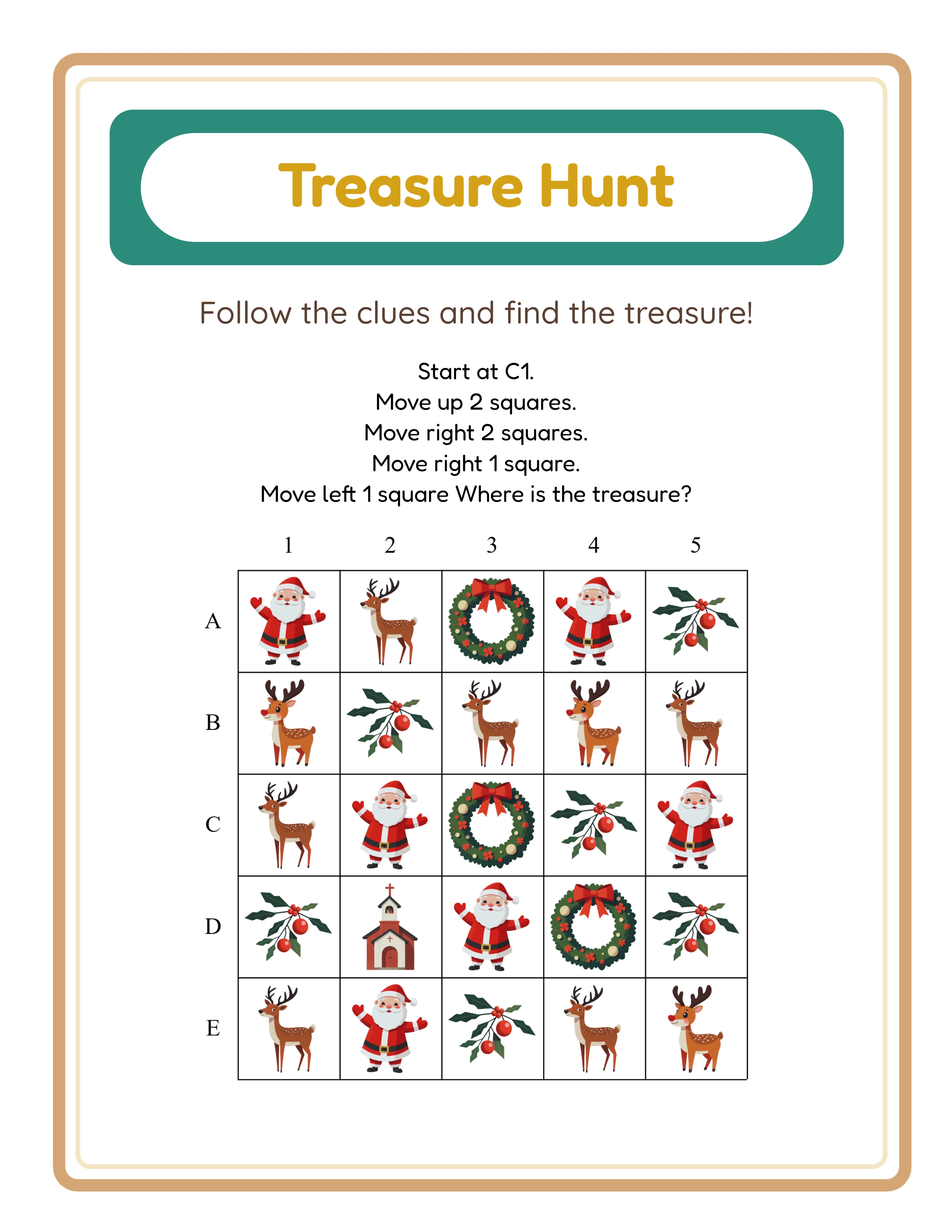
Treasure hunt path-finding worksheet with 5 by 5 coordinate grid, 6 scattered themed images as landmarks, directional clues, and treasure-themed teal header with golden Fredoka title
Professional Printables

How to Create Treasure Hunt Worksheets

Create stunning treasure hunt worksheets your customers will love

Treasure Hunt worksheet sample 1
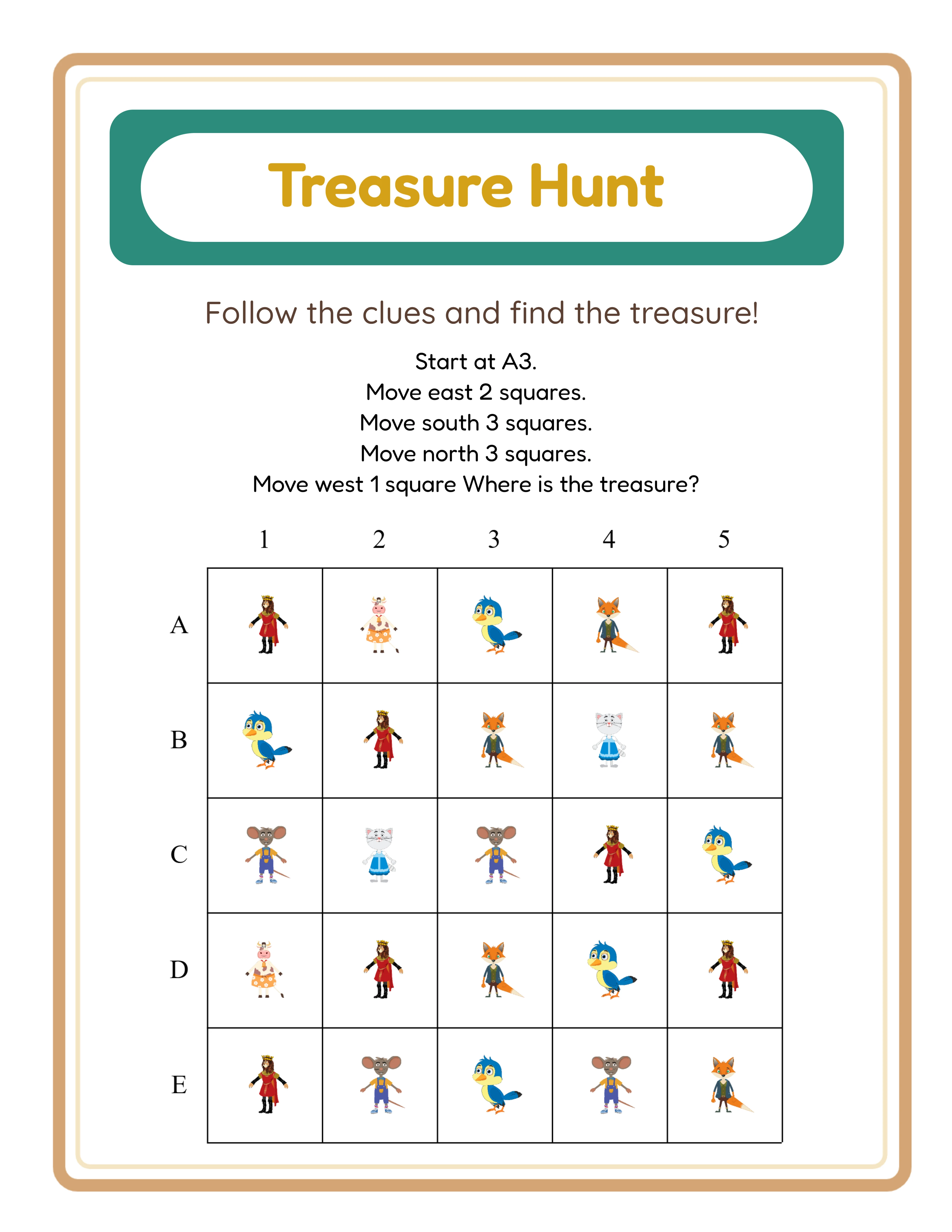
Treasure Hunt worksheet sample 2
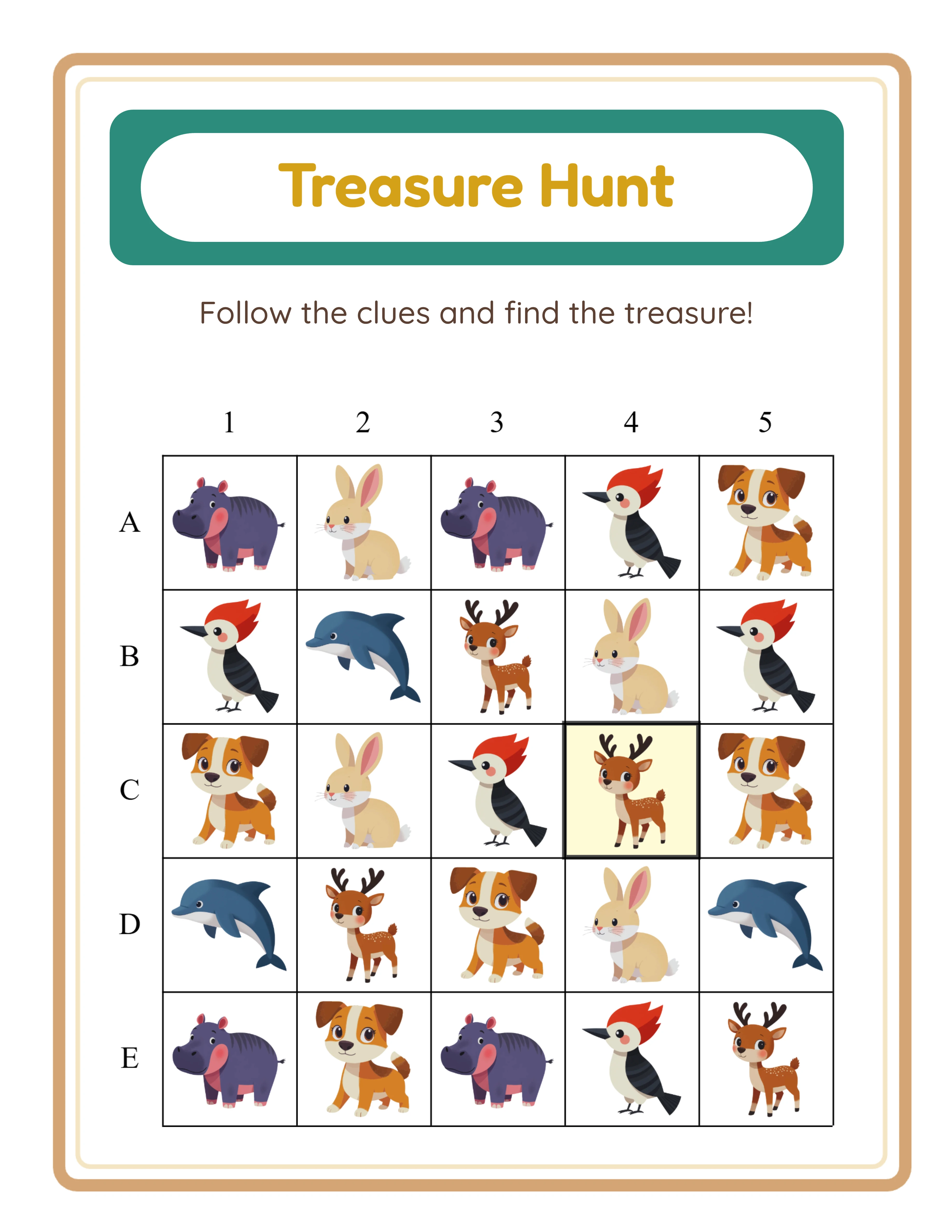
Treasure Hunt worksheet sample 3
Map AdventuresAnswer KeysPrint-ReadyFree Trial with Watermark

Introduction

Coordinate literacy and directional reasoning are foundational cognitive skills that develop throughout early childhood and elementary education. Before children can navigate maps, read charts, or solve spatial problems, they must learn to interpret grid references and follow sequential directional instructions. Treasure hunt worksheets train both skills simultaneously by presenting a 5×5 coordinate grid and asking solvers to follow exactly 4 directional moves from a start cell to a hidden treasure destination. This makes path-finding worksheets a high-demand product with applications spanning preschool spatial awareness through elementary geography readiness. What makes treasure hunt worksheets particularly powerful as a printable product is the two direction types that create natural age-tier differentiation. Basic mode uses up, down, left, and right — familiar spatial vocabulary suited for pre-K through 1st grade learners building foundational directional skills. Cardinal mode uses north, south, east, and west — compass directions suited for 2nd grade and above, introducing map-reading concepts and geographic orientation. Both modes generate the same 4-move puzzle structure on the same 5×5 grid, so sellers can create progressive difficulty sets within a single bundle simply by switching the direction type. This built-in age differentiation means every themed puzzle design produces at least two distinct products without additional creative effort. Unlike purely visual worksheets such as shadow matching or odd one out puzzles that contain no language-specific text, treasure hunt worksheets are language-sensitive. All directional clue text — "Start at," "Move," direction vocabulary, "square(s)," and "Where is the treasure?" — translates fully into all 11 supported languages. This creates a significant multilingual product opportunity: one puzzle design generates 11 authentic native-language versions, each sellable in its respective market. For sellers targeting international buyers, the localized format turns a single creation session into a multilingual product line that text-heavy worksheets cannot match without expensive manual translation. The Treasure Hunt Maker handles the complexity of creating these activities through an automated puzzle generation system. Six themed images from 104 collections with over 3,100 illustrations scatter across the 25-cell grid as visual landmarks. The generator picks a random start cell and creates exactly 4 directional moves that stay within grid bounds, producing a valid solvable puzzle every time. The dual-canvas system generates both a worksheet and an answer key simultaneously, with the treasure cell highlighted in pale yellow (#FFFACD at rgba 0.8 opacity) and a dark gray stroke for immediate visual identification. A treasure-themed header with teal background (#2C8C7C) and golden Fredoka title (#D4A017) frames every puzzle with professional polish. Every feature mentioned in this guide is available in the free trial with watermark. You can create sample treasure hunt worksheets, test both direction types, experiment with all 104 themes, evaluate the localized directional clues, review answer key quality, and verify print output before purchasing a commercial license.
Try It Free with Watermark

Try any generator free with watermark. No signup required.

Tutorial

1

Open the Treasure Hunt Maker

Navigate to the Treasure Hunt Maker page and click the launch button to open the generator in your browser. The tool loads instantly with a settings sidebar on the left and a dual-tab canvas on the right — one tab for the treasure hunt worksheet, one for the answer key. No account creation, no software download, no installation required. The dual-tab canvas is the core of the Treasure Hunt generator. The worksheet tab shows the 5×5 coordinate grid with scattered themed images, the directional clue instructions, and the treasure-themed header. The answer key tab shows the identical grid layout with the treasure cell highlighted in pale yellow for instant verification. Both tabs generate simultaneously when you click Generate, so answer keys are always perfectly synchronized with the worksheet. Take a moment to explore the sidebar panels. The Puzzle Setup panel controls your direction type and content language. The Image Library panel provides access to 104 themed collections with over 3,100 illustrations. The Page Setup panel handles layout and decoration options. These three panels contain everything you need to configure a complete treasure hunt worksheet.
2

Choose Your Direction Type

The Treasure Hunt Maker offers two direction types, and selecting the right one determines the vocabulary and age-appropriateness of your worksheet. Basic mode uses up, down, left, and right. These familiar directional words are ideal for pre-K through 1st grade learners who are building foundational spatial vocabulary. Young solvers already understand these terms from everyday experience, so the cognitive challenge focuses on following sequential instructions on a grid rather than learning new directional words. Basic direction treasure hunts make excellent introductory path-finding activities for early childhood stores and homeschool families. Cardinal mode uses north, south, east, and west. These compass directions introduce map-reading skills and geographic orientation, making them suited for 2nd grade and above. Solvers must mentally map compass directions onto the grid — north is up, south is down, east is right, west is left — adding a vocabulary translation layer on top of the path-finding challenge. Cardinal direction treasure hunts serve geography units, science map activities, and any content library that includes compass skills. Both direction types generate the same 4-move puzzle structure on the same 5×5 coordinate grid. This consistency is a product design advantage: you can create progressive difficulty sets by starting with Basic direction worksheets and advancing to Cardinal direction versions using identical themes and images. A single themed bundle containing both direction types serves a wider age range and provides more value per purchase.
3

Configure the Puzzle Grid and Language

Every treasure hunt puzzle uses a fixed 5×5 coordinate grid with rows labeled A through E and columns labeled 1 through 5. This letter-number coordinate system teaches the same grid reference skills used in geography, mathematics, and map-reading. Solvers practice reading coordinates like "Start at B3" or "Move to D1," building familiarity with the row-column reference format they will encounter in later academic contexts. Every puzzle contains exactly 4 directional moves. The generator picks a random start cell and creates 4 sequential moves that stay within grid bounds, producing a valid solvable puzzle every time. The worksheet displays 5 instruction lines: "Start at [cell]" followed by 4 "Move [direction] [number] square(s)" clues, ending with "Where is the treasure?" This consistent structure makes worksheets predictable for solvers and easy to package into structured activity sets. Select the content language to control the directional clue text. The Treasure Hunt Maker is language-sensitive — all directions translate fully into 11 supported languages: English, German, French, Spanish, Portuguese, Italian, Dutch, Swedish, Danish, Norwegian, and Finnish. "Start at," "Move," direction vocabulary for both Basic and Cardinal modes, "square(s)," and "Where is the treasure?" all localize completely. This produces authentic native-language treasure hunt worksheets, not English puzzles with translated headers. For sellers targeting international markets, switching languages generates an entirely new sellable product from the same puzzle design.
4

Add Themed Images to the Grid

Open the Image Library panel and choose how to populate the coordinate grid with 6 themed landmark images. Three input methods give you different levels of control over the visual content. Generate from Theme is the default and fastest method. Select a theme from the 104 available collections and the generator auto-selects 6 random images, scattering them across the 25-cell grid as visual landmarks. Each click of Generate produces a completely different arrangement with different images from the same theme. This method is ideal for rapid batch production where you need many unique puzzles quickly. Manual Image Selection lets you browse 104 themed collections with over 3,100 colorful illustrations — animals, food, vehicles, nature, holidays, professions, sports, seasons, and dozens more. Click to choose exactly 6 images for precise control over which landmarks appear on the grid. This method is ideal when you want specific visual content, such as ensuring a dinosaur theme shows the most recognizable species. Upload Custom Images lets you add your own JPEG, PNG, GIF, or WebP files alongside library content. Custom uploads create unique products that no competitor can replicate. Store mascot treasure hunts, branded educational puzzles, and personalized family activity sheets become exclusive products impossible to find elsewhere. Images with colorful, distinct illustrations work best as grid landmarks because they help solvers visually orient themselves while following directional clues. The 6 scattered images serve as waypoints that make the grid engaging and help younger learners track their position across moves.
5

Set Page Layout and Decorations

In the Page Setup section, select your page size. Options include Letter Portrait, Letter Landscape, A4 Portrait, A4 Landscape, Square (1200 by 1200 pixels), and custom dimensions. Letter is standard for North American buyers. A4 is standard for European and international markets. Creating both versions doubles your market reach with minimal additional effort. Page orientation affects the puzzle layout. Portrait mode displays a full treasure-themed header at 100 pixels height with the coordinate grid and clues below. Landscape mode uses a compact header at 70 pixels height to maximize grid space. Choose the orientation that best showcases the grid and gives directional clues adequate display space. Background and border themes work independently, each with its own opacity slider ranging from 0 to 1 in increments of 0.05. Apply a subtle background pattern at 15 to 25 percent opacity for visual warmth without distracting from the coordinate grid and directional clues. Layer a decorative border at 80 to 100 percent opacity for a polished frame. Consistent background and border combinations across a bundle create a cohesive product look that buyers associate with quality. Customize text with 7 font options including Lexend Deca, Baloo 2, Nunito, Quicksand, Fredoka, Arial, and Verdana. Add a text outline from 0 to 10 for additional styling. Toggle name and date fields for structured tracking. The Fabric.js canvas provides 6 alignment options plus center-on-page, layers with lock and unlock, zoom from 25 to 300 percent, and undo and redo with 50 states.
6

Generate the Treasure Hunt Worksheet

Click Generate to create the path-finding puzzle on the 5×5 coordinate grid. The generator scatters your 6 selected images across the 25 cells as visual landmarks, picks a random start cell, and creates exactly 4 directional moves that stay within grid bounds. The worksheet displays 5 instruction lines: "Start at [cell]" followed by 4 "Move [direction] [number] square(s)" clues in your chosen direction type, ending with "Where is the treasure?" The treasure-themed header renders automatically at the top of the worksheet with a teal background (#2C8C7C), amber outer border (#D4A574), sandy beige inner border (#F4E4C1), and golden title (#D4A017) in Fredoka font at 700 weight with adaptive 36 to 48 pixel sizing. The description appears in dark brown (#5C4033) using Quicksand at 500 weight. This professional framing increases perceived quality in marketplace listings. Examine the preview carefully: check that images are well-distributed across the grid, directional clues are readable and use the correct direction type (Basic or Cardinal), and the header text matches your selected language. If anything needs adjustment, modify your settings and regenerate instantly. Click Generate again to produce a completely different puzzle with new random image placement, a new start position, and a new move sequence — even with the same theme and direction type selected. This randomization enables rapid batch production of unique puzzles.
7

Review the Auto-Generated Answer Key

Click the Answer Key tab to see the auto-generated solution. The identical puzzle layout appears — same 5×5 grid, same scattered images, same header — with the final treasure cell highlighted in pale yellow (rgba(255, 250, 205, 0.8)) and a dark gray stroke. The highlighting makes the treasure destination immediately visible without any ambiguity. Switch between the Worksheet and Answer Key tabs to compare and verify the correct treasure location. The answer key generates simultaneously with the worksheet — no manual marking step, no separate design process, no possibility of mismatched answers. This simultaneous generation is a significant time saver when creating large treasure hunt bundles where manually marking answer keys would be prohibitively slow. For product listings, the answer key is a powerful selling point. Products that include answer keys with clear visual markers consistently outsell puzzles-only listings because buyers want self-checking materials. The pale yellow highlighted treasure cell is immediately recognizable and makes verification instant — solvers or parents can check the answer without any ambiguity. Always mention "includes auto-generated answer key with highlighted treasure cell" in your listing titles and descriptions to differentiate from competitors selling path-finding puzzles without solutions.
8

Download All Four Files

The Treasure Hunt Maker produces 4 files per session: worksheet JPEG, worksheet PDF, answer key JPEG, and answer key PDF. Each tab has its own pair of download buttons. All files render at 300 DPI using a 6-times multiplier for JPEG and a 3-times multiplier for PDF, producing print-ready output. Toggle grayscale before downloading for ink-friendly versions ideal for bulk printing and Amazon KDP interiors. Grayscale treasure hunt worksheets maintain full solvability because the puzzles rely on directional text clues and grid coordinates, not color identification. Both color and grayscale versions export at identical resolution. For marketplace listings, export both the PDF (as your deliverable product) and a JPEG (for listing preview images). Show both the worksheet with the coordinate grid and directional clues and the answer key with the pale yellow highlighted treasure cell in your listing images so buyers can see exactly what they are purchasing. To build a complete product bundle, switch themes, change direction types, select different languages, and regenerate. Each generation produces a fresh set of 4 files with new image placement, start position, and move sequence. Ten generation sessions give you 40 production-ready files — a complete treasure hunt bundle ready for listing. Important: the free trial with watermark produces fully functional exports with a visible watermark overlay. This lets you evaluate print quality, verify formatting, and create test prints before purchasing a commercial license. The commercial license removes the watermark from all exports, producing clean files ready for sale.
Skill Levels

Worksheets for Every Level

Three difficulty tiers for differentiated content

Beginner
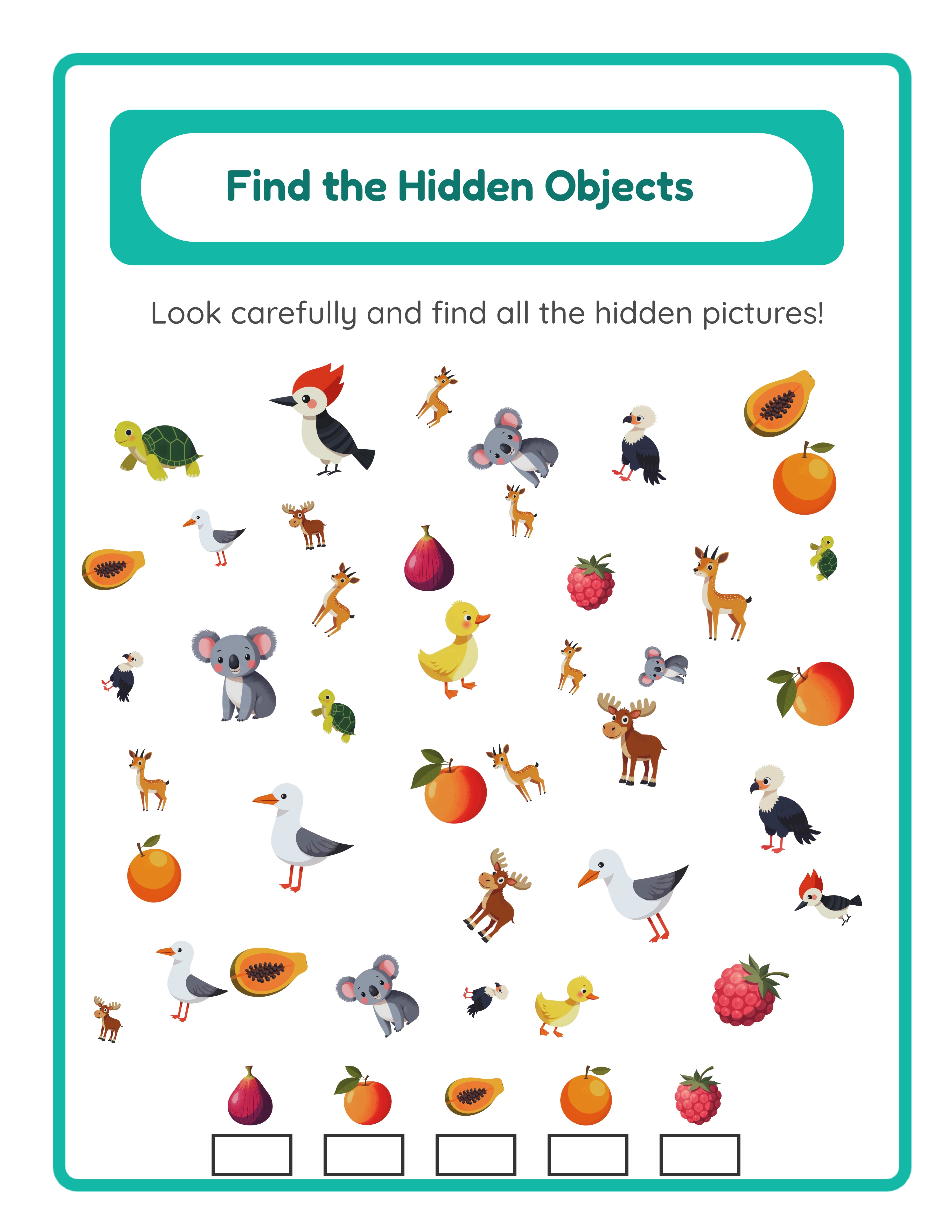
Find Objects beginner worksheet

Simple hidden objects

Explorer
Picture Path intermediate worksheet

Branching pathways

Expert
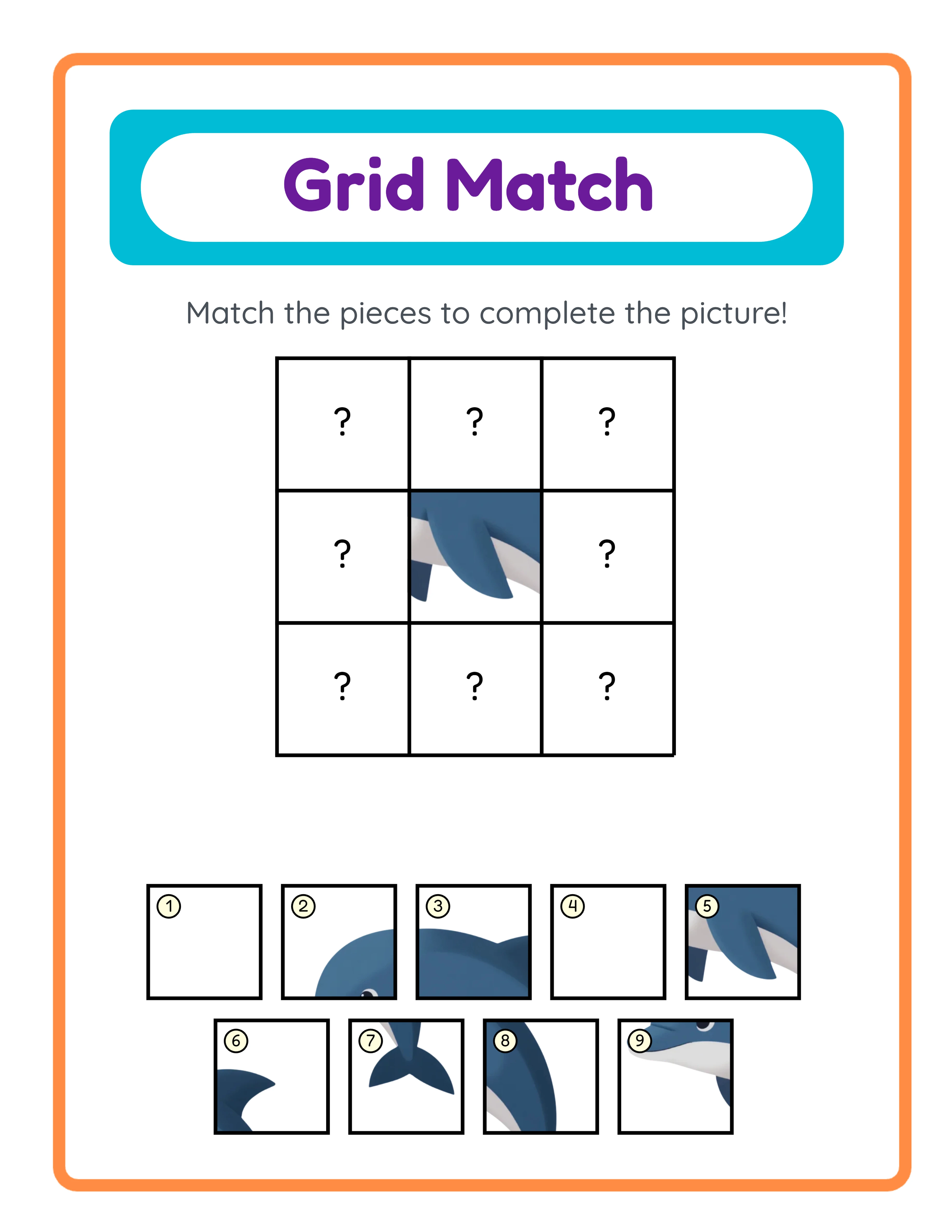
Grid Match advanced worksheet

Advanced 4×4 grids

Professional quality at every difficulty level

Platform Tips

Selling Treasure Hunt Worksheets on Etsy

Etsy is a strong marketplace for treasure hunt worksheets because buyers search for specific path-finding and coordinate grid activity types. Titles like "Treasure Hunt Worksheets — Coordinate Grid Activities — Directional Path-Finding Puzzles — With Answer Keys" capture targeted search traffic. Name your products using the direction type and theme rather than generic titles. "Cardinal Direction Treasure Hunt Worksheets — 20 Compass Puzzles with Answer Keys — Animal Theme" outperforms "Treasure Hunt Activities for Kids" because it matches specific buyer search queries and communicates exactly what the product contains. Tags: use all 13 Etsy tags. Combine broad and specific terms: "treasure hunt worksheets," "coordinate grid activities," "directional puzzles for kids," "path-finding worksheets," "compass direction activities," "printable treasure hunt puzzles," "spatial reasoning worksheets," "map skills activities," and variations matching your specific direction type and theme. Listing images: show the full worksheet with the 5×5 coordinate grid, scattered themed images, and directional clues clearly visible, a close-up of the treasure-themed teal and gold header, the answer key with the pale yellow highlighted treasure cell, and a mockup of the worksheet printed and in use. The coordinate grid format is visually distinctive and makes strong thumbnails. Pricing: individual treasure hunt sets of 10 to 15 worksheets with answer keys sell at $2.99 to $5.99. Direction-type bundles with 20 to 30 worksheets covering both Basic and Cardinal modes sell at $6.99 to $12.99. Complete themed collections across both direction types, multiple themes, and multiple languages sell at $14.99 to $24.99.

Selling Treasure Hunt Worksheets on Amazon KDP

Amazon KDP serves the path-finding activity workbook market. Compile 50 to 80 treasure hunt worksheets into a bound activity book format with progressive difficulty structured by direction type. Structure your workbook in chapters by direction type and theme: early chapters use Basic directions (up, down, left, right) with familiar animal or food themes for accessible introductory puzzles, middle chapters use Basic directions with more varied themes to build confidence, and advanced chapters use Cardinal directions (north, south, east, west) introducing compass vocabulary and map-reading skills. Include answer key pages at the back of each chapter showing the pale yellow highlighted treasure cell. Title and subtitle: example title: "Treasure Hunt Puzzles for Kids." Example subtitle: "80 Coordinate Grid Path-Finding Worksheets with Answer Keys for Ages 3–8 — Follow the Clues, Two Direction Types, 5×5 Grid Activities with Progressive Difficulty." Keywords: KDP provides 7 keyword slots. Use specific phrases: "treasure hunt worksheets," "coordinate grid activity book," "directional puzzles for kids," "path-finding workbook," "compass direction activities," "follow the clues worksheets," "spatial reasoning puzzles for kids." Toggle grayscale for ink-friendly output that prints cleanly in black and white and keeps KDP printing costs low. The coordinate grid, directional clues, and themed images all render clearly in grayscale.

Selling Treasure Hunt Worksheets on Gumroad

Gumroad is ideal for treasure hunt worksheets because coordinate grid skills and directional vocabulary are cross-curricular skills valued across grade levels. Math buyers use treasure hunts for coordinate pair introduction. Geography buyers use Cardinal direction versions for compass skills practice. General education buyers use them for sequential instruction-following activities and morning warm-ups. Product descriptions on Gumroad should include: grade level and direction type, specific skills practiced (coordinate grid reading, directional vocabulary, sequential instruction-following, spatial reasoning), number of worksheets, whether answer keys are included with highlighted treasure cells, direction type used (Basic or Cardinal or both), themes covered, and language availability. Mention that worksheets include name and date fields for structured tracking. Preview files: Gumroad allows you to upload a preview file. Include 2 to 3 sample treasure hunt worksheets showing different themes and both direction types, plus one answer key page with the pale yellow highlighted treasure cell. Show the progression from Basic directions (familiar vocabulary) to Cardinal directions (compass skills). Bundling on Gumroad: buyers buy bundles for entire units. A "Complete Spatial Skills Bundle" with treasure hunts plus maze activities, matching worksheets, and hidden object puzzles gives buyers resources for multiple spatial reasoning lessons. Create differentiated versions within each set — Basic direction treasure hunts for younger learners and Cardinal direction versions for advanced solvers. Platform-specific keywords: "treasure hunt worksheets," "coordinate grid activities," "directional vocabulary," "compass direction puzzles," "path-finding activities," "morning work spatial," "early finisher direction following." These terms match how buyers search for spatial reasoning and direction resources.

Treasure Hunt Showcase

See What You Can Create!
Featured treasure hunt worksheet
Hunt for Treasure!Map ReadingWith Answer Keys

Monetization Strategies

Pricing Your Treasure Hunt Worksheet Products

Treasure hunt worksheet pricing follows predictable patterns across marketplaces. Here are the ranges that perform well: Single direction-type sets with 10 to 15 worksheets and answer keys: $2.99 to $5.99. These serve as entry-point products. Each set focuses on one direction type and one theme, like Basic direction animal treasure hunts or Cardinal direction ocean adventures. Dual direction-type bundles with 20 to 30 worksheets covering both Basic and Cardinal modes across 2 to 3 themes: $6.99 to $12.99. Buyers perceive strong value because they get both age-appropriate direction types with answer keys for every worksheet. The two direction types create natural variety without requiring different visual content. Complete collections with 40 to 60 worksheets covering both direction types, multiple themes from the 104 available collections, and multiple languages: $14.99 to $24.99. Position these as comprehensive coordinate grid activity libraries for a full school year of directional reasoning activities. Do not undercut the market. Treasure hunt worksheets with a 5×5 coordinate grid, two direction types for age differentiation, fully localized directional clues in 11 languages, and auto-generated answer keys with pale yellow highlighted treasure cells are a premium product. The dual direction system and multilingual capability create genuine variety that competitors using simpler tools cannot replicate. Price accordingly.

Bundling Strategies by Direction Type and Theme

Bundles are where revenue scales for treasure hunt products. The two direction types and 104 themed image collections create natural bundling opportunities that multiply your product variety. Direction-type bundles: group 15 to 20 worksheets by direction mode. "Basic Direction Treasure Hunts" and "Cardinal Direction Adventures" target different age groups with clear product positioning. Each direction type creates a distinct skill-level product line from the same themed images. Progressive difficulty bundles: combine Basic direction worksheets at the beginning with Cardinal direction worksheets at the end. Market these as "progressive treasure hunt sets" that grow with the child from pre-K through elementary. The consistent 5×5 grid and 4-move structure across both direction types means the only variable changing is the directional vocabulary, isolating the compass-skill learning progression. Theme-based bundles: compile treasure hunt worksheets by image category. An "Animal Adventures Collection" includes puzzles across both direction types using animal illustrations. An "Ocean Treasure Hunts" pack uses marine-themed images. Each themed bundle with direction-type variety provides dozens of unique puzzles from a focused content category. Multilingual bundles: the fully localized directional clues enable multilingual product packs. Create a themed set in English, then generate the same themes in German, French, Spanish, and other supported languages. A "Multilingual Treasure Hunts" bundle with puzzles in 5 or more languages commands premium pricing and serves ESL buyers, bilingual families, and international education programs. Always list both individual sets and bundles. Individual listings capture specific keyword combinations while bundles drive higher revenue per transaction.

Multilingual Product Strategy with Localized Directional Clues

The fully localized directional clue system creates a competitive advantage that most sellers overlook entirely. Every directional instruction on the worksheet — "Start at," "Move," Basic and Cardinal direction vocabulary, "square(s)," and "Where is the treasure?" — translates into all 11 supported languages. This is not just a translated header on an otherwise English puzzle. The entire solver-facing content localizes, producing authentic native-language treasure hunt worksheets. This means one puzzle design produces 11 sellable language versions. Create a themed treasure hunt set in English, then switch languages and regenerate the same themes in German, French, Spanish, Portuguese, Italian, Dutch, Swedish, Danish, Norwegian, and Finnish. Each language version is a distinct product targeting its respective market with authentic directional vocabulary. To capitalize on this advantage: list language-specific treasure hunt products across Etsy shops targeting different countries. Use localized listing titles and descriptions matching local search terms. Publish language-specific KDP interiors for each international Amazon marketplace. List on Gumroad for ESL and EFL buyers who need directional vocabulary worksheets in target languages. The multilingual approach is especially powerful for treasure hunt worksheets because directional vocabulary is a core part of language learning curricula worldwide. ESL buyers need materials that practice "left/right/up/down" and "north/south/east/west" in target languages. Bilingual families want activities that reinforce spatial vocabulary in both home languages. International homeschool programs need direction-following activities in their instruction language. These are underserved buyer segments that few sellers target because most worksheet tools produce English-only output.

Examples

Product Variations by Direction Type and Age Group

Here are concrete product examples you can create with the Treasure Hunt Maker, organized by direction type and target audience. Preschool and kindergarten level — Basic direction treasure hunts with familiar themes: use animal, food, or toy illustrations that the younger audience immediately recognize. Basic directions (up, down, left, right) use vocabulary children already know, so the challenge focuses on following 4 sequential moves across the coordinate grid rather than learning new words. The 6 scattered images serve as visual landmarks that help young solvers track their position. Package 8 to 10 worksheets per set with answer keys included. These entry-level products serve the largest buyer demographic for early childhood educational materials. 1st to 2nd grade transition — mixed direction-type bundles: combine Basic direction worksheets in the first half with Cardinal direction worksheets in the second half using the same themes. Solvers start with familiar up/down/left/right vocabulary and progress to north/south/east/west compass directions on the same 5×5 grid they already understand. This progressive structure teaches compass vocabulary through a format solvers have already mastered, reducing cognitive load. Package 15 to 20 worksheets with clear labels indicating which pages use Basic versus Cardinal directions. 2nd grade and above — Cardinal direction treasure hunts with varied themes: use diverse collections like ocean life, space, dinosaurs, and world landmarks for thematic richness. Cardinal directions (north, south, east, west) introduce geographic orientation and map-reading readiness. The coordinate grid labels (A–E rows, 1–5 columns) reinforce grid reference skills used in geography and mathematics. Package 12 to 15 worksheets per set, marketed as coordinate grid and compass skills activities. Multilingual batchs — same theme across multiple languages: generate identical themed treasure hunts in 3 to 5 languages using the localized directional clues. Each language version contains authentic native-language instructions, not translated headers on English content. These sets serve ESL stores, bilingual education programs, and international schools where solvers practice directional vocabulary in multiple languages simultaneously.

Progressive Workbook Design for KDP and Bundles

The two direction types and fixed 4-move puzzle structure enable progressive workbook designs that command premium pricing because they serve multiple skill levels within a single product. Design pattern one — direction type progression: start the workbook with 20 to 25 Basic direction treasure hunts using familiar themes, then transition to 20 to 25 Cardinal direction treasure hunts using the same or similar themes. Solvers build confidence with up/down/left/right vocabulary before encountering north/south/east/west compass directions. The consistent 5×5 grid and 4-move structure means only the directional vocabulary changes, isolating the compass-skill learning progression. Design pattern two — thematic progression: organize chapters by theme complexity rather than direction type. Start with single-category themes (all animals, all food) where scattered images are easy to identify, then progress to mixed or less familiar themes. Within each themed chapter, alternate between Basic and Cardinal direction worksheets so solvers practice both vocabulary sets in every context. This design pattern works well for KDP workbooks marketed as "explore the world" or "adventure" activity books. Design pattern three — multilingual progression: create a bilingual or trilingual workbook where early chapters use treasure hunts in the solver's primary language and later chapters introduce the same puzzle format in a target language. The consistent grid, images, and 4-move structure remain identical — only the directional text changes. Solvers can verify their understanding by comparing familiar puzzle mechanics against new vocabulary. This design targets language learning markets where directional vocabulary is a content library requirement. These progressive designs are difficult to create manually but effortless with the dual direction types, 104 themed collections, and 11-language localization. A single workbook using all three progression patterns across 50 to 70 pages creates a comprehensive coordinate skills content library that justifies premium pricing on KDP and bundle marketplaces.

Sample Worksheets

Treasure hunt worksheet showing 5 by 5 coordinate grid with scattered themed images and directional clue instructions below the treasure-themed header
Treasure hunt worksheet with Basic direction clues on a 5 by 5 coordinate grid with 6 themed landmark images
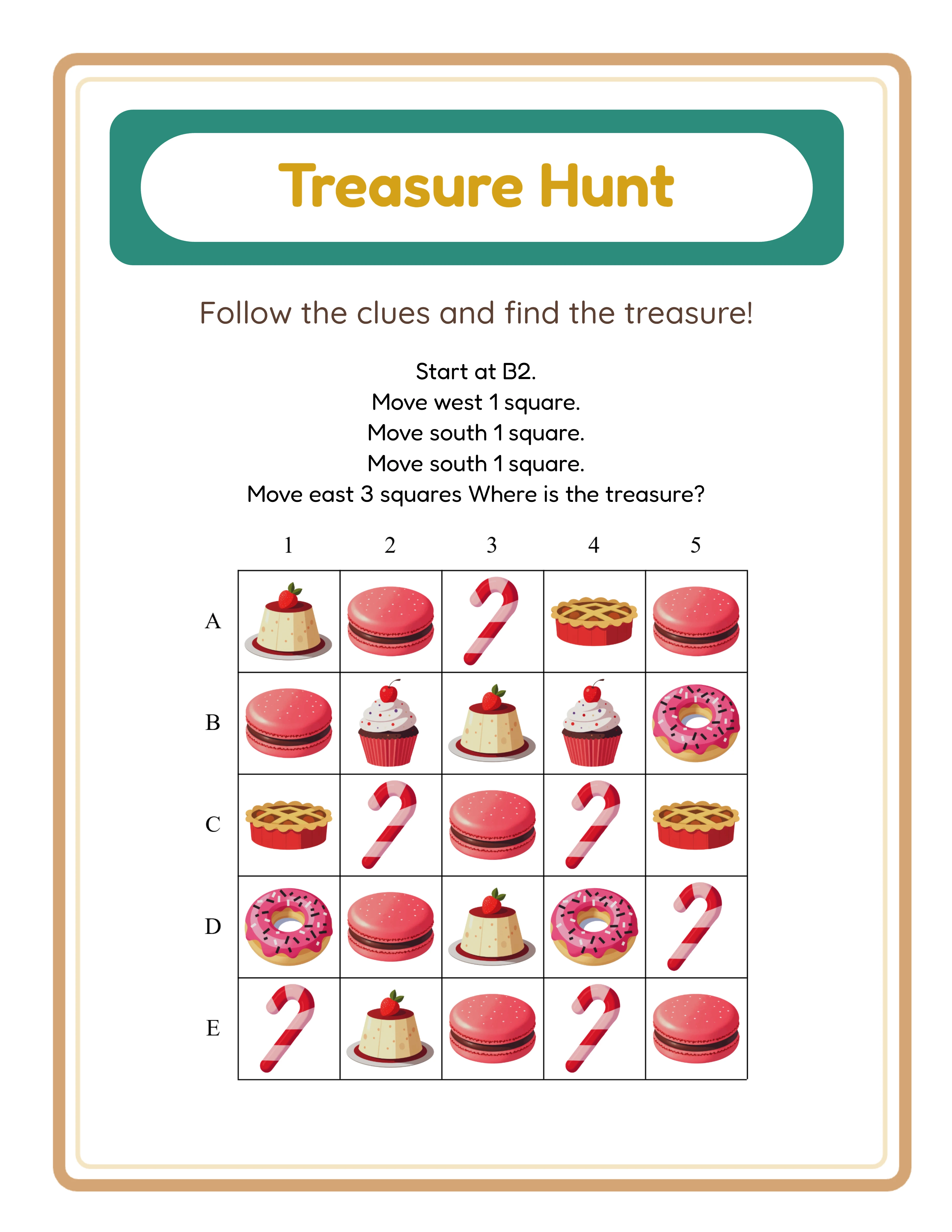
Treasure hunt worksheet with Cardinal direction clues using north south east and west on the 5 by 5 coordinate grid
Cardinal direction mode using compass vocabulary for advanced spatial reasoning and map-reading skills
Auto-generated answer key with final treasure cell highlighted in pale yellow on the 5 by 5 coordinate grid
Auto-generated answer key with pale yellow highlighted treasure cell for instant verification

Theme Images

Backpack — themed educational image
Backpack
Bear — themed educational image
Bear
Binoculars — themed educational image
Binoculars
Boots — themed educational image
Boots
Cabin — themed educational image
Cabin

Professional Worksheet Gallery

Clean, polished layouts ready for your business

Find Objects professional worksheet
Find Objects
Picture Path professional worksheet
Picture Path
Grid Match professional worksheet
Grid Match
Print-ReadyProfessional QualityMultiple FormatsAnswer Keys

Frequently Asked Questions

What are the two direction types available in the Treasure Hunt Maker?
The generator offers Basic mode (up, down, left, right) and Cardinal mode (north, south, east, west). Basic directions use familiar spatial vocabulary ideal for pre-K through 1st grade learners. Cardinal directions introduce compass vocabulary suited for 2nd grade and above, building map-reading skills and geographic orientation. Both direction types generate the same 4-move puzzle structure on the same 5×5 coordinate grid (A–E rows, 1–5 columns), so you can create progressive difficulty sets by starting with Basic and advancing to Cardinal.
How does the 5×5 coordinate grid work?
The grid uses a letter-number coordinate system with rows labeled A through E and columns labeled 1 through 5, creating 25 cells. Six themed images scatter across the grid as visual landmarks. The generator picks a random start cell and creates exactly 4 directional moves that stay within grid bounds. The worksheet displays 5 instruction lines: "Start at [cell]" followed by 4 "Move [direction] [number] square(s)" clues, ending with "Where is the treasure?" This fixed structure produces valid, solvable puzzles every time.
Are treasure hunt worksheets language-sensitive or purely visual?
Treasure hunt worksheets are language-sensitive, which is a key difference from purely visual formats like shadow matching or missing pieces. All directional clue text — "Start at," "Move," direction vocabulary for both Basic and Cardinal modes, "square(s)," and "Where is the treasure?" — fully translates into all 11 supported languages. Image content also updates per locale. This produces authentic native-language treasure hunt worksheets, not English puzzles with translated headers. The localized format enables multilingual product lines where one puzzle design generates 11 sellable language versions.
What are the three image input methods?
Generate from Theme (default) auto-selects 6 random images from the chosen theme and scatters them across the grid as visual landmarks. Manual Image Selection lets you browse 104 themed collections with over 3,100 illustrations and click to choose exactly 6 images. Upload Custom Images lets you add your own JPEG, PNG, GIF, or WebP files. All three methods populate the same 5×5 coordinate grid with 6 landmark images that help solvers visually orient themselves while following directional clues.
How does the auto-generated answer key with pale yellow highlighting work?
The generator uses a dual-canvas system with a Worksheet tab and an Answer Key tab. The answer key reproduces the identical puzzle layout — same grid, same scattered images, same header — and highlights the final treasure cell in pale yellow (rgba(255, 250, 205, 0.8)) with a dark gray stroke. Both tabs generate simultaneously, so there is no manual marking step and no possibility of mismatched solutions. Download the answer key separately using the dedicated JPEG and PDF buttons on the Answer Key tab.
Can I sell treasure hunt worksheets I create on Etsy and Amazon KDP?
Yes. A commercial license gives you full rights to sell generated treasure hunt worksheets on any platform including Etsy, Amazon KDP, Gumroad, Gumroad, and your own website. The two direction types, 5×5 coordinate grid, fully localized directional clues in 11 languages, auto-generated answer keys with pale yellow highlighted treasure cells, three image input methods, and 104 themed collections give you everything needed to create professional path-finding products. There are no royalty fees or per-sale charges. You keep 100 percent of your sales revenue after marketplace fees.
What is the refund policy for commercial licenses?
Every generator offers a free trial with watermark so you can test all features, create sample treasure hunt worksheets with both direction types, experiment with all 104 themes, evaluate localized directional clues in 11 languages, review auto-generated answer keys with pale yellow highlighted treasure cells, and verify output quality before purchasing. Because you can fully evaluate the product before buying, all commercial license sales are final. This is standard practice for digital product tools where the full product can be previewed before purchase.

Ready to Start Creating?

Try any generator free with watermark. No signup required.

Browse All Generators